summon worlds ai art
  • Home
    • About Summon Worlds
    • AI Image Generator | Summon Worlds
    • Fantasy AI Worldbuilding
    • AI Chat Roleplay | Summon Worlds
    Epic fantasy party lineup featuring a muscular armored bear warrior, a wise old wizard in a pointed hat, a radiant winged female elf with glowing armor, and a noble white dragon humanoid – set against a surreal alien twilight landscape with jagged mountains and multiple moons, perfect for immersive AI-powered roleplay and worldbuilding.
    About Us
    Expansive floating city with futuristic towers and a colossal suspended orb, surrounded by clouds and cascading waterfalls at sunrise – AI-generated fantasy world perfect for collaborative storytelling and immersive worldbuilding.
    Fantasy AI Worldbuilding
    Mystical fairy with luminous wings and a jeweled headpiece, gazing through the twilight with a glowing green serpent coiled across her shoulder—an ethereal guide to realms where magic and danger intertwine in Summon Worlds.
    AI Art
    Futuristic biker racing across a dusty alien landscape with towering rock formations, scattered meteors, and a massive ringed planet looming overhead, an adrenaline-charged moment in an AI-generated world perfect for sci-fi storytelling and off-world adventure campaigns.
    AI Chat Roleplay
  • Worlds
    • Create a World with AI | Summon Worlds
    • Summon Worlds For Dungeon Masters
    • Summon Worlds For Writers
    create an ai art world

    Create a World

    Design stunning worlds with the help of AI

    dnd masters

    For Dungeon Masters

    Transform your D&D campaign preparation

    ai art storytelling

    For Writers

    Create immersive fantasy worlds through interactive roleplay

  • Resources
    • Blog
    • Summon Worlds Community Updates
  • Plans
    • Pricing Plans for Worldbuilders and Storytellers
  • Guidebook
    • Guidebook
Join Us!
summon worlds ai art
  • Home
    • About Summon Worlds
    • AI Image Generator | Summon Worlds
    • Fantasy AI Worldbuilding
    • AI Chat Roleplay | Summon Worlds
    Epic fantasy party lineup featuring a muscular armored bear warrior, a wise old wizard in a pointed hat, a radiant winged female elf with glowing armor, and a noble white dragon humanoid – set against a surreal alien twilight landscape with jagged mountains and multiple moons, perfect for immersive AI-powered roleplay and worldbuilding.
    About Us
    Expansive floating city with futuristic towers and a colossal suspended orb, surrounded by clouds and cascading waterfalls at sunrise – AI-generated fantasy world perfect for collaborative storytelling and immersive worldbuilding.
    Fantasy AI Worldbuilding
    Mystical fairy with luminous wings and a jeweled headpiece, gazing through the twilight with a glowing green serpent coiled across her shoulder—an ethereal guide to realms where magic and danger intertwine in Summon Worlds.
    AI Art
    Futuristic biker racing across a dusty alien landscape with towering rock formations, scattered meteors, and a massive ringed planet looming overhead, an adrenaline-charged moment in an AI-generated world perfect for sci-fi storytelling and off-world adventure campaigns.
    AI Chat Roleplay
  • Worlds
    • Create a World with AI | Summon Worlds
    • Summon Worlds For Dungeon Masters
    • Summon Worlds For Writers
    create an ai art world

    Create a World

    Design stunning worlds with the help of AI

    dnd masters

    For Dungeon Masters

    Transform your D&D campaign preparation

    ai art storytelling

    For Writers

    Create immersive fantasy worlds through interactive roleplay

  • Resources
    • Blog
    • Summon Worlds Community Updates
  • Plans
    • Pricing Plans for Worldbuilders and Storytellers
  • Guidebook
    • Guidebook
Join Us!
  • Home
    • About Summon Worlds
    • AI Image Generator | Summon Worlds
    • Fantasy AI Worldbuilding
    • AI Chat Roleplay | Summon Worlds
    Epic fantasy party lineup featuring a muscular armored bear warrior, a wise old wizard in a pointed hat, a radiant winged female elf with glowing armor, and a noble white dragon humanoid – set against a surreal alien twilight landscape with jagged mountains and multiple moons, perfect for immersive AI-powered roleplay and worldbuilding.
    About Us
    Expansive floating city with futuristic towers and a colossal suspended orb, surrounded by clouds and cascading waterfalls at sunrise – AI-generated fantasy world perfect for collaborative storytelling and immersive worldbuilding.
    Fantasy AI Worldbuilding
    Mystical fairy with luminous wings and a jeweled headpiece, gazing through the twilight with a glowing green serpent coiled across her shoulder—an ethereal guide to realms where magic and danger intertwine in Summon Worlds.
    AI Art
    Futuristic biker racing across a dusty alien landscape with towering rock formations, scattered meteors, and a massive ringed planet looming overhead, an adrenaline-charged moment in an AI-generated world perfect for sci-fi storytelling and off-world adventure campaigns.
    AI Chat Roleplay
  • Worlds
    • Create a World with AI | Summon Worlds
    • Summon Worlds For Dungeon Masters
    • Summon Worlds For Writers
    create an ai art world

    Create a World

    Design stunning worlds with the help of AI

    dnd masters

    For Dungeon Masters

    Transform your D&D campaign preparation

    ai art storytelling

    For Writers

    Create immersive fantasy worlds through interactive roleplay

  • Resources
    • Blog
    • Summon Worlds Community Updates
  • Plans
    • Pricing Plans for Worldbuilders and Storytellers
  • Guidebook
    • Guidebook
ai art generator
ai art generator
  • Home
    • About Summon Worlds
    • AI Image Generator | Summon Worlds
    • Fantasy AI Worldbuilding
    • AI Chat Roleplay | Summon Worlds
    Epic fantasy party lineup featuring a muscular armored bear warrior, a wise old wizard in a pointed hat, a radiant winged female elf with glowing armor, and a noble white dragon humanoid – set against a surreal alien twilight landscape with jagged mountains and multiple moons, perfect for immersive AI-powered roleplay and worldbuilding.
    About Us
    Expansive floating city with futuristic towers and a colossal suspended orb, surrounded by clouds and cascading waterfalls at sunrise – AI-generated fantasy world perfect for collaborative storytelling and immersive worldbuilding.
    Fantasy AI Worldbuilding
    Mystical fairy with luminous wings and a jeweled headpiece, gazing through the twilight with a glowing green serpent coiled across her shoulder—an ethereal guide to realms where magic and danger intertwine in Summon Worlds.
    AI Art
    Futuristic biker racing across a dusty alien landscape with towering rock formations, scattered meteors, and a massive ringed planet looming overhead, an adrenaline-charged moment in an AI-generated world perfect for sci-fi storytelling and off-world adventure campaigns.
    AI Chat Roleplay
  • Worlds
    • Create a World with AI | Summon Worlds
    • Summon Worlds For Dungeon Masters
    • Summon Worlds For Writers
    create an ai art world

    Create a World

    Design stunning worlds with the help of AI

    dnd masters

    For Dungeon Masters

    Transform your D&D campaign preparation

    ai art storytelling

    For Writers

    Create immersive fantasy worlds through interactive roleplay

  • Resources
    • Blog
    • Summon Worlds Community Updates
  • Plans
    • Pricing Plans for Worldbuilders and Storytellers
  • Guidebook
    • Guidebook

Category: Blog

qq
November 18, 2025
by Andrea ChavezBlog

Top 10 Worldbuilding Apps for Writers and Dungeon Masters in 2026 (Ranked)
Top 10 Worldbuilding Apps for Writers and Dungeon Masters in 2026 (Ranked)

👉 Discover the best worldbuilding apps 2026 for writers and dungeon masters. Create faster, plan smarter, and bring worlds to life. Try Summon Worlds now!

  • November 18, 2025
  • Andrea Chavez

What if your next session took half the prep time?

Last week, did you lose an hour hunting one NPC note? Or a city map? Or a plot hook? I’ve been there. Tabs on tabs. Files in five places. Energy gone.

✅Here’s the good news. In 2026, worldbuilding apps got smarter and faster. AI now helps with names, lore links, images, and quick prompts. It won’t write your story for you. But it will clear the clutter so your ideas can breathe.

This guide is simple and direct. I rank the best worldbuilding apps 2026 for writers and dungeon masters. I show what each tool does best. I flag limits you should know. You’ll see where AI helps, and where a classic wiki still wins.

❓Why this matters: choosing the right home for your world saves time every week. It also keeps your players and readers in the story, not waiting while you search.

Stick with me. In a few minutes, you’ll know the one tool to open first for your next chapter or session. The top pick might surprise you, and it could change how you prep forever. Read on.

Table of Contents

Worldbuilding Apps in 2026: What You Need to Know

⏳Old way: scattered docs, spreadsheets, and image folders. That slows you down.

⏰New way: focused worldbuilding tools for writers and worldbuilding tools for dungeon masters. 

They keep lore, maps, timelines, art, and chat in one flow. Some tools now add AI help, collaboration, and mobile access, so you can build anywhere.

For example, Summon Worlds combines character creation, AI chat, and art generation, with sharing and discovery baked in. It’s built for creators, DMs, and writers who want to build and roleplay without the mess. 

Common Worldbuilding Challenges and Smart Fixes

Try Summon Worlds for free.

"Download on the App Store"

"GET IT ON Google Play"

  • Too many places for notes: Pick one “home base.” Make that your source of truth. Use exports only as backups.
  • Lore with no links: Use tools that auto-link terms or support wikis. That cuts search time and keeps ideas connected.
  • Art and maps stuck in silos: Choose tools that let you add images to entries or embed maps with pins. Your players and beta readers will thank you.
  • No player access or messy permissions: Use tools with guest access or publish views. Keep secrets private with GM-only notes.
  • No mobile: If you plan on building on the bus or couch, make sure your pick has a solid mobile app.

Top 10 Best Worldbuilding Apps 2026 (Ranked for Writers & DMs)
1) Summon Worlds: Best all-around for writers and DMs

  • Why it stands out: Mobile-first worldbuilding with AI creation, character chat, and image generation. You can build characters, items, spells, locations, then talk to them in-app. It supports community sharing and discovery. Great for fast prep and story inspiration. 
  • Good for writers: Draft lore, generate art, and chat with characters to explore voice and backstory. 
  • Good for DMs: Create NPCs, items, and locations on the fly, then roleplay scenes before game night. 

2) World Anvil: Best wiki powerhouse

  • What you get: Wiki-style articles, interactive maps, timelines, and a full RPG campaign manager. Many templates. Deep structure for big settings.
  • Good for writers: Built-in novel planning tools plus timelines. 
  • Good for DMs: Campaign features with player-facing content and secrets. 
Read our article about Top RPGs 
 

3) Campfire Writing (Campfire Write): Best modular system for authors

  • What you get: A set of modules for characters, cultures, magic, languages, and more. Choose what you need. Works on web, desktop, and mobile. 
  • Good for writers: Strong planning tools and publishing options for sharing with readers.
  • Good for DMs: Use character and location modules to organize factions, regions, and lore. 

4) LegendKeeper: Best for clean, fast campaign wikis

  • What you get: Lightweight wiki, map pins, timelines, and whiteboards. Unlimited free guest access for players; only the owner pays.
  • Good for writers: Keep a tidy lore hub with auto-linked terms.
  • Good for DMs: Share a live atlas with secrets hidden from players. 

5) Kanka: Best free, modular campaign manager

  • What you get: Entities for characters, locations, families, items, quests, journals, calendars, and more. Toggle modules on or off. Strong collaboration.
  • Good for writers: Track arcs with journals and events.
  • Good for DMs: Build full campaigns with roles and permissions. 

6) Obsidian: Best local-first knowledge base

  • What you get: Markdown notes, bidirectional links, and graph view. You own your files. Huge plugin scene for timelines, maps, and TTRPG workflows. 
  • Good for writers: Simple, fast drafting with strong linking.
  • Good for DMs: Great for session notes and quick lookup during play. 

7) Notion: Best for flexible databases and templates

  • What you get: Databases, linked views, and many wiki templates. Easy to model worlds as databases and views (e.g., locations by region, NPCs by faction).
  • Good for writers: Use templates for style guides, glossaries, and chapter trackers.
  • Good for DMs: Build a player wiki with tags and filtered views. 

8) Inkarnate: Best browser map maker for fantasy

  • What you get: Web-based map creation for worlds, regions, and cities. Pro plan allows commercial use of maps. 
  • Good for writers: Create setting maps for pitch decks and reader guides. 
  • Good for DMs: Fast battle map backgrounds and regional maps for travel arcs. 

9) DungeonFog: Best battlemap builder with VTT-ready output

  • What you get: Online battlemap editor with asset libraries, campaign mode, and regular updates (e.g., V5 editor). Good for quick, printable maps or exports to VTTs. 
  • Good for writers: Visualize key set pieces. 
  • Good for DMs: Build, share, and reuse maps across sessions. 


Read our article about How to Create Campaign Worlds


10) Scabard: Best simple campaign wiki with auto-linking

  • What you get: Straightforward campaign manager with a wiki style and a “Proper Noun Detector” that builds and links pages fast. Easy sharing with players. 
  • Good for writers: Fast setup for small settings.
  • Good for DMs: Quick logs, timelines, and secrets. 

How to Use These Worldbuilding Tools Effectively
✍️If you’re a writer:

  1. Brainstorm in Summon Worlds. Chat with a character to test voice. Save the best lines.
  2. Generate a portrait or a location image to anchor the scene.
  3. Store long-form lore in World Anvil or LegendKeeper if you need deep structure. 
  4. Keep chapter notes in Obsidian or Notion if you prefer local files or databases.

🧙‍♂️If you’re a DM:

  1. Build your session one-pager in Summon Worlds. Create NPCs, items, and prompts for quick table use.
  2. Make a region or city map in Inkarnate; craft battle maps in DungeonFog.
  3. Publish player-safe lore in LegendKeeper or Kanka; keep secrets private.
  4. Use Scabard if you want a very simple wiki with auto-linking to speed prep.

✨Tight on time? Stick to one primary tool. Summon Worlds covers fast creation, chat, and art in one place, with sharing when you need it. 

🧭Ready to Build Your World Faster? 

We just ranked the top worldbuilding apps for 2026. You saw what each tool does best. You saw where wikis shine, where map makers fit, and where an all-in-one hub saves time. The goal is simple: one home for your lore, scenes, and sessions.

For most writers and GMs, that home is Summon Worlds. It handles characters, locations, items, and images in one place. You can chat with characters, spark scenes, and keep notes tidy. It cuts prep. It boosts ideas. And it works great on mobile.

Here’s your next step. Pick one story beat or one session. Build it in Summon Worlds. Create a character. Test a scene. Add a portrait. You’ll feel the lift right away.

👉Ready to go? Get Summon Worlds free.

"Download on the App Store"


"GET IT ON Google Play"

Disclaimer: Summon Worlds and the content on summonworlds.com are not affiliated with, endorsed by, or sponsored by Wizards of the Coast LLC. Dungeons & Dragons, D&D, and related terms are registered trademarks of Wizards of the Coast. Any references to D&D game mechanics, settings, or terminology are made for educational, commentary, and fan content purposes only. This blog does not reproduce or distribute official D&D content. All original ideas, characters, and creative content in this post are the intellectual property of OpenForge LLC, the parent company of Summon Worlds.
Previous
Next
Share the Post:

Recent Posts

How to Design Fantasy Calendars and Time Systems for Your Storyworlds

Read More
December 22, 2025

Fantasy Names That Tell a Story: How to Use Naming to Build Cultures

Read More
December 17, 2025

What is the difference between worldbuilding apps and general note apps?

Worldbuilding apps focus on lore, characters, maps, and timelines. They often add auto-linking and player views. General note apps do not. If you need structure for a setting or campaign, choose a tool built for that work.

How to pick worldbuilding tools for writers?

Start with your draft needs. If you want modules for magic, languages, and characters, Campfire Writing is strong. If you want a wiki with timelines, World Anvil shines. If you want AI chat plus art, Summon Worlds is great. Test each with one scene.

Why should dungeon masters use worldbuilding tools for dungeon masters instead of spreadsheets?

You get secrets, player views, map pins, and quick linking. That reduces friction at the table. Tools like LegendKeeper and Kanka handle this out of the box.

What are the best worldbuilding apps 2026 for maps?

For regional and city maps, use Inkarnate. For battle maps, use DungeonFog. Both are browser-based and active with updates.

How to move from paper notes to a digital tool without losing speed?

Choose one app as your base. Import only what you need now. Create links as you go. Keep your session or chapter template simple. Add features later when you feel comfortable.
Read More
z
November 17, 2025
by Andrea ChavezBlog

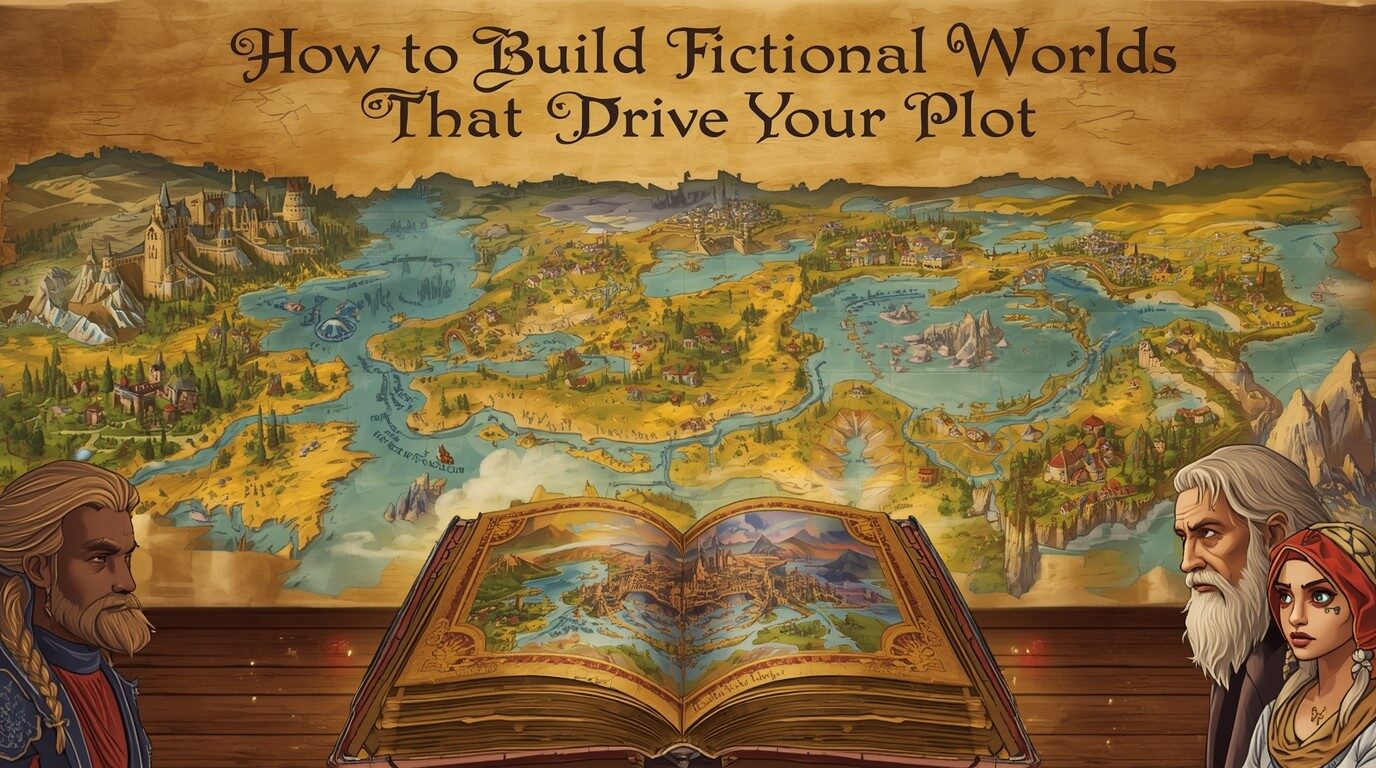
How to Build Fictional Worlds That Drive Your Plot

How to Build Fictional Worlds That Drive Your Plot

👉 Learn fictional world building that fuels your plot, raises tension, and shapes every scene. Simple tips writers trust. Start crafting a better story today.

  • November 17, 2025
  • Andrea Chavez

Ever sat down to write and thought, “My world looks cool… but nothing is actually happening in it”?

That’s the core problem of fictional world building for most writers. The map is rich. The history is long. But the story stalls.

✅Good news: it does not have to be that way.

When you use your setting to pressure your characters, your world starts driving plot through setting, not just decorating it. Modern tools like Summon Worlds make that link much easier, helping you test scenes, create NPCs, and keep the lore tight while you write.

In this guide, I’ll walk you through world-building for writers who care about story first. We’ll talk about simple world building techniques for storytellers, common traps, and how to use Summon Worlds to build worlds that actually move your plot forward.

Table of Contents

Fictional World Building That Puts Story First

Before we talk tools, let’s set one rule.

Your world is not a wiki. Your world is a pressure cooker.

Readers don’t remember every river, trade route, or festival. They remember what those things do to your characters. In other words, strong fictional world-building gives your plot limits, risks, and hard choices. Setting and story work as one.

👉Traditional worldbuilding often went like this:

  • Spend months drawing maps and writing lore.
  • Fall in love with backstory.
  • Then try to “fit” a plot into it.

Modern, story-first building worlds for fiction writers flips that:

  1. You pick the core conflict.
  2. You design only the parts of the world that push on that conflict.
  3. You use tools to fill in details just-in-time, not years in advance.

This is where apps like Summon Worlds help a lot. You can spin up cultures, locations, and characters fast, then keep or tweak only what feeds the story. No huge lore binders. Just what the scene needs right now.

Read our article about How to Build Fantasy Worlds 

How Setting Actually Drives Story

  • Let’s break down what it means to use driving plot through setting in practice.

    Think of setting as a “rule engine”:

    • Where and when the story happens.
    • What is normal here.
    • What hurts, what tempts, and what is forbidden.

    When you’re tying setting to narrative conflict, ask:

    • What about this world makes my hero’s goal harder?
    • What about this place makes failure worse?
    • What about this culture makes their choices messy?

    If your world does not change what your characters do, it’s not yet part of the story. It’s wallpaper.

    Story-first world-building for writers means:

    • You start from character and goal.
    • You shape geography, politics, magic, tech, or culture to get in their way.
    • You use each scene’s location to force decisions.

    That’s the mindset shift: from “What’s a cool kingdom?” to “What kind of kingdom would make this choice painful?”

Common Worldbuilding Traps (And Simple Fixes)

Every writer I know falls into at least one of these. Let’s call them out and fix them.

Trap 1: The Lore Dump

You spend weeks on calendars and coin systems. Then you open chapter one with three pages of history. Readers skim. The plot dies.

✅Fix: Think “moment first, detail second.”

  • Show one clear scene.
  • Add only the details that shape that moment.
  • Save the rest for later chapters or side notes.

These are immersive world-building tips in their simplest form: reveal the world through action, not lectures.

Trap 2: Cool World, Flat Conflict

Your city in the sky looks great. The magic system has rules. The problem? The main struggle could happen in any random town.

✅Fix: Tie your world building techniques for storytellers to your main clash.

Ask:

  • What is at stake that only exists because of this world?
  • What law, belief, or resource here makes this problem unique?
  • What does the setting take away if the hero fails?

Use that to sharpen the central conflict.

Trap 3: No Limits, No Tension

If magic or tech can fix anything at any time, nothing feels risky. This is a classic worldbuilding issue.

✅Fix: Add at least one hard limit:

  • Magic costs health, time, memory, or status.
  • Tech needs power, rare parts, or legal access.
  • Travel is slow, dangerous, or expensive.

Now your building worlds for fiction writers becomes a game of trade-offs, not wish fulfillment.

Trap 4: Setting Never Changes

Some drafts keep the world as a static stage. Characters move, but the world does not react.

✅Fix: Let the world hit back.

  • A riot after a public act.
  • Weather that worsens a chase.
  • Rumors that twist how people treat the hero.

This is tying setting to narrative conflict in a active way. The world is an opponent, not a backdrop. 


Read our article about the Mistakes People Make with Backstory Generators 

How Summon Worlds Turns Setting Into Story Fuel

You don’t need to do all this alone. Summon Worlds is a mobile-first AI worldbuilding app built for writers, GMs, and roleplayers who want story-ready worlds, not just lore files.

Here’s how it supports story-first fictional world building.

Instant Ideas, Story-Ready Details

With Summon Worlds you can:

  • Generate characters with backstories and edit them to fit your plot.
  • Create items, spells, locations, and more with AI prompts.
  • Store everything in collections tied to your worlds and campaigns.

You don’t lose time on blank-page fear. You start from “something” and shape it into “yours.”

Visual Setting That Shapes Scenes

Need a tavern in five minutes? Or a cursed forest that feels different from the last three forests you wrote?

Summon Worlds gives you:

  • AI art for characters, places, weapons, and more in styles like epic fantasy, anime, and steampunk.
  • Extra image options so you can pick the version that fits your story mood.

Now your driving plot through setting gets a visual boost. You can see the place, then ask: “What’s the most dangerous thing that could happen here?”

In-Character Chat to Test Conflict

One powerful part of the app is AI character chat:

  • You can talk to your heroes and villains as if they are real.
  • You can drop them into a scene and see how they react.
  • You can tweak their instructions so their voice matches your draft.

This is huge for world-building for writers who like to explore conflict in dialogue first. You can test how your world’s rules shape reactions before you write the final version.

Built for Teams and Ongoing Series

Summon Worlds is also built for collaboration and long series:

  • You can build worlds with friends or co-GMs in real time.
  • Worlds connect locations, entities, and history, so your lore stays consistent as you add more books or campaigns.

That means no more “Wait, what color was the moon in book one?” threads. The app remembers so your story can keep moving.

🧭 Ready to Build a World That Pushes the Story Forward?

Strong fictional world-building doesn’t bury your plot. It sharpens it.

When you tie setting to conflict, give your world limits, and let it hit back, every scene gains weight. Your readers feel that. They stop skimming the descriptions and start needing them, because each detail changes what your characters can do.

Summon Worlds makes this work easier. You get fast ideas, visual support, in-character chat, and a shared space to grow your worlds over time. All-in-one mobile app built for fantasy creators, game masters, and writers.

👇Ready to build a world that actually moves your story?

Get Summon Worlds Now.

"Download on the App Store"


"GET IT ON Google Play"

Disclaimer: Summon Worlds and the content on summonworlds.com are not affiliated with, endorsed by, or sponsored by Wizards of the Coast LLC. Dungeons & Dragons, D&D, and related terms are registered trademarks of Wizards of the Coast. Any references to D&D game mechanics, settings, or terminology are made for educational, commentary, and fan content purposes only. This blog does not reproduce or distribute official D&D content. All original ideas, characters, and creative content in this post are the intellectual property of OpenForge LLC, the parent company of Summon Worlds.
Previous
Next
Share the Post:

Recent Posts

How to Design Fantasy Calendars and Time Systems for Your Storyworlds

Read More
December 22, 2025

Fantasy Names That Tell a Story: How to Use Naming to Build Cultures

Read More
December 17, 2025

What is fictional world building in simple terms?

Fictional world building is the process of creating the time, place, culture, and rules your story lives in. It includes geography, history, beliefs, tech, and magic. The key is not just to make it rich, but to link it to your characters’ goals and problems so it supports the plot.

How to start world-building for writers who feel stuck?

Start from your main character and their goal, not from a map. Ask what kind of place would make that goal difficult. Then design one city, group, or region that blocks them. Add only the details that shape the first few scenes. You can expand the world later as the story grows.

Why is driving plot through setting so important?

When you are driving plot through setting, your locations and cultures create tension by themselves. The weather, laws, religion, or tech all push on your characters. That means every scene has more built-in conflict, and the story feels unique to this world rather than something that could happen anywhere.

What are some world building techniques for storytellers?

Good world building techniques for storytellers include: giving your world clear limits, tying each location to a specific risk or desire, and revealing lore through action instead of info dumps. Use scenes, not essays, to show how the world shapes choices and makes failure costly for your characters.

What are the best immersive world-building tips for fiction writers?

Some of the best immersive world-building tips are very simple: let details affect behavior, keep your rules consistent, and show how ordinary people live under those rules. Use tools like Summon Worlds to generate ideas, but always tweak them so they tie directly to narrative conflict and your characters’ journeys.
Read More
⁠AI Character Sheets: The New Standard for Roleplaying?
October 31, 2025
by Andrea ChavezBlog

⁠AI Character Sheets: The New Standard for Roleplaying

⁠AI Character Sheets: The New Standard for Roleplaying

⁠AI Character Sheets: The New Standard for Roleplaying?

Bring your stories to life with Character Sheets with AI. Build faster, play deeper, and keep every world alive. Try Summon Worlds today, free!

  • October 31, 2025
  • Andrea Chavez

Have you ever built a character that looked great on paper but felt empty in play? You filled every box, stats, gear, backstory. Yet something was off. The sheet was complete, but the character had no pulse. Most role-players know that feeling. It’s the moment you realize your creation is trapped in numbers instead of story.

Now imagine if your sheet could think with you. Adapting as your world grows, remembering choices, and keeping your story alive between sessions. Sounds bold, right? But that’s exactly what’s happening today. Character Sheets with AI are reshaping how players and game masters prepare for and play their campaigns.

In this post, we’ll uncover how these new sheets breathe life into your heroes, how they fix the slow and rigid prep process, and why they might soon become the new standard for role-playing. If you’ve ever wished your character could talk back, stay close,  this might change how you play forever.

Table of Contents

What Are Character Sheets for Role-Playing Today?

A new tool

A character sheet used to be a page you filled by hand. It had stats, skills, gear, and notes. That still matters. But now apps can fill those boxes for you. They can add flavor text. They can suggest backstory hooks. This is what makes a custom character sheet strong.

Old way vs new way

⏳Old way: you write each line. You may forget details. You spend prep time.

⏰New way: the tool offers choices. You edit fast. You test ideas in chat. You save versions. The new way cuts the busy work.

Top Mistakes with Character Sheets and Simple Fixes

  • Mistake 1: Too much detail too soon

    People pile on layers. They lock a character early. This kills play.

    🛠️Fix: start with a core idea. Add detail after a session. Use the sheet to jot what matters now.

    Mistake 2: Treating the sheet as a rule sheet only

    Some sheets list stats only. They ignore voice and motive. That makes characters flat.

    🛠️Fix: add a short voice line. Add one clear goal. Let the sheet show how the character talks and what they want.

    Mistake 3: Not using the sheet in play

    Players forget the sheet after session zero. It becomes dead paper.

    🛠️Fix: use a live sheet. Update it after scenes. Let it grow with the story.

    Mistake 4: Not making it yours

    Many use a template without change. The result feels generic.

    🛠️Fix: make a custom character sheet. Choose fields you want. Remove what you don’t need.

How Character Sheets with AI Speed Up Play

They speed up character creation

You can get a full sheet in minutes. The tool fills stats, picks skills, and suggests a name. It can give several short backstory options. You read them. You pick one. You edit it. This saves hours.

They make role voice clear

AI character roleplays let you chat with the sheet in the voice of your character. Try a line. See how the character answers. This helps you learn how to speak in role. It makes play feel real.

They keep the sheet live and linked

A custom character sheet connects to notes and scenes. You can link a wish, a secret, a pact. When you update one part, the sheet shows the change. This keeps things consistent.

They suggest scenes and hooks

The sheet can offer a short scene seed for the next session. It can name an NPC, a town, or a threat tied to your backstory. These ideas are quick. They push the game forward.

They help new players

New players get a filled sheet and a short play guide. They get tips on what to roleplay. This lowers the entry wall. More people can join your table with less prep.

Why This Changes Role-Playing for the Better

Better play, less prep

Game masters spend hours on prep. Players spend hours on sheets. These tools cut that down. You get more time at the table. More time in scenes that matter.

Deeper character moments

A short goal, a voice line, and a secret can change a scene. These are small bits that lead to big moments. Character Sheets with AI push you to think of these bits while you build.

Consistent world logic

When many players use live sheets, the world stays tight. NPCs and fears match. You avoid plot holes in play. This makes the story clearer and stronger.

Use a Custom Character Sheet in Your Game

1️⃣Tip 1: Start with a seed

Pick one strong trait. Maybe a fear or a debt. Ask the tool to build a sheet around that seed. Keep the seed simple. Let the rest grow.

2️⃣Tip 2: Use the sheet in session zero

Share the sheet with your group. Ask for one line of feedback. Use those lines to link characters. This builds ties fast.

3️⃣Tip 3: Update the sheet after scenes

After key scenes, edit one or two lines. Track wounds. Track vows. This makes the paper feel alive.

4️⃣Tip 4: Use AI character roleplays to rehearse

Before a big scene, talk with your character in the tool. Practice a speech. Try a few tones. This builds confidence and a stronger voice at the table.

5️⃣Tip 5: Make a custom character sheet

Remove clutter. Add only the fields you use. For a combat-heavy game, keep combat stats front and center. For a drama game, keep motives and secrets front and center.

Limits and Risks to Watch When Using AI Character Tools

Not all suggestions fit

These tools give options. Some will not match your style. Keep control. Edit everything you don’t like. The tool is here to help,  not to rule.

Avoid over-reliance

Do not let the tool replace your play instincts. Use it as a fast helper. The best moments still come from players and GMs at the table.

Keep it simple

If the sheet gets long, cut it down. Play needs clarity. A busy sheet can slow you. Pick the pieces that matter most to your group.

🧭Ready To Try Character Sheets with AI?

Character Sheets with AI aren’t just smarter,  they’re transforming how every story unfolds. They cut prep time, keep worlds consistent, and let your characters evolve with real emotion and memory. Whether you’re running a campaign or writing your next epic, this is how you bring imagination to life,  faster, easier, and richer than ever before.

With Summon Worlds, you can build dynamic characters, chat in their voices, and manage your entire world in one place. No spreadsheets. No endless note-taking. Just storytelling that flows.

👇Your next unforgettable session starts here.

"Download on the App Store"


"GET IT ON Google Play"

Disclaimer: Summon Worlds and the content on summonworlds.com are not affiliated with, endorsed by, or sponsored by Wizards of the Coast LLC. Dungeons & Dragons, D&D, and related terms are registered trademarks of Wizards of the Coast. Any references to D&D game mechanics, settings, or terminology are made for educational, commentary, and fan content purposes only. This blog does not reproduce or distribute official D&D content. All original ideas, characters, and creative content in this post are the intellectual property of OpenForge LLC, the parent company of Summon Worlds.
Previous
Next
Share the Post:

Recent Posts

How to Design Fantasy Calendars and Time Systems for Your Storyworlds

Read More
December 22, 2025

Fantasy Names That Tell a Story: How to Use Naming to Build Cultures

Read More
December 17, 2025

What is a character sheet with AI?

A character sheet with AI is a live sheet that fills and updates with the help of a tool. It can suggest stats, give short backstories, and offer voice lines. It helps players build fast and act in character with less prep.

How to make a custom character sheet for my game?

Start with the few fields your game uses most. Add a short voice line and one goal. Pick a few traits. Use the tool to fill the rest. Test in one session, then tweak. Keep what you use. Remove the rest.

Why use AI character roleplays in prep?

They let you test how a character sounds. You can try lines and reactions. This helps you find a consistent voice. It also speeds up prep and gives clear role choices for play.

What is the best way to keep character sheets for role-playing up to date?

Update after big scenes. Note wounds, vows, and gains. Make a single quick change after each session. This keeps the sheet useful and true to the story.

Can new players use these sheets easily?

Yes. New players get guided options and a short play guide. The tool makes a ready-to-play sheet. That lowers the time to join and helps them focus on scenes, not rules.
Read More
6
October 30, 2025
by Andrea ChavezBlog

⁠How Writers Built Entire Universes and What Tools They Use

⁠How Writers Built Entire Universes and What Tools They Use

Discover how top writers built powerful fantasy worlds and the tools they used. Learn their secrets and start building your world today with Summon Worlds.

  • October 30, 2025
  • Andrea Chavez

What stops more fantasy drafts: plot or the map? Most writers quit because the world won’t hold. Towns float. Roads vanish. Rules wobble. Prep eats your week.

You don’t need more lore. You need a frame. That’s where world-building for fantasy gets real. A map that fixes travel. A magical system with a cost. A short line of historical events that explains today’s mess. A sense of land and natural resources that push people to act.

Five writers solved this in sharp, simple ways. One started with language. One began with sand and scarcity. One trusted a rough map more than a tidy outline. Another wrote like a gardener and still kept canon tight. The last made rules so clear that every scene hit harder.

👉Here’s the tease: the trick isn’t volume. It’s order. Pick the one lever that moves your fictional world first. Then add the rest, fast and clean.

In a moment, I’ll show you how they built their worlds step by step. I’ll also show you how to copy each move inside Summon Worlds, without slowing your draft. If you’ve ever stared at foggy borders or shifting laws, this is your fix.

Ready to stop guessing and start building your world? Keep reading. 

Table of Contents

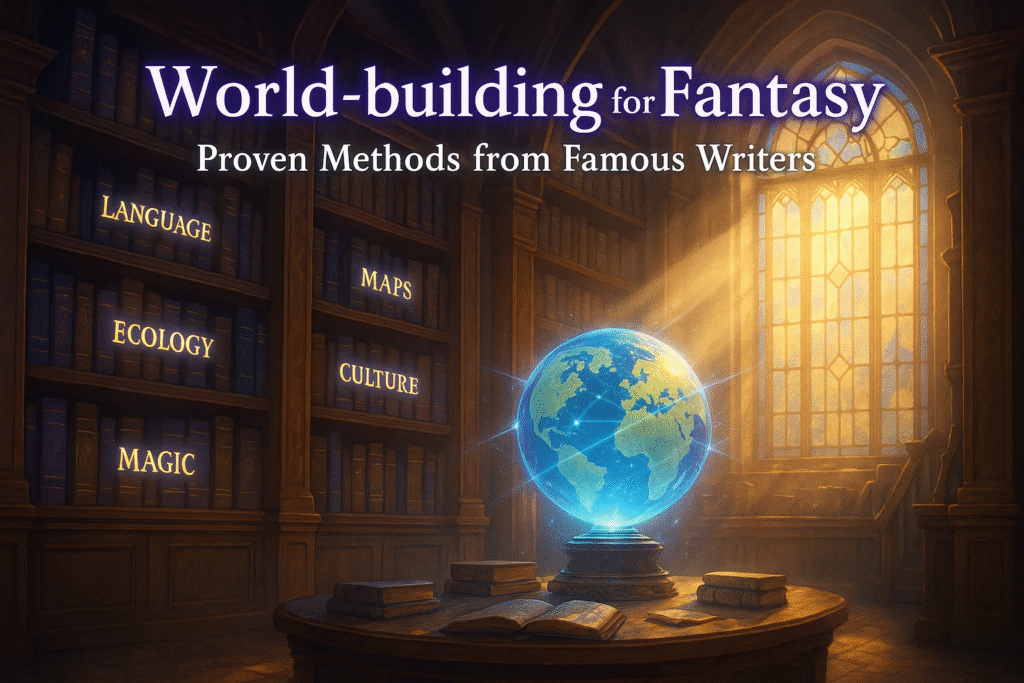
World-building for Fantasy: Proven Methods from Famous Writers

⏳Old way: Start a story. Patch the world as you go. Fix holes later. Burn out.

⏰New way: Treat the world as a system. Use a few strong tools. Keep them visible as you write. Update them as “facts” change. Move fast, but stay consistent.

You don’t need huge bibles to start. You need the right scaffolding: a working map, a basic magical system, a short timeline of historical events, and a clear sense of culture. Then you can shape scenes without stalling.

1) J.R.R. Tolkien: languages, maps, and timelines

Tolkien didn’t only write stories. He built a living past. He forged languages, then let culture, place, and story grow from them. He drew maps early and used them to keep distances, travel time, and logic intact. That is why middle earth feels solid.

🛠️Tools he used

  • Constructed languages: He built Elvish tongues and scripts. That decision shaped names, myths, and politics.
  • Maps first: He sketched regions before plot beats. The map kept routes and timing honest.
  • Chronologies: He tracked historical events across ages. This made the present feel layered.
  • Cultural mapping: Language choice hinted at culture and “who lives where.”

❓What you can copy today

  • Name a few places using a sound system or rule. Keep a mini “phonology” note.
  • Start a simple travel map. Mark roads, rivers, borders, and danger zones.
  • Log ten key past events. Births, wars, disasters, treaties. Keep dates consistent.
  • Write one paragraph on each culture. Food, music, gods, taboos.

✅Try it in Summon Worlds

  • Use Character Creation to lock naming rules. Keep a short “language notes” block in Character Instructions.
  • Use AI Art Generation to create a region poster: hills, ports, ruins, borders.
  • Save a Timeline & History note inside your world (coming soon) or a Collection. Tag events by age and realm.
  • Publish a private Collection for maps, place names, and key dates. Update as you write.

2) Ursula K. Le Guin: place and culture first

Le Guin’s worlds begin with place. She drew maps herself. She treated geography and culture as one system. Her approach is quiet and strong: build a place people could live in, then tell the story.

🛠️Tools she used

  • Author-made maps: Maps of islands, coasts, and trade lines set tone and travel.
  • Anthropology lens: Culture flows from land, climate, and work.
  • Language and story voice: She matched style to the world’s spirit.

❓What you can copy today

  • Sketch a harbor, valley, or archipelago. Add wind patterns and sea routes.
  • Ask five “daily life” questions: What do people eat? How do they work? What songs do they sing? Who keeps peace? What scares them?
  • Write one market scene. Show trade, natural resources, and gossip.

✅Try it in Summon Worlds

  • Generate a location board: docks, shrines, market stalls, fishing boats.
  • Use AI Character Chat with a merchant. Ask what sold out after last storm. Let the world answer you back.
  • Save voices in chat. Pick a voice for a priest, one for a sailor. Keep tone steady across scenes.

3) Frank Herbert: ecosystems, power, and scarcity

Herbert’s universe starts with ecology. He looked at deserts, water cycles, and human control over natural resources. Politics and faith then grew from scarcity and survival.

🛠️Tools he used

  • Field research and science reading: Real dunes. Real climate. Real engineering ideas.
  • Resource economics: Who controls water? What does that control do to culture and law?
  • Terminology with meaning: Words carry history and belief.

❓What you can copy today

  • Pick one key resource (water, ironwood, sky-silk). Decide who owns it. Decide who steals it.
  • Define three survival rules for your land. Travel, storage, taboo.
  • Map one feedback loop. Example: less rain → salt trade rises → border raids increase → temple tax changes.

✅Try it in Summon Worlds

  • Create items tied to the resource: canteens, still-suits, guild seals.
  • Use Style Presets (Epic Fantasy or Futuristic) to show tech vs. ritual tools.
  • In Character Instructions, lock taboos: “Never waste water. Punishment: exile.” The AI will keep NPCs in line.

4) George R.R. Martin: the gardener method, maps, and worldbooks

Martin calls himself a “gardener.” He plants seeds and lets the story grow. Yet his world stays tight because he also uses maps and reference books. History and family trees set the soil.

🛠️Tools he used

  • Gardener approach: He writes to discover, but he keeps what grows consistent.
  • Detailed maps and atlases: City plans, roads, and sea lanes hold the plot to real travel.
  • Worldbook team-ups: A shared “history text” keeps canon straight.

❓What you can copy today

  • Be a gardener with guardrails. Keep a short “world facts” page open while drafting.
  • Build two family trees. Decide old feuds, oaths, and debts.
  • Draft one page of your worldbook. Not lore dumps, just key dates and houses.

✅Try it in Summon Worlds

  • Use Collections to group houses, sigils, keeps, and bannermen.
  • Generate banners and seals with AI Art. Keep a shared Collection for heraldry.
  • In AI Character Chat, run a council scene. Let nobles argue. Save the chat as canon.

5) Brandon Sanderson: clear rules and continuity

Sanderson’s strength is clarity. His magical system has rules. Costs. Limits. He also keeps a high bar for continuity across books.

🛠️Tools he used

  • Laws of magic: If readers know what magic can and cannot do, tension rises.
  • Continuity tracking: A shared wiki and notes for places, powers, and timelines.
  • Lectures and checklists: He audits rules, costs, and edge cases.

❓What you can copy today

  • Write three rules for your magical system. Add one clear cost. Magic should always leave a mark.
  • Make a powers table: source, cost, risk, counters.
  • Keep a living “exceptions” list. If you add one, explain why it doesn’t break the system.

✅Try it in Summon Worlds

  • Use Custom Prompts to render spells, relics, and sigils.
  • Store Memory Controls for the magic rules. The AI will respect costs in scenes.
  • Create “edge case” tests in Character Chat. Ask, “What breaks if we do X?” Fix holes before you draft.

🧭Ready to Create a Strong Fantasy World Today?

Disclaimer: Summon Worlds and the content on summonworlds.com are not affiliated with, endorsed by, or sponsored by Wizards of the Coast LLC. Dungeons & Dragons, D&D, and related terms are registered trademarks of Wizards of the Coast. Any references to D&D game mechanics, settings, or terminology are made for educational, commentary, and fan content purposes only. This blog does not reproduce or distribute official D&D content. All original ideas, characters, and creative content in this post are the intellectual property of OpenForge LLC, the parent company of Summon Worlds.

Here’s the truth: world-building for fantasy gets easy when you work with a tight kit. A clear map. A magical system with a real cost. A short line of historical events. One honest model for natural resources. Let the land shape the people. Keep names and voices in pattern. That’s how your fictional world feels close to the real world and still sings.

Summon Worlds helps you do this fast. See places with instant art. Test rules in character chat. Save canon so facts stay firm. Draft scenes without fear of retcons. You aren’t guessing anymore—you’re building your world with purpose.

Ready to move from idea to pages?

Get Summon Worlds on your phone:

"Download on the App Store"

"GET IT ON Google Play"

Disclaimer: Summon Worlds and the content on summonworlds.com are not affiliated with, endorsed by, or sponsored by Wizards of the Coast LLC. Dungeons & Dragons, D&D, and related terms are registered trademarks of Wizards of the Coast. Any references to D&D game mechanics, settings, or terminology are made for educational, commentary, and fan content purposes only. This blog does not reproduce or distribute official D&D content. All original ideas, characters, and creative content in this post are the intellectual property of OpenForge LLC, the parent company of Summon Worlds.
Share the Post:

Recent Posts

How to Design Fantasy Calendars and Time Systems for Your Storyworlds

Read More
December 22, 2025

Fantasy Names That Tell a Story: How to Use Naming to Build Cultures

Read More
December 17, 2025

FAQ's

What is the fastest first step for building your world?

Draw a rough map. Rivers, roads, one border. Add three place names with a sound rule. That single sketch will guide travel, conflict, and trade. You can refine later without breaking scenes.

How to set a clear magical system without slowing down?

Write three rules and one cost. Add one exception with a story reason. Keep that in your notes. Test with a short chat or scene to see if tension holds when magic is used.

Why should I track historical events if my story is small?

Because the past shapes laws, faith, and fear. A ten-line timeline makes towns, songs, and borders feel earned. It also stops plot holes when you mention “the old war” or “the flood.”

What’s the best way to make a fictional world feel tied to the real world?

Ground one resource, trade route, or climate fact. Show prices change. Show tools wear out. Let weather and work shape jokes, curses, and meals. Small, real details beat long lore dumps.

How to avoid flat NPCs in a complex setting?

Give each NPC a job, a stake, and a tell. Job: what they do. Stake: what they could lose or win today. Tell: a phrase, scar, or habit. Use that trio in chat and scenes to keep them sharp.
Read More
The 5 Best AI Tools for Editing Fiction (Compared)
October 30, 2025
by Andrea ChavezBlog

The 5 Best AI Tools for Editing Fiction (Compared)

The 5 Best AI Tools for Editing Fiction (Compared)

The 5 Best AI Tools for Editing Fiction (Compared)

Discover the best AI tools for fiction editing. Compare features, fix common issues, and boost creativity with Summon Worlds. Try it free today!

  • October 30, 2025
  • Andrea Chavez

What if the next 10 minutes could save your novel?

Your pages feel close. Yet something drags. You want clean, strong prose. You also want to keep your voice. The best AI tools promise help. Some sharpen your lines. Some flatten them. Which ones earn a place in your process?

Here’s the plan. We start with the pain: heavy scenes, flat dialogue, foggy beats. Then we test five real fixes. You’ll see what each tool does well, where it slips, and how to fit it into your writing process. 

👉There’s a twist at the end. After the line edit, your story still has to breathe. That’s where Summon Worlds steps in. It helps you pressure-test voice, pace, and lore. It turns clean text into living scenes.

Curious which tools make the cut, and which ones waste your time? Keep reading.

Table of Contents

Top 5 Best AI Tools for Editing Fiction

1) ProWritingAid: style depth for storytellers

✅Best for: line edits plus fiction-aware checks

ProWritingAid gives deep style feedback. It flags sticky sentences, echoes, weak verbs, and tense slips. For novelists, its reports on pacing, dialogue tags, and repeats are very handy. It also works inside Google Docs through an extension, so you can edit as you draft.

❓Why fiction writers like it

  • Broad set of reports that suit long scenes.
  • Good at finding bloat and rhythm issues.
  • Strong fit for the day-to-day writing process.

❗️Watch-outs

  • Lots of reports can feel heavy at first.
  • It can nudge toward safe phrasing. Keep your edge.

💰Free trial / plans

  • There’s a free tier. Premium adds full reports. Many writers test it with a short free trial before they commit.

✨Bottom line: A steady AI writing assistant for line-level craft. Great if you want targeted style fixes but still want to sound like you.

2) AutoCrit: genre-aware, fiction-first

✅Best for: pace, repetition, and genre comparison

AutoCrit was built for fiction writers. It checks pacing, filler words, and dialogue balance, and lets you compare your prose to popular novels in your genre. The feedback is direct and focused on what readers feel on the page.

❓Why fiction authors pick it

  • Fiction-specific checks and strong pacing tools.
  • Useful “compare to bestsellers” view for gut checks.

❗️Watch-outs

  • Limited outside strict line/style areas.
  • Interface feels older than some rivals.

💰Free trial / plans

  • Has a free plan. Paid plans unlock full analysis.

✨Bottom line: If you write in clear genre lanes, AutoCrit gives no-nonsense signals that help you tighten scenes fast.

3) Fictionary: structure, arc, and scene health

✅Best for: developmental checks before the line edit

Fictionary looks at story shape. It maps your story arc, tracks point of view, scene goals, and turning points. You see if hooks land, if tension rises, and if your scenes pull their weight. It is less about commas and more about “does this chapter work?”

❓Why storytellers love it

  • Visuals for plot, POV, and character momentum.
  • A checklist of 30+ story elements to scan each scene.
  • Ideal before copyedits so you do not polish the wrong draft.

❗️Watch-outs

  • Not a grammar tool. Pair it with a line editor.
  • You’ll need to import your manuscript and tag scenes.

💰Free trial / plans

  • Offers a short free trial so you can test it with one act or a few chapters.

✨Bottom line: When your structure feels off, Fictionary shows where to cut, expand, or move beats. It saves months of guesswork.

4) Grammarly: fast polish in Google Docs

✅Best for: everyday clarity and tone

Grammarly is a general purpose AI editor with strong grammar, clarity, and tone help. It runs in your browser and inside Google Docs with an extension. It also gives tone suggestions, which help keep character voice steady across chapters or platform posts.

❓Why it’s useful

  • Quick fixes for tense, agreement, and phrasing.
  • Helpful tone nudges when switching POVs.
  • Good for query letters and social media blurbs too.

❗️Watch-outs

  • Less granular about fiction-specific issues.
  • Can smooth your voice if you accept every change.

💰Free trial / plans

  • Has a free plan that covers basics. Paid adds advanced clarity, fluency, and more.

✨Bottom line: If you live in Google Docs, Grammarly is an easy win. Use it for clean copy and tone checks, then layer a fiction-focused tool for deeper craft.

5) Hemingway Editor: trim, tighten, punch

✅Best for: cutting clutter and boosting readability

Hemingway highlights adverbs, passive voice, and hard-to-read sentences. It gives a readability grade and shows where to trim. Many novelists run chapters through it to make heavy passages lighter. There’s a free web version and a low-cost desktop app.

❓Why it helps

  • Instant clarity.
  • Great for action scenes and dialogue trims.
  • Simple, user friendly view with no fuss.

❗️Watch-outs

  • It is mechanical. You still decide what to keep.
  • Not built for plot or character work.

💰Free trial / plans

  • Web tool is free. Desktop is a small one-time cost.

✨Bottom line: When your page feels muddy, Hemingway is a strong last pass. Use it to cut noise and sharpen flow.

Read our article about Best Generator Tools For AI Worldbuilding

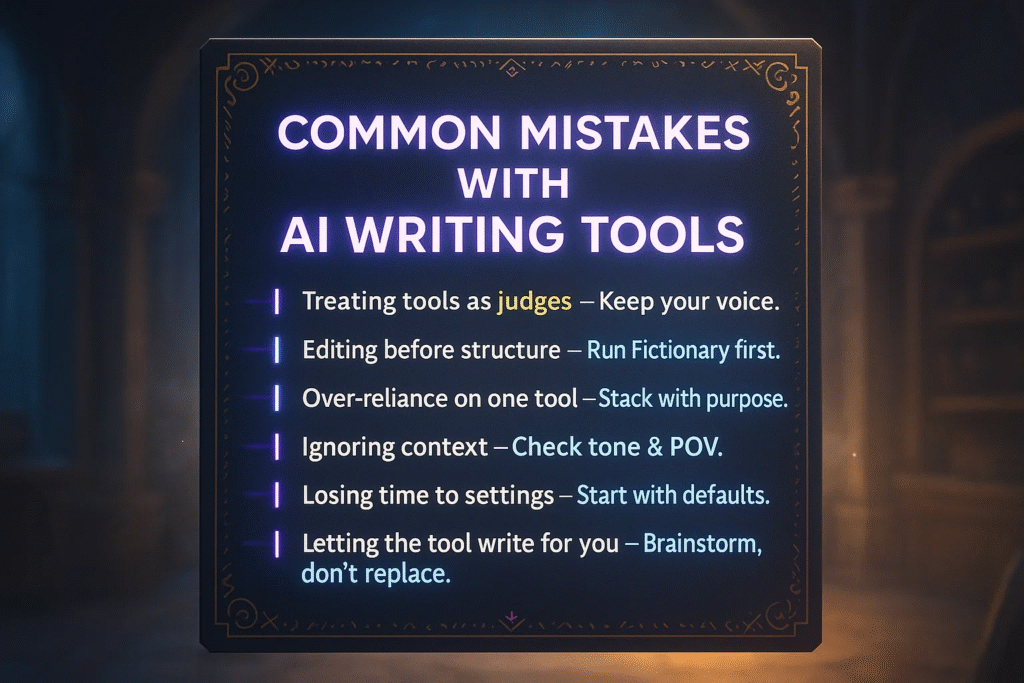
Common Mistakes With AI Writing Tools (And How to Fix Them)

Mistake 1: Treating tools as judges

🛠️Fix: Keep your voice. Accept only changes that serve the scene.

Mistake 2: Editing before structure

🛠️Fix: If your plot sags, run a structure pass in Fictionary first. Then polish lines.

Mistake 3: Over-reliance on one tool

🛠️Fix: Stack tools. For example, ProWritingAid for style, then Hemingway for clarity.

Mistake 4: Ignoring context

🛠️Fix: For tone and POV, let Grammarly flag shifts. Then read the chapter aloud.

Mistake 5: Losing time to settings

🛠️Fix: Start with defaults. Tweak rules later. Reduce your learning curve.

Mistake 6: Relying on the tool to write for you

🛠️Fix: Some tools can help with generating text or generating content. Use that to brainstorm, not to replace your draft.

Read our article about Character AI Tool Alternatives

Summon Worlds: Easy Tips to Improve Your Edit

Your draft is clean. Now make the story sing.

  • Test dialogue with Character Chat: Paste a scene and chat in-character. Hear how your hero talks. Adjust beats that feel off. This is great when you want to overcome writers block and keep momentum.
  • Lock tone with Memory: Use character instructions so replies keep traits, speech patterns, and mood. This helps fiction authors keep voice steady across chapters.
  • Scene checks with world lore: Summon Worlds remembers places, items, and history. Ask, “What did I call this tavern?” Keep continuity tight.
  • Try voices: Use voice options to hear a line. If your scene still feels flat, explore how visual character design can inspire tone and rhythm in your dialogue.
  • Balance show vs. tell: Ask for examples that “show” the beat in your scene. Keep your words, but study the rhythm.
  • Guardrails: Summon Worlds works with different AI models (yes, the big large language models under the hood). Use memory controls to keep your facts straight and avoid drift.
  • Cost view: See the cost per message so you can plan sprints around key scenes.

Summon Worlds is not a grammar checker. It is the creative layer after the edit. Treat it as your AI writing tools companion, not a replacement for your editor.

🧭 Ready to Polish Your Story? Use the Best AI Tools and Summon Worlds

Great stories are simple at the core: clear scenes, true voices, clean pages. Pick a tight stack and move. Map the bones with Fictionary. Tune style and pace with ProWritingAid or AutoCrit. Sweep for clarity with Grammarly and Hemingway. Fast. Focused. No bloat. Your learning curve stays light. Your voice stays loud.

Now turn polish into power. Open Summon Worlds. Chat with your cast. Check lore in seconds. Hear rhythm. Fix slips before they grow. Feel the chapter click into place.

Ready to act? Get Summon Worlds now.

"Download on the App Store"

"GET IT ON Google Play"

Disclaimer: Summon Worlds and the content on summonworlds.com are not affiliated with, endorsed by, or sponsored by Wizards of the Coast LLC. Dungeons & Dragons, D&D, and related terms are registered trademarks of Wizards of the Coast. Any references to D&D game mechanics, settings, or terminology are made for educational, commentary, and fan content purposes only. This blog does not reproduce or distribute official D&D content. All original ideas, characters, and creative content in this post are the intellectual property of OpenForge LLC, the parent company of Summon Worlds.

Share the Post:

Recent Posts

How to Design Fantasy Calendars and Time Systems for Your Storyworlds

Read More
December 22, 2025

Fantasy Names That Tell a Story: How to Use Naming to Build Cultures

Read More
December 17, 2025

FAQ's

What is the best setup for a full novel edit?

Start with structure in Fictionary. Then style and pace in ProWritingAid or AutoCrit. Finish with clarity in Hemingway and a quick Grammarly pass. Test key scenes in Summon Worlds to check voice and continuity.

How to keep my voice while using AI writing tools?

Accept only edits that support your intent. Turn off rules that clash with your style. Use Summon Worlds to rehearse dialogue so you hear your character, not the tool.

Why use Google Docs with these tools?

Many editors run right inside Docs. You get real-time checks as you draft. That means fewer copy-paste steps and faster feedback in your writing platform of choice.

What’s the best tool to fix pacing in fiction writing?

AutoCrit and ProWritingAid both flag slow spots and repetition. Fictionary helps at the scene and plot level. Use one for line pace and one for story flow.

How to avoid over-editing with large language models?

Set limits. Run one pass per goal. Keep a copy of your original. If suggestions feel generic, stop and ask Summon Worlds to role-play the scene. Let your ear guide final choices.
Read More
AI Dialogue Prompts: Make Your Characters Speak with Purpose
October 30, 2025
by Andrea ChavezBlog

AI Dialogue Prompts: Make Your Characters Speak with Purpose

AI Dialogue Prompts: Make Your Characters Speak with Purpose

AI Dialogue Prompts: Make Your Characters Speak with Purpose

Discover how roleplaying AI compares to classic tabletop RP for epic storytelling. See key pros, cons, and tips, try Summon Worlds free today!

  • October 30, 2025
  • Andrea Chavez

What if one line could flip your whole scene?

📸Picture this: two characters face off. The room is quiet. A single word lands. Trust breaks. Stakes spike. You feel it in your gut.

Now the hard truth. Most scenes never get there. Talk drifts. Voices blur. Nothing changes. The moment slips away.

It doesn’t have to. With a clear plan and the right cue, your cast can hit like that. An AI dialogue generator won’t write your story for you. But it can help you lock voice, aim each line, and push the plot fast.

Here’s the tease. You’ll learn how to set purpose first. You’ll shape speech patterns that fit each role. You’ll map the relationship dynamic and mood. Then you’ll build prompts that make characters act, not ramble.

Ready to make your characters speak with purpose? Keep reading.

Table of Contents

How to Give Every Scene a Clear Purpose

Dialogue is a tool. It must do work. Give every scene a job. Decide the change you need before a single line is written. Maybe a secret slips. Maybe power flips. Maybe trust cracks. When you set a target, the talk stays tight and the beats hit.

👉A small rule helps: one scene, one outcome. If a line does not push toward that outcome, cut it.

How Speech Patterns Shape Character Voice

Readers feel the voice drift. They notice when two characters sound alike. Lock voice early.

Think in personality traits and speech patterns. Traits guide what a person wants and fears. Patterns shape how they say it. One character may use clipped verbs and short lines. Another may loop, hedge, and avoid names. A third may talk in lists when stressed.

Keep a tiny voice card for each major role. Three traits. Three patterns. One banned habit. Use the card in your prompt. You will create natural rhythm fast and keep it over time.

Understanding Relationship Dynamics in Character Dialogue

Talk is never just talk. There is a relationship dynamic under the surface. Friends tease. Rivals spar. Lovers test. Mentor and student trade weight for warmth. Status shifts often, and that shift is the story.

🗣️Ask two things before you write:

  1. Who holds power right now?
  2. What would make that power change?

Let that change happen on the page. Even a small flip makes the scene feel alive.

Using an AI Dialogue Generator in Your Writing Process

Use the tool for speed and range. Use yourself for aim and taste. The model gives alt takes, trims bloat, and tests tone in seconds. You choose the version that serves the scene. You set the rails. It runs on them. That mix keeps control in your hands and cuts time from your writing process.

What Every Good Dialogue Prompt Should Include

Clarity beats length. Keep it lean. Make sure your prompt includes:

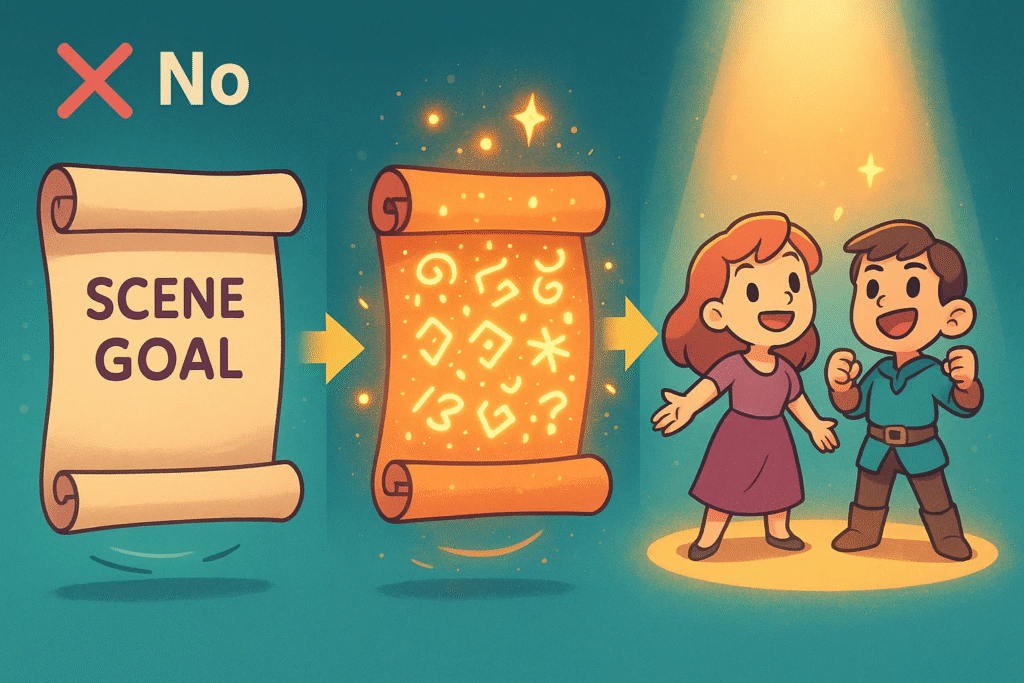
  • Scene goal: one line. Name the change you need.
  • Stakes: one short line per speaker. What do they risk?
  • Character notes: role, personality traits, speech patterns.
  • Relationship dynamic: trust, tension, status.
  • Emotional state: one mood word per person.
  • Beat plan: three to five steps the talk must hit.
  • Hard limits: max lines, no monologues, no exposition dumps.
  • Format rules: who starts, use of tags, action beats, or not.

This frame keeps the model focused. It limits AI-generated filler. It gives you useful drafts on pass one.

Real Example: A Working AI Dialogue Prompt You Can Copy

  • Goal: Rowan gets the gate code without admitting he stole the map.
  • Stakes: Rowan risks arrest; Kessa risks her rank.
  • Rowan: courier; careful, sly, loyal; short lines, avoids names.
  • Kessa: captain; firm, proud, fair; crisp orders, no slang.
  • Relationship dynamic: once close; duty pulled them apart; Kessa holds power.
  • Emotional state: Rowan anxious; Kessa guarded.
  • Beats: failed small talk → hint at the code → pushback → fear slip → half-code + a favor owed.
  • Constraints: 16–20 lines; no speeches; light action beats; subtext over theme.
  • Format: “Name: line”. One action beat every three lines.
  • Test: Each line must move plot, reveal motive, or change status.

Run that in your tool of choice. You will get a clean first pass fast.

Character Development Through Realistic Conversations

Growth is not a speech. It’s a pattern that shifts. A proud leader starts to ask. A loner starts to share. A liar stalls before the next lie. Track that change through small choices in word, pace, and risk. Note the arc beats across chapters. Then write lines that match those beats. That is real character development.

Common Dialogue Mistakes and How to Fix Them Fast

How to Use Summon Worlds to Create Natural Character Interactions

You can run the whole method inside Summon Worlds. It keeps your world, your cast, and your scenes in one place. It also lets you take fast without losing your thread.

👩‍💻Work this way:

Start in AI Character Chat. Paste the prompt. Pin your voice cards in Character Instructions. Turn on Memory Controls so past facts stay in play. If you want to hear rhythm, use Voice Generation. Store goods take in Collections and mark the winner. Keep costs clear with Cost Transparency. If the chat gets long, watch Memory Limits and trim the setup to only what the scene needs.

Want visuals that steer tone? Ask for a prop or location image inside chat with Image Generation. A good picture can change the mood of your next take. Save the best images with your scene notes so your character interactions stay on-brand.

If you’re prepping a campaign, use the character system. Build a sheet fast. Lock your personality traits and speech patterns there. Now your NPCs speak in one voice from session to session. Your table will notice.

When Worlds launches, you’ll link scenes to places and people. The lore will sit right next to the chat. The tool will remember who knows what. Your cast will stay consistent. Your prep time will drop.

🧭 Ready to Write Better Dialogue? Start with Summon Worlds

What if your next scene made someone hold their breath?

Set a goal. Pick two characters. Give them one hard truth to hide. Now picture the turn, one line, a pause, a choice, and the room tilts. That is the spark you’re chasing. And yes, you can reach it today.

Use an AI dialogue generator to draft fast and test bold moves. Keep your voice map close. Lock the mood and power before the first line. Cut anything that doesn’t push the moment forward. Small steps. Sharp choices. Real change.

Now make it real. Open Summon Worlds. Build a prompt that fits your world and your cast. Run a take. Read it out loud. Trim. Run one more. You’ll feel the snap when it lands.

Ready to write scenes that hit? Download Summon Worlds 

"Download on the App Store"


"GET IT ON Google Play"

Disclaimer: Summon Worlds and the content on summonworlds.com are not affiliated with, endorsed by, or sponsored by Wizards of the Coast LLC. Dungeons & Dragons, D&D, and related terms are registered trademarks of Wizards of the Coast. Any references to D&D game mechanics, settings, or terminology are made for educational, commentary, and fan content purposes only. This blog does not reproduce or distribute official D&D content. All original ideas, characters, and creative content in this post are the intellectual property of OpenForge LLC, the parent company of Summon Worlds.

Share the Post:

Recent Posts

How to Design Fantasy Calendars and Time Systems for Your Storyworlds

Read More
December 22, 2025

Fantasy Names That Tell a Story: How to Use Naming to Build Cultures

Read More
December 17, 2025

FAQ's

What is the fastest way to set voice?

Pick three personality traits and three speech patterns per character. Write one sample line for each. Use that line as a guide in every scene.

How to use prompts without losing control?

Keep purpose, stakes, and a three-beat plan at the top. Make sure your prompt includes one hard rule you care about most. Hold that line in every pass.

Why does subtext matter so much?

It turns info into a story. You show need and fear through action and word choice. Readers lean in when not everything is said.

What is the best way to test if a scene works?

Ask, “What changed?” Then check if the change came from choice, not luck. If nothing changed, write shorter and sharper until it does.

How to show growth with talk?

Let character interactions shift over time. A bully starts to ask. A loner starts to share. Track those small turns. That is true character development.
Read More
1
October 23, 2025
by Andrea ChavezBlog

How to Design a Fantasy AI Economy (With Sample Currencies)

How to Design a Fantasy AI Economy (With Sample Currencies)

Design lifelike markets, currencies, and trade using the Fantasy Economy System Builder. Learn how to shape your world’s economy today, try Summon Worlds now!

  • October 23, 2025
  • Andrea Chavez

How much does a loaf of bread cost in your world? If you can’t answer fast, your story slows. Bribes feel off. Markets feel fake. One wrong number can break a siege scene.

🔀Here’s the twist: you don’t need spreadsheets. You need a pocket Fantasy Economy System Builder. Set a few rules. Test them in quick, in-character chats inside Summon Worlds. Watch prices, wages, and trade snap into place.

Ready to make money matter? Keep reading.

Table of Contents

Fantasy Economy and Economic Systems: What It Is and Why It Matters

A fantasy economy explains how people make, trade, tax, and store value. It touches farms, roads, guilds, courts, and coin. It sets what food costs. It sets what a guard earns. It tells you who gets rich when war hits.

⏳Old way: guess numbers and hope they hold.

⏰Better way: ground prices in food and labor, then adjust for scarcity and risk. Pick a money type that fits your tech level and politics. Note who mints. Note who redeems. Keep the rules short and visible.

Your goal is not perfect math. Your goal is flow. A few strong anchors will keep your economic systems tight without slowing play. When your world economic picture makes sense, scenes write themselves, the same way fantasy worldbuilding with AI keeps your lore tight and believable. The party feels the cost of a bribe. A siege hurts. A new road matters.


Money Types, Trust, and How Technological Advancement Changes Them

Start with money types. Commodity money has value in itself (metal, salt, beads). Representative money is a claim on a thing (a note redeemable for silver at a city vault). Fiat or ledger money holds value because a ruler or bank says so and people accept it. All three can live side by side. Border towns often juggle them.

Trust is the real fuel. If coins get lighter, markets discount them. If notes cannot be redeemed, they slide in value. If a realm floods the market with new silver, prices drift up. These forces are story hooks. A crown can call in coins. A guild can issue scrip in a famine. A temple can bless tokens for holy fairs only.

Match money to technological advancement. Iron-age towns trade heavy coin and barter. Printing and fast roads bring notes, tallies, and bills of exchange. Magic can act like industry. If spells make grain, the bottleneck shifts to reagents, fuel, or skill. Price the bottleneck, not the miracle.

👇Keep three anchors on your desk:

  1. A simple meal price.
  2. A week’s wage for common labor.
  3. The cost of a basic weapon or tool.

If a price fights those anchors, explain why: season, distance, danger, or law.

Read our article about The Best AI Tools for Worldbuilders 

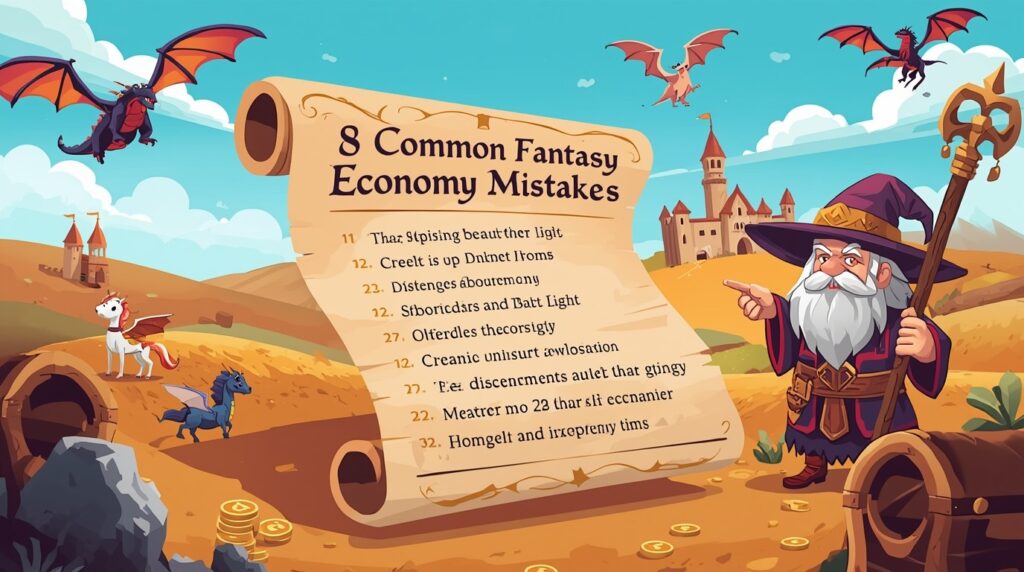
8 Common Fantasy AI Economy Mistakes (and Quick Fixes)

1️⃣Endless gold: If gold is everywhere, your coin loses bite. Fix it by tying value to fineness, weight, mint marks, or legal tender rules. Heavy coins buy more. Thin coins trade at a discount. People will hoard the “good” stuff and spend the rest first. That tension feels real.

2️⃣Magic breaks scarcity: A “create food” loop will crush grain prices. Cap output with fuel, time, components, permits, or guild limits. Make the rare part of the spell the real price driver. Players will see why food is still worth something.

3️⃣Flat prices across the map: A sword should not cost the same in a siege town and a calm port. Add location tags: war zone, winter route, river hub, border gate. Raise or cut prices by simple ratios for risk, season, and distance. Now travel choices matter.

4️⃣No wages: Loot-only worlds feel hollow. Set day wages for porter, soldier, mason, scribe, and healer. Give hazard pay for sieges and storm runs. Prices now have context. A bribe means something.

6️⃣Weightless money: “One gold” for a ship breaks immersion. Define coin weight and purity. Add high-value notes or tallies for big trades. A caravan would rather carry paper than sacks of silver.

7️⃣No shocks: Good markets breathe. Plan two shocks per arc: a failed harvest, a coin recall, a plague, a new mine, a burnt bridge. Show how each shock hits wages, travel, and coin mixes. Let it ripple into scenes.

8️⃣One size fits all: A swamp tribe and a trade republic will not share the same rules. Tune money type, issuers, and trust to each region. That variety creates trade friction, scams, and lively market scenes.

Read our article about Which character AI tool is right for you 

Summon Worlds Integration: World Economic Setup and Quick Tips

Open your world. Create locations for markets, mints, and gates. Add entities for coins, notes, caravans, guilds, and banks. Give each coin a short entry: name, weight, purity, issuer, and where it’s accepted. Give each note a redemption spot and fee.

Spin up AI Character Chat with a banker, factor, or mint warden. Paste your rules and anchors into the character’s memory. Turn on context memory so it tracks cities, seasons, and shocks. Ask short, plain questions:

  • “It’s winter. How do grain and ferry prices change on the north river?”
  • “The crown lowers silver purity by a quarter. What happens this month?”
  • “A new silver vein opens. Who gets rich first? Who hurts? Show three scenes.”

Use Voice Generation to rehearse stalls and haggles. Switch AI Model when you want more speed or depth. Use Image Generation to design coins, wax seals, note watermarks, or guild scrip. Make old and new mint runs as separate images so players recognize them at a glance.

Track costs with cost transparency so you know how chat and images use mana. Keep a quick “Prices & Wages” note under your world with two columns: summer and winter. Update it when a shock lands. Your world economic fabric will stay tight.

🧭 Ready to Build Your World’s Economy?

One coin can flip a scene. A bribe opens a gate. A wage keeps a party loyal. A tax sparks a riot. When your prices feel real, your world breathes. You don’t need big math to get there. You need anchors, a few hard rules, and a fast way to test what happens next.

Summon Worlds puts that power in your hand. It’s your pocket Fantasy Economy System Builder. Pick a money type. Set wages and prices. Add a shock or two. Chat with a mint master or a guild factor and watch the market react in seconds. Your economic systems will hold. Your world economic map will make sense from winter roads to summer fairs. As technological advancement rises, your money can change with it, notes, scrip, ledgers, and new scams to match.

👍Ready to make money matter? Open Summon Worlds now and set up your first mint, market, and wage sheet.

"Download on the App Store"

"GET IT ON Google Play"

Disclaimer: Summon Worlds and the content on summonworlds.com are not affiliated with, endorsed by, or sponsored by Wizards of the Coast LLC. Dungeons & Dragons, D&D, and related terms are registered trademarks of Wizards of the Coast. Any references to D&D game mechanics, settings, or terminology are made for educational, commentary, and fan content purposes only. This blog does not reproduce or distribute official D&D content. All original ideas, characters, and creative content in this post are the intellectual property of OpenForge LLC, the parent company of Summon Worlds.

Share the Post:

Related Posts

How to Design Fantasy Calendars and Time Systems for Your Storyworlds

Read More
December 22, 2025

Fantasy Names That Tell a Story: How to Use Naming to Build Cultures

Read More
December 17, 2025

FAQ's

What is the first step to build a fantasy economy?

Pick one main money type per realm. Set three anchors: a meal price, a week’s wage, and a basic tool. Test a buying scene and a bribe scene. If the anchors snap, tweak them, not everything else.

How to set coin values without complex math?

Tie small silver to a simple meal. Tie a week’s wage to a small stack of that silver or a single note. Shift prices by season, danger, and distance. Keep notes so changes feel earned.

Why do coin weight and purity matter?

Weight and fineness drive trust. Light coins trade at a discount. People hoard the heavy ones. If a ruler lowers purity, expect price creep and market pushback. That creates strong plot turns.

What’s the best way to handle magic and markets?

Price the scarce step. If magic makes grain, cap output with fuel, time, skill, law, or rare parts. Make that cap visible in scenes. Farmers, mages, and rulers will act in believable ways.

How do I use Summon Worlds for prices and trade?

Create locations for markets and mints. Add entities for coins and notes. Start a Character Chat with a banker NPC. Paste rules and anchors. Ask for seasonal prices, coin recall effects, or caravan rates. Save results to collections for quick reuse.
Read More
9
October 23, 2025
by Andrea ChavezBlog

How to Use AI to Create D&D Classes That Actually Make Sense

How to Use AI to Create D&D Classes That Actually Make Sense

Struggling with creating D&D classes that work? Learn how AI helps you build balanced, fun, and playable homebrew classes fast. Try it now on Summon Worlds!

  • October 23, 2025
  • Andrea Chavez

What if your next homebrew class actually worked on night one?

Sounds bold. But it’s possible.

You’re busy. You love your table. Yet whenever you start creating D&D classes, things drift. Power spikes. Bland features. Confused turns. Prep balloons.

👉Here’s the twist: most fixes aren’t huge. They’re small, clear choices. One role. One clean resource. One tough choice each turn. Do that, and a class clicks fast.

There’s also a trap almost everyone hits. It ruins pacing. It steals the spotlight. It makes testing feel like whack-a-mole. We’ll spot it early and lock it out.

In this guide, you’ll use AI like a sharp tool, not a magic trick. Real limits. You’ll build a kit that fits your table, not the other way around.

We’ll start with a simple template. Then, common mistakes and fast fixes. Then a field test you can run this week. You’ll see how to shape class abilities into tight, fun choices that hold up across your D&D campaign.

Ready to stop guessing and start building? Good. The steps below are simple. The results feel great. Keep reading, your players will feel the change next session.

Table of Contents

What Makes a D&D Class Balanced and Fun to Play

A class that “makes sense” fits your table, the rules, and the story.

  • It has a clear role in the party.
  • Its class abilities come at the right levels.
  • It does not erase other roles.
  • It respects limits.
  • It is fun in your D&D campaign across combat, social, and exploration.

⏳Old way: build in a vacuum, argue balance after session 3, and rewrite from scratch.

⏰New way: set a goal, mirror known patterns, let AI help with options and wording, then test and tune in short loops.

Step-by-Step Guide to Creating D&D Classes That Work

1️⃣Step 1: Pick the role. Defender, striker, support, control, or a tight hybrid. State it in one line.

2️⃣Step 2: Choose a chassis to mirror. Pick an official class whose pace matches your vision (full caster, half-caster, martial, pet class, etc.). Use its feature timing as your backbone.

3️⃣Step 3: Budget your power. Give fewer, sharper class abilities, not endless minor perks. Put limits on strong effects (per rest, per proficiency bonus, or per day).

4️⃣Step 4: Plan subclass breakpoints. Match an existing pattern for when subclass features land. Avoid “dead levels,” but also avoid loading too much at level 1.

5️⃣Step 5: Write for the table. Short rules text. Clear triggers. Plain saves. Name flavor after you lock mechanics.

👉 Read our article about Most popular DnD races

Common D&D Homebrew Mistakes and How to Fix Them

D&D Homebrew Mistakes

1) Front-loading power at level 1

❓Problem: New class joins with more defenses, damage, and utility than everyone else.

✅Fix: Spread early power over levels 1–3. Keep level-1 effects modest and focused.

2) Too many bonus actions or reactions

❓Problem: The class wants to do everything every turn. It jams the action flow.

✅Fix: Cap bonus-action usage. Make choices. “You can do A or B this turn,” not both.

3) Unlimited effects with no cost

❓Problem: Free, always-on boosts drown out the party.

✅Fix: Add costs, saves, or uses-per-rest tied to proficiency bonus or a class resource.

4) Numbers that snowball

❓Problem: Flat +3s everywhere. Stacks that ignore accuracy bounds.

✅Fix: Prefer advantage, rider effects, or short windows. Keep flat bonuses rare and small.

5) Copy-paste spell lists that break themes

❓Problem: A “nature knight” with Forcecage. A “shadow” class with daylight spam.

✅Fix: Curate spells by theme and role. If you must add a strong off-theme spell, add a trade-off.

6) Ribbons that pretend to be ribbons

❓Problem: A “flavor” feature that actually grants big damage or control.

✅Fix: If it swings combat, treat it like real power. Budget it. Limit it.

7) Subclasses that redefine the class

❓Problem: One subclass turns a striker into a full healer.

✅Fix: Subclasses should color the core, not replace it. Push style and focus, not identity.

👉 Read our article about Best DnD Character Art Styles

How to Use AI to Create DnD Characters and Class Abilities

Use AI for ideas, wording, structure, and test prompts—not to replace your judgment.

  • Brainstorm safely: Ask for 10 feature names and 3 concise variations for one level’s feature. Pick the cleanest one.
  • Tighten wording: Paste a draft, ask to shorten and simplify rules text. Keep terms consistent with the SRD.
  • Generate edge cases: “Give me five scenarios where this feature might break.” Patch those.
  • Summaries for players: “Explain this feature for a new player in two lines.”
  • Variant passes: “Suggest a version with a per-rest limit and one with a save.”

🚩Red flags when using AI

  • If it hands you a wall of text, cut it.
  • If it stacks actions or endless reactions, cap them.
  • If it adds huge flat bonuses, swap to choices, timing windows, or once-per-rest use.

👉 Read our article about Designing epic DnD Armor

Integration tips: build and test inside Summon Worlds

Your class will shine faster when the tools live in one place. Here’s a smooth loop you can run inside Summon Worlds:

📝Draft your class kit

  • Open Summon AI and create DnD characters as test pilots for your class.
  • Ask for 3 short feature options at the specific level you’re working on.
  • Keep the cleanest version; store the other two in a Collection for later.

🦸Check action flow

  • Use Character Chat to roleplay a round of combat.
  • Tell the AI: “Show me a turn where I must pick between my bonus-action taunt and reaction guard.”
  • If you never have to choose, you give it too much. Trim.

💰Balance with costs

  • Add per-rest limits to your strongest moves.
  • Use Memory Controls to lock your class rules so the AI stays on-script in chat.

🎟️Theme your visuals

  • Use AI Art Generation to make a compact class icon set and a character portrait.
  • Try style presets (Epic Fantasy, Steampunk, Anime) to match your D&D campaign vibe.
  • Group them in a Collection and keep drafts private until you’re ready.

🍽️Share and refine with your table

  • Publish the class to your profile when it’s ready for feedback.
  • Let players comment. Save their favorite versions.
  • Use Context Memory so flavor, vows, and limits stay consistent across sessions.

🧭 Ready to Level Up Your Roleplaying AI Storytelling?

Your table wants clean turns and clear choices.

This is your fast lane to creating D&D classes that make sense. Pick one job for the class. Follow a steady pattern. Set real limits. Let AI suggest options and catch edge cases. Then play, adjust, and lock it in.

Start now in Summon Worlds. Open the app. Draft your class kit. Run a mock round in Character Chat. Make one change. Play again. Share with your group and watch the build click at the table.

👇Get the app today.

"Download on the App Store"

"GET IT ON Google Play"


Disclaimer: Summon Worlds and the content on summonworlds.com are not affiliated with, endorsed by, or sponsored by Wizards of the Coast LLC. Dungeons & Dragons, D&D, and related terms are registered trademarks of Wizards of the Coast. Any references to D&D game mechanics, settings, or terminology are made for educational, commentary, and fan content purposes only. This blog does not reproduce or distribute official D&D content. All original ideas, characters, and creative content in this post are the intellectual property of OpenForge LLC, the parent company of Summon Worlds.

Share the Post:

Related Posts

How to Design Fantasy Calendars and Time Systems for Your Storyworlds

Read More
December 22, 2025

Fantasy Names That Tell a Story: How to Use Naming to Build Cultures

Read More
December 17, 2025

FAQ's

What is a safe starting point for a new class?

Pick a role and mirror the pace of a known class that feels close. Use its feature timing as your template. Add one standout move, a modest passive, and a limited resource. Keep the level 1 light on. Spread early power across levels 1–3.

How to balance class abilities without spreadsheets?

Limit strong effects to a few uses per rest. Make players choose between action, bonus action, or reaction. Compare results to a similar official class at the same level during a quick encounter. If it always outshines that class, raise costs or trim power.

Why do my classes feel too busy on a turn?

You likely stacked actions. Make features compete for the same timing window. For example, “bonus action or reaction, not both.” Add concentration or short windows so effects don’t pile up. Busy turns become clean, and choices gain weight.

What is the best way to test a class fast?

Run three short scenes: one combat, one social, one exploration. Track resource use, spotlight time, and whether others still matter. Change one thing after each session and test again. Small edits are safer than big rewrites.

How to use AI without breaking the balance?

Use it for ideas, clear wording, and “try to break it” prompts. Ask for edge cases. Ask for a limited-use version of any strong feature. Do not accept large flat bonuses or endless actions. Keep human review final.
Read More
1
October 22, 2025
by Andrea ChavezBlog

How to Create AI-Powered Campaign Worlds for Pathfinder

How to Create AI-Powered Campaign Worlds for Pathfinder

Create a rich Pathfinder campaign in hours, not weeks. Learn to build worlds, NPCs, and maps using AI tools. Make your world come alive, start now.

  • October 22, 2025
  • Andrea Chavez

What if your next Pathfinder campaign felt alive after a single evening of prep? Not “good enough.” Alive. With clear hooks. Real stakes. And players who lean in.

Most GMs grind for hours. Pages of notes. Half of it never hits the table. You don’t need that. You need a tight plan, sharp tools, and a world that reacts. That’s it.

👉Here’s the twist. You can keep full control and still move fast. You can keep your table’s voice strong. Even if your group came from Dungeons and Dragons. Even if your crew loves deep role-playing. The method below keeps your style, not replaces it.

Summon Worlds makes the busy work light. Names. Art. Notes that stick. Scene ideas you can shape in seconds. You choose how deep to go. You choose the AI model when you want speed or richer talk. You stay in charge.

There is one catch. You must set three anchors, avoid one rookie trap, and use fair math. Do that, and your world breathes. Miss it, and prep drags, scenes stall, and the spark fades.

Ready to see the simple path that works at real tables? Good. Keep reading. Your best Pathfinder campaign starts below.

Table of Contents

What AI-Powered Prep Means at Your Table

AI should save time. It should not run the game. Use it for names, images, rumors, and first drafts. Keep your calls final. Your group sets the tone. Your rules stay in charge. That’s the heart of good role-playing.

Build Your Pathfinder World on One Page

Start small. Write a one-page brief you can show the group.

  • Premise: What is happening right now?
  • Power centers: Three factions, one rival each.
  • Magic level and rarity: What is common, what is rare, and why that matters.
  • Travel and trade: How people move and what they want.
  • Fail state: What breaks if heroes do nothing?

Rarity is a fast world tool. If healing magic is rare, wounds matter. If clerics are scarce, temples gain weight. If sorcery is feared, wizards hold power. This single choice shapes tone without heavy house rules.

👉 Read our article about How to design a fantasy map     

Session Zero: Set Trust and Strong Role Playing

Hold a short talk before play. Keep it friendly and plain. Agree on tone, lines, and how to pause the game if someone needs a breather. Link each PC to one NPC and one other PC. Decide how you hand out XP or when you level. This keeps the story tight and keeps role-playing strong from session one.

Pathfinder Campaign Structure That Stays Fast

Think in scenes, not scripts. Each session needs three beats: a clue, a conflict, a choice. Use fronts (evolving threats) on short timers. Show clear stakes. Let the party cut fuses before they burn down the map. Between arcs, add short downtime to craft, train, or deepen ties in town. Keep rules stable. Post a one-page table sheet with tone, downtime rules, and leveling plan.

Fair Encounters Using Pathfinder Math

Build fights by the book. Pick a threat level first. Spend your XP budget on creatures or hazards to match that level. Add the field (light, cover, heights). Add one twist (a timer, a moving goal, a moral cost). Not every fight needs a puzzle. Mix quick brawls with set-piece scenes. Note what ran hot or flat. Adjust next time.

When you set a skill DC for an obstacle or lore check, tie it to level. Use level-based DCs so checks scale as the party grows. This keeps checks steady across tiers and avoids random spikes.

Switching from Dungeons and Dragons to Pathfinder, Made Simple

Many groups started in Dungeons and Dragons and now run Pathfinder. Keep your lore and villains. Rebuild foes to the right level and roles. Trust the action economy and conditions. Use official DCs and budgets. You will get a cleaner balance and faster prep.

👉 Read our article about The key to worldbuilding for dungeons and dragons     

Create Your World in Summon Worlds: Step-by-Step

🌎Create the world shell

Make a new World. Add Locations such as a home city, a wild frontier, and one looming site (mine, ruin, keep). Add Entities for key NPCs, items, and threats. Tag them with themes like “salt trade,” “clockwork,” or “forbidden faith.” Keep it private while you prep. Publish later if you want to share.

🏠Stock the home base

Give the city a single striking image. Add three anchors: a guild or order, a market row, and a public place where news spreads. Drop three rumors. One true. One bent. One false. That mix gives players choices right away.

🎦Create NPCs who move the story

Use Character Creation to draft an NPC with a backstory. Edit two lines: what they want, and what they fear. Add one quirk. Save them to a collection so you can find them in seconds. Turn on AI Character Chat when you want to test their voice. Keep answers short and in character.

🎭Show your world with fast art

Use AI Art Generation to set the mood for places, items, and groups. Pick a style preset that fits your tone (Epic Fantasy, Steampunk, Anime, or Photoreal). Save two or three images per key location or relic. Use custom prompts to nail unique details. If a shot is close, hit Enhance or generate extra images. Keep drafts hidden until you’re happy.

🎬Prep scenes, not scripts

Create short scene cards: setup, goal, stakes, twist. Link cards to the NPCs and places in your world. When players zig, open a different card. Your prep stays useful even when plans change.

📝Keep play tight with memory and notes

Turn on Context Memory in chat for ongoing plots. Add character instructions so voices stay true. Pin clues or names after each session. This builds continuity without long logs.

🤖Pick the right AI model for the moment

In chat, choose the AI model that fits the job: light and fast for spit-balling names, deeper for in-character talk, image-aware when you want visual replies. If you use voice, pick one that matches the NPC.

⏰Respect time and cost

Use cost transparency to see the rough cost per message. For long scenes, let the players speak more and the tool speak less. You stay in control.

👉 Read our article about ChatGPT vs Claude     

Maps, Monsters, and DCs You Can Use Tonight

Start small. One neighborhood. One road out. One problem that will spread.

  • The map: Sketch three sites: a market, a bridge, and a mine. Give each one a problem.
  • The monsters: Pick a key foe. Add helpers until you hit the budget for your chosen threat.
  • The checks: Use level-based DCs for things tied to creature or site level.
  • The reward: Tie gains to the world. A guild favor. A land right. A rumor that opens the next arc.

Keep terrain simple but sharp. Narrow ledges, bad light, and moving carts change outcomes without bloat.

🧭 Ready to Start Your Pathfinder Campaign Tonight

This is the moment. Not next week. Not “when prep is perfect.” Right now.

You have what you need to run a world that hits hard and stays smooth. A one-page brief. Three anchors. Clean notes. Summon Worlds handles the grind so you can run the room. Names pop. Art lands. Scenes flow. You keep the call on tone and stakes. You even choose the AI model when you want quick ideas or in-character talk. Simple. Honest. Yours.

Open the app. Set three hooks. Prep one scene with clear stakes. Then run. Watch your table lock in. Hear the laughs. Feel the hush when a choice lands. That’s your Pathfinder campaign coming to life.

If you want less prep and more play, take the step. Download Summon Worlds and start for free.

"Download on the App Store"

"GET IT ON Google Play"

Disclaimer: Summon Worlds and the content on summonworlds.com are not affiliated with, endorsed by, or sponsored by Wizards of the Coast LLC. Dungeons & Dragons, D&D, and related terms are registered trademarks of Wizards of the Coast. Any references to D&D game mechanics, settings, or terminology are made for educational, commentary, and fan content purposes only. This blog does not reproduce or distribute official D&D content. All original ideas, characters, and creative content in this post are the intellectual property of OpenForge LLC, the parent company of Summon Worlds.
Share the Post:

Related Posts

How to Design Fantasy Calendars and Time Systems for Your Storyworlds

Read More
December 22, 2025

Fantasy Names That Tell a Story: How to Use Naming to Build Cultures

Read More
December 17, 2025

FAQ's

What is an AI-powered Pathfinder campaign?

It’s a normal campaign with faster prep. You still call the shots. You use tools for names, images, and drafts. You keep balance with the rules. Players steer the world through choices.

How do I balance encounters fast?

Pick a threat (Trivial to Extreme). Spend the listed XP budget on foes or hazards. Adjust for party size using the Character Adjustment on the same table. Keep terrain and one twist in mind. Note results and tune next time.

Why should I set rarity and tone early?

Rarity shapes mood without heavy rules. If healing is rare, wounds matter. If flight is rare, cliffs scare. Tell the table early so buys, crafts, and plans all match the tone.

How does Summon Worlds help with role-playing?

You can store NPC motives, images, and ties in one place. You can chat as your NPCs to test your voice. You can save the best lines and keep context across sessions. It keeps you quick and consistent.

Which AI model should I pick in chat?

Use a light one for speed when you need lists or names. Use a deeper one for in-character talk and long replies. If you want visual replies, pick a model that supports images. Keep answers short and in character.
Read More
z
October 22, 2025
by Andrea ChavezBlog

How to Generate Fictional Languages with AI

How to Generate Fictional Languages with AI

 Build a unique fantasy tongue using a language generator. Learn easy steps for sounds, word order, and grammar. Start crafting your world’s voice today!

  • October 22, 2025
  • Andrea Chavez

What if your world could speak before you draw a single map? What if names tasted right on the tongue, and a greeting hinted at old wars?

Most readers can feel when a language is real. They hear the rhythm. They trust the scene. You can build that fast, without losing craft. A language generator helps with the grind while you guard the voice.

👉Here’s the plan. We set simple sounds. We choose word order that fits your culture. We shape grammar and vocabulary you will actually use. Then we test lines in Summon Worlds, keep notes tidy, and grow a lexicon that stays true.

But there’s a catch. One wrong rule and the spell breaks. Names clash. Sentences wobble. Your world goes quiet.

So let’s fix that. In the guide below, you’ll get a lean system that works today. No fluff. No filler. Just steps that turn ideas into speech. By the end, you won’t hold a list, you’ll hear a voice.

👇Ready to make your world talk? Keep reading.

Table of Contents

What Makes a Strong Fictional Language

A strong conlang has two traits. It sounds right. It stays steady. Every word feels like it belongs. Sentences follow a rhythm your ear starts to trust. That happens when you keep rules small and firm. It also happens when you test those rules in scenes, not just in lists.

Think like a maker. Pick a goal for the scope. Names and curses only? Short lines for play? Or full scenes and songs? Scope guides how many rules you really need.

Core Building Blocks You Really Need

🔊Sounds

Choose a short set of vowels and consonants. Three to five vowels are fine. Eight to twelve consonants are plenty. This keeps your sound clean and learnable. Write them down once. Use them for every new word.

🔡Syllables

Decide how sounds can sit together. Common shapes are V, CV, and CVC. You can allow blends like CCV or ban them for a softer feel. The rule here is simple: your list of shapes must match every word you build. That one rule makes the voice click.

📝Writing

Pick how your sounds map to letters. Keep one symbol per sound when you can. If you add marks, define them once and reuse them. The goal is clear spelling that matches your sound rules.

🌱Roots and patterns

Create 20–50 short roots for key ideas in your world. Then set a few endings or prefixes to make tools, places, people, or actions. Stick to those patterns. You’ll grow words fast, and they’ll still feel related.

👉 Read our article about How author can use AI for worldbuilding 

Word Order, Grammar, and Vocabulary (Easy Rules)

Choose your base order

Pick one basic order and commit. SVO (“I eat rice”). SOV (“I rice eat”). VSO (“Eat I rice”). Most languages use SVO or SOV. VSO is less common but crisp and musical. This choice sets the beat of every line.

Keep grammar small and visible

Add marks only if you use them often.

  • Plural: a short suffix like -o or -im.
  • Tense or aspect: one clear marker, like -a for past.
  • Case or role: optional, and only if needed.

Write two examples for each mark. Place them where a reader can see them at a glance.

Grow words by rule, not at random

Use your roots and patterns to build sets. If -an makes a place, then kal (sea) becomes kalan (coast). If -er makes an agent, then sar (trade) becomes sarer (trader). Keep a single list. Add a note for each family of words. This is how you get a unique language that stays coherent as it grows.

Why Use a Language Generator

A language generator cuts the busywork. It can propose legal syllables, draft word lists from your sound set, and apply your patterns in batches. You still guide style. You still pick meanings. 

But you get options fast, and you keep your rules tight. If you want more flavor for fantasy settings, a fantasy language generator can push shapes that feel old, airy, or rugged, based on the rules you give it.

👉 Read our article about Why AI is the perfect fantasy writing assistant 

Summon Worlds Workflow: Quick Start Guide

1) Set your sound sheet

Open a new collection and add one note:

  • Vowels you allow.
  • Consonants you allow.
  • Syllable shapes you allow.

Keep it short. This sheet becomes your guardrail.

2) Generate candidates

Use your favorite language generator to propose 100 legal forms. Filter them by look and sound. Keep 40 that you like. Store them as roots in your collection. Tag by theme, nature, people, time, trade, motion.

3) Choose word order and test lines

Write three sample sentences with your chosen order:

  • “I see the river.”
  • “The old guard opens the gate.”
  • “We trade at dawn.”

Open Character Chat with a “court scribe” or “street vendor” persona. In Character Instructions, add style rules like “SOV. No clusters. All words end in a vowel.” Chat three lines. If it flows, keep it. If not, tweak and try again. Summon Worlds remembers your world’s terms, so style stays steady.

4) Lock grammar and vocabulary rules

Create a “Grammar” note. List each mark with a two-word gloss and two examples. Keep endings short and visible. Add 25–50 derived words from your roots using the same patterns. Use Collections to group phrases, names, and signs.

5) Give it a voice and a look

Pick a chat Voice that fits your culture. Harsh and clipped? Clear and bright? Hear how stress lands on your syllables. Use Image Generation to mock up banners, seals, or wayfinding signs with your script. Save the best images in your collection for quick reference.

6) Share when ready

Keep drafts private until the system feels smooth. When you publish, others can follow, try your phrases, and chat with your characters. That feedback will show you which lines sing and which need a trim.

👉 Read our article about The future of storytelling and worldbuilding 

Add History with Simple Sound Changes

Want layers? Add two or three sound changes from a “proto” stage to the modern one. Apply them in order to your root list. Use the older forms for ancient names and songs. Use modern forms for street talk. Mark the changes in one short note. This trick gives depth without heavy grammar.

Script and Naming Readers Learn Fast

Pick one of three paths:

  • Plain Latin: Fast to type. Easy to share.
  • Latin with marks: A few diacritics for tone. Still readable.
  • A full script: Great for art and mood. Use it on coins, banners, and maps.

Whichever you pick, make a 10-letter chart and two sample lines. Keep shapes simple and repeated. That repetition becomes your visual brand.

Common Mistakes and Fast Fixes

  1. Too many sounds. Cut to five vowels and under a dozen consonants.
  2. Rules you forget to use. Delete them.
  3. English bias. Try SOV or VSO. Or ban clusters.
  4. Random words. Build from roots and patterns.
  5. Scattered notes. Keep rules, examples, and lists in one collection.

🧭 Ready to Build Your Language Today?

👉One last question: when will your world speak?

You already have the pieces, clean sounds, firm word order, and lean grammar and vocabulary. Now put them to work. Use a language generator to draft fast. Keep your taste in charge. Hear the rhythm. Trim the noise. Lock the rules.

Open Summon Worlds. Start a fresh collection. Add ten roots. Write three lines in character. Test them in chat. If a sentence stumbles, fix the rule, not the line. Do it again. In minutes, you’ll hear a voice your table will remember.

This is your moment. Give your setting a tongue your players will quote.

  • Download Summon Worlds and build tonight.

"Download on the App Store"


"GET IT ON Google Play"

Disclaimer: Summon Worlds and the content on summonworlds.com are not affiliated with, endorsed by, or sponsored by Wizards of the Coast LLC. Dungeons & Dragons, D&D, and related terms are registered trademarks of Wizards of the Coast. Any references to D&D game mechanics, settings, or terminology are made for educational, commentary, and fan content purposes only. This blog does not reproduce or distribute official D&D content. All original ideas, characters, and creative content in this post are the intellectual property of OpenForge LLC, the parent company of Summon Worlds.

Share the Post:

Related Posts

How to Design Fantasy Calendars and Time Systems for Your Storyworlds

Read More
December 22, 2025

Fantasy Names That Tell a Story: How to Use Naming to Build Cultures

Read More
December 17, 2025

FAQ's

What is a language generator for fiction?

It is a tool that helps you create words and rules based on sounds you choose. It keeps patterns consistent and speeds up the draft stage. You still set meaning and style. Think of it as a fast helper for lists and testing.

How to choose word order for my setting?

Pick the beat you want. SVO feels quick and clear. SOV feels grounded and steady. VSO feels lean and chant-like. Write three sample lines with each. Keep the one that makes names and phrases click in your ear.

Why should I define phonotactics?

They stop chaos. When every word follows the same syllable shapes, the sound feels native. Without those rules, style drifts, and words start to clash. Set shapes once. Stick to them.

What’s the best way to grow grammar and vocabulary?

Start small. One plural. One tense or aspect. A few derivation endings. Then grow from roots by rule. Add two examples per rule. Keep everything in one visible note so you can use it during play.

What makes a language unique over time?

Signature choices. Ban a sound. Require vowels at word ends. Add one honorific suffix. Use small sound changes to create old forms for names. Test lines in character chat. Keep what flows. Cut what clunks.
Read More
  • 1
  • 2
  • 3
  • 4
  • …
  • 6
summon worlds ai art

SUMMON WORLDS IS THE PLATFORM FOR COLLABORATIVE WORLDBUILDING, CHARACTER CREATION, AND INTERACTIVE STORYTELLING

Join Our Community

Build Worlds. Meet Friends. Share Stories

D&D Character Art

Join thousands of writers, game masters, and artists sharing inspiration, tutorials, and Collaborative Worldbuilding projects!

YouTube

Tiktok

Reddit

Instagram

About Cookies | Terms and Conditions | Privacy Policy 

Copyright © 2025 OpenForge LLC. All Rights Reserved.

Back To Top