summon worlds ai art
  • Home
    • About Summon Worlds
    • AI Image Generator | Summon Worlds
    • Fantasy AI Worldbuilding
    • AI Chat Roleplay | Summon Worlds
    Epic fantasy party lineup featuring a muscular armored bear warrior, a wise old wizard in a pointed hat, a radiant winged female elf with glowing armor, and a noble white dragon humanoid – set against a surreal alien twilight landscape with jagged mountains and multiple moons, perfect for immersive AI-powered roleplay and worldbuilding.
    About Us
    Expansive floating city with futuristic towers and a colossal suspended orb, surrounded by clouds and cascading waterfalls at sunrise – AI-generated fantasy world perfect for collaborative storytelling and immersive worldbuilding.
    Fantasy AI Worldbuilding
    Mystical fairy with luminous wings and a jeweled headpiece, gazing through the twilight with a glowing green serpent coiled across her shoulder—an ethereal guide to realms where magic and danger intertwine in Summon Worlds.
    AI Art
    Futuristic biker racing across a dusty alien landscape with towering rock formations, scattered meteors, and a massive ringed planet looming overhead, an adrenaline-charged moment in an AI-generated world perfect for sci-fi storytelling and off-world adventure campaigns.
    AI Chat Roleplay
  • Worlds
    • Create a World with AI | Summon Worlds
    • Summon Worlds For Dungeon Masters
    • Summon Worlds For Writers
    create an ai art world

    Create a World

    Design stunning worlds with the help of AI

    dnd masters

    For Dungeon Masters

    Transform your D&D campaign preparation

    ai art storytelling

    For Writers

    Create immersive fantasy worlds through interactive roleplay

  • Resources
    • Blog
    • Summon Worlds Community Updates
  • Plans
    • Pricing Plans for Worldbuilders and Storytellers
  • Guidebook
    • Guidebook
Join Us!
summon worlds ai art
  • Home
    • About Summon Worlds
    • AI Image Generator | Summon Worlds
    • Fantasy AI Worldbuilding
    • AI Chat Roleplay | Summon Worlds
    Epic fantasy party lineup featuring a muscular armored bear warrior, a wise old wizard in a pointed hat, a radiant winged female elf with glowing armor, and a noble white dragon humanoid – set against a surreal alien twilight landscape with jagged mountains and multiple moons, perfect for immersive AI-powered roleplay and worldbuilding.
    About Us
    Expansive floating city with futuristic towers and a colossal suspended orb, surrounded by clouds and cascading waterfalls at sunrise – AI-generated fantasy world perfect for collaborative storytelling and immersive worldbuilding.
    Fantasy AI Worldbuilding
    Mystical fairy with luminous wings and a jeweled headpiece, gazing through the twilight with a glowing green serpent coiled across her shoulder—an ethereal guide to realms where magic and danger intertwine in Summon Worlds.
    AI Art
    Futuristic biker racing across a dusty alien landscape with towering rock formations, scattered meteors, and a massive ringed planet looming overhead, an adrenaline-charged moment in an AI-generated world perfect for sci-fi storytelling and off-world adventure campaigns.
    AI Chat Roleplay
  • Worlds
    • Create a World with AI | Summon Worlds
    • Summon Worlds For Dungeon Masters
    • Summon Worlds For Writers
    create an ai art world

    Create a World

    Design stunning worlds with the help of AI

    dnd masters

    For Dungeon Masters

    Transform your D&D campaign preparation

    ai art storytelling

    For Writers

    Create immersive fantasy worlds through interactive roleplay

  • Resources
    • Blog
    • Summon Worlds Community Updates
  • Plans
    • Pricing Plans for Worldbuilders and Storytellers
  • Guidebook
    • Guidebook
Join Us!
  • Home
    • About Summon Worlds
    • AI Image Generator | Summon Worlds
    • Fantasy AI Worldbuilding
    • AI Chat Roleplay | Summon Worlds
    Epic fantasy party lineup featuring a muscular armored bear warrior, a wise old wizard in a pointed hat, a radiant winged female elf with glowing armor, and a noble white dragon humanoid – set against a surreal alien twilight landscape with jagged mountains and multiple moons, perfect for immersive AI-powered roleplay and worldbuilding.
    About Us
    Expansive floating city with futuristic towers and a colossal suspended orb, surrounded by clouds and cascading waterfalls at sunrise – AI-generated fantasy world perfect for collaborative storytelling and immersive worldbuilding.
    Fantasy AI Worldbuilding
    Mystical fairy with luminous wings and a jeweled headpiece, gazing through the twilight with a glowing green serpent coiled across her shoulder—an ethereal guide to realms where magic and danger intertwine in Summon Worlds.
    AI Art
    Futuristic biker racing across a dusty alien landscape with towering rock formations, scattered meteors, and a massive ringed planet looming overhead, an adrenaline-charged moment in an AI-generated world perfect for sci-fi storytelling and off-world adventure campaigns.
    AI Chat Roleplay
  • Worlds
    • Create a World with AI | Summon Worlds
    • Summon Worlds For Dungeon Masters
    • Summon Worlds For Writers
    create an ai art world

    Create a World

    Design stunning worlds with the help of AI

    dnd masters

    For Dungeon Masters

    Transform your D&D campaign preparation

    ai art storytelling

    For Writers

    Create immersive fantasy worlds through interactive roleplay

  • Resources
    • Blog
    • Summon Worlds Community Updates
  • Plans
    • Pricing Plans for Worldbuilders and Storytellers
  • Guidebook
    • Guidebook
ai art generator
ai art generator
  • Home
    • About Summon Worlds
    • AI Image Generator | Summon Worlds
    • Fantasy AI Worldbuilding
    • AI Chat Roleplay | Summon Worlds
    Epic fantasy party lineup featuring a muscular armored bear warrior, a wise old wizard in a pointed hat, a radiant winged female elf with glowing armor, and a noble white dragon humanoid – set against a surreal alien twilight landscape with jagged mountains and multiple moons, perfect for immersive AI-powered roleplay and worldbuilding.
    About Us
    Expansive floating city with futuristic towers and a colossal suspended orb, surrounded by clouds and cascading waterfalls at sunrise – AI-generated fantasy world perfect for collaborative storytelling and immersive worldbuilding.
    Fantasy AI Worldbuilding
    Mystical fairy with luminous wings and a jeweled headpiece, gazing through the twilight with a glowing green serpent coiled across her shoulder—an ethereal guide to realms where magic and danger intertwine in Summon Worlds.
    AI Art
    Futuristic biker racing across a dusty alien landscape with towering rock formations, scattered meteors, and a massive ringed planet looming overhead, an adrenaline-charged moment in an AI-generated world perfect for sci-fi storytelling and off-world adventure campaigns.
    AI Chat Roleplay
  • Worlds
    • Create a World with AI | Summon Worlds
    • Summon Worlds For Dungeon Masters
    • Summon Worlds For Writers
    create an ai art world

    Create a World

    Design stunning worlds with the help of AI

    dnd masters

    For Dungeon Masters

    Transform your D&D campaign preparation

    ai art storytelling

    For Writers

    Create immersive fantasy worlds through interactive roleplay

  • Resources
    • Blog
    • Summon Worlds Community Updates
  • Plans
    • Pricing Plans for Worldbuilders and Storytellers
  • Guidebook
    • Guidebook

Category: Blog

Talkie AI Chat vs. Summon Worlds
September 8, 2025
by Andrea MartinezBlog

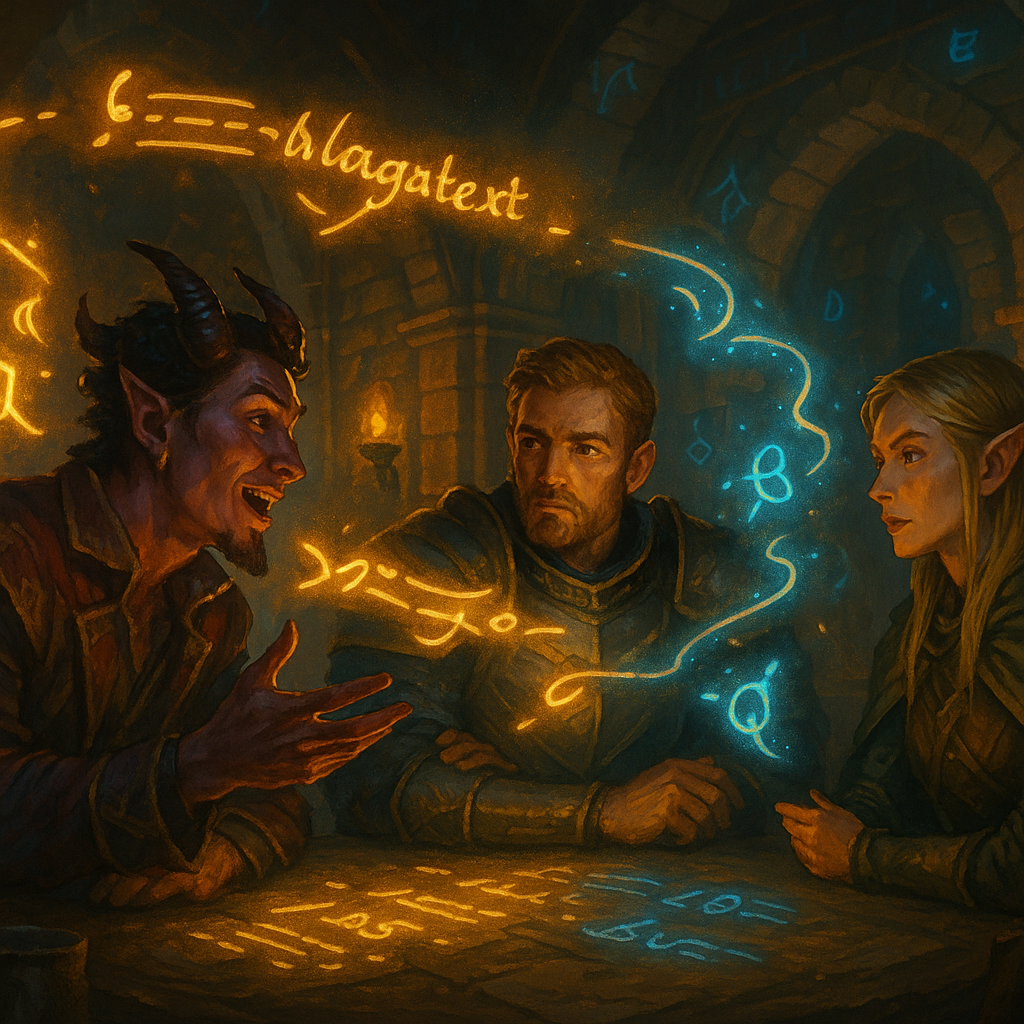
Talkie AI chat vs Summon Worlds
Talkie AI chat vs Summon Worlds

Talkie AI Chat vs. Summon Worlds

Compare Talkie AI chat and Summon Worlds for roleplay, D&D prep, and storytelling. See which app saves time and boosts fun. Try Summon Worlds free today!

  • September 8, 2025
  • Andrea Chavez

Do you run games or write stories with little time to prep?

You’re juggling notes, NPCs, and maps. Sessions creep up. Ideas blur. It’s hard to keep players hooked.

Mobile, AI powered tools can help. They turn rough notes into NPCs, scenes, and art in minutes. They keep tone, lore, and voices consistent so you can focus on the fun.

In this guide, you’ll get a clear comparison of Talkie and Summon Worlds. What each does. Where each fits. Real use cases you can try tonight.

Choosing the right tool saves hours and lifts the whole table. If you’re a GM, writer, or roleplayer who wants faster prep and better sessions, keep reading. The next sections show exactly which app to pick and why.

Table of Contents

Talkie vs Summon Worlds at a Glance

  • Talkie AI is a character chat and creative community app. It shines for casual chats, voice calls with characters, and browsing huge user content. It uses ads and in-app purchases and has 10M+ downloads on Android. If you want a lively talkie experience inside a big AI community, it stands out.

  • Summon Worlds is a fantasy worldbuilding and TTRPG tool. It’s built for GMs and writers. It creates characters, items, spells, locations, and art. It supports D&D 5e with auto stats and sheets, plus real-time collaboration and in-app roleplay with voice.  It adds a world leading focus on 5e workflows and prep speed. Available on iOS and Android.

If you need campaign prep, 5e tools, art, and structured worlds, choose Summon Worlds. If you want freeform chats and voice calls with characters, choose Talkie. 

Talkie vs Summon Worlds: Core Purpose and Audience

💬Talkie: Chat-First Fun

Talkie is a place to chat with characters, browse a huge community feed, and even make voice calls with characters. It targets a wide entertainment. It includes text, images, audio, and more. Think social + character chat with interactive talkies. Not a rules tool. Not a campaign tool.

Talkie’s site and ToS also note text and voice access for chat. That matches what users see in the app. 

🏰Summon Worlds: Prep and Play for Fantasy

Summon Worlds is built for fantasy creators. It helps you build worlds, characters, items, spells, and locations fast. It includes high-res art, collab, character chat, and voice. It is also tuned for D&D 5e, with auto-generated stats, sheets, monsters, and balanced encounters. 

If you run sessions or write fiction, this focus saves time and keeps your story tight.

How Talkie and Summon Worlds Solve GM and Writer Challenges

Prep eats my week

  • Summon Worlds: Generate a 5e-ready NPC with stats and a backstory in minutes. Then tweak on the fly. That covers the crunch and the flavor in one go.
  • Talkie: You can roleplay scenes to spark ideas. But it doesn’t generate 5e sheets or encounter stats.

My NPCs feel generic

  • Summon Worlds: Use character chat and voice to test tone. Add world knowledge so the NPC remembers lore. Result: consistent, in-world replies.
  • Talkie: Great for quick banter and voice calls with a persona. It’s fun, but not tied to your campaign rules or your world’s canon.

We need art for tonight

  • Summon Worlds: Make portraits and scenes in many styles (anime, dark fantasy, more). Use them in your world right away with generated AI assets.
  • Talkie: Google Play lists image/video/audio/music creation tools for creators. Good for community posts. Not a focused TTRPG art pipeline.
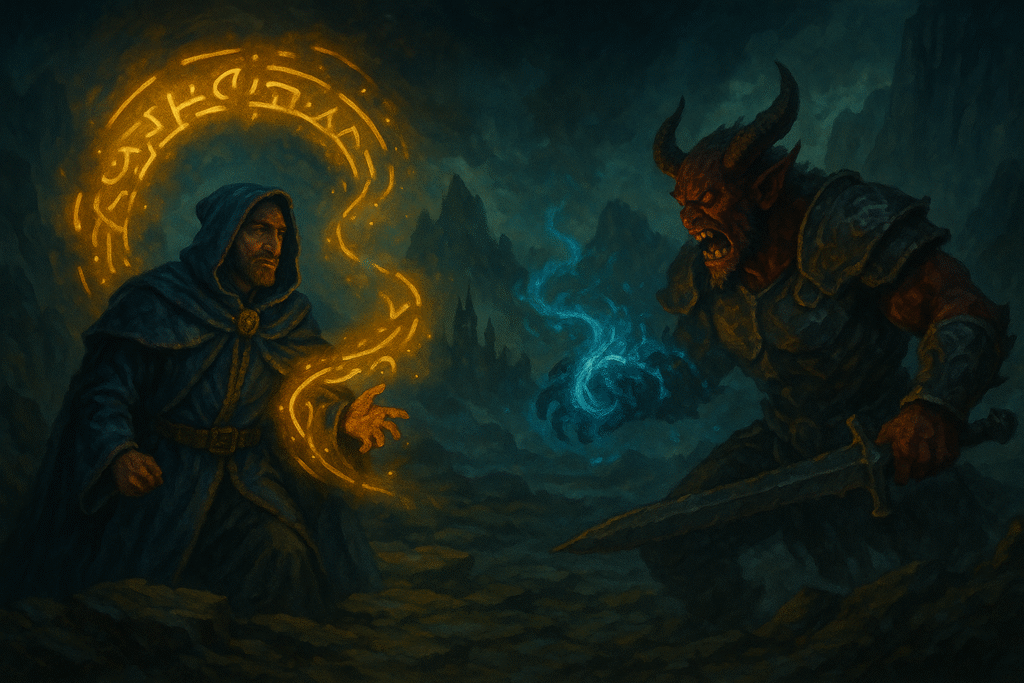
On a mist-covered battlefield beneath jagged mountains, a hooded mage in a blue robe summons glowing golden dialogue glyphs, while a red-skinned demon in black armor roars, conjuring swirling blue energy in his claws.

Talkie Features vs Summon Worlds Features: Full Breakdown

World and rules support

  • Summon Worlds: D&D 5e integration. Character sheet generator. Monster generator with CR. Spell and item tools. World knowledge base to track lore and history.
  • Talkie: No rules layer for 5e. It’s chat/creation/community-oriented.

Roleplay and voices

  • Summon Worlds: Character chat with memory and voice options. Tailor persona and keep it tied to your world.
  • Talkie: Voice calls with characters and a big roleplay community, with talkies offering voice calls for immersive sessions.

Art and visuals

  • Summon Worlds: High-res art on demand for characters, locations, and more. Built to support your campaign assets. 
  • Talkie: Creative tools and lots of user content to browse. It’s social first.

Collaboration

  • Summon Worlds: Real-time collaboration for building worlds together. Perfect for co-DMs or writer rooms. 
  • Talkie: Collaboration via community posts and shared characters, but not structured world files.

Pricing and access

  • Summon Worlds: Free to start. Pro at $9.99/month on iOS. Mana refills optional.
  • Talkie: Contains ads and in-app purchases on Android. Model is ad + subs/IAP.

Practical Ways to Use Summon Worlds for D&D and Story Prep

⏱️Build a one-shot in an hour

  1. Create a new world.
  2. Generate 3 NPCs with 5e stats and short hooks.
  3. Generate one location and one magic item that ties to your plot.
  4. Use character chat to test NPC voices.
  5. Share the world with a co-GM. Prep done.

🔄Fix a dead session mid-game

  1. Open your world during play.
  2. Spin up a side NPC with a rumor and a goal.
  3. Ask the NPC questions in chat to align tone and facts.
  4. Use voice for a quick, memorable scene.

🧠Give your writer brain a boost

  1. Draft a villain and two locations.
  2. Generate art for each.
  3. Chat with the villain to test motives and limits.
  4. Save the best lines to your world knowledge base.

 🐉Prep a boss fight fast

  1. Use the monster generator to set a CR target.
  2. Add a signature spell and a legendary item.
  3. Create a lair location with hazards.
  4. Share it with your group before game night.

When to Choose Talkie Over Summon Worlds

You want to talk with a character, hear a voice, and hang out in a big feed. You want quick scenes or practice dialogue. You are not worried about rules, sheets, or world files. That’s Talkie’s sweet spot. 

Talkie Features vs Summon Worlds Features: Full Breakdown

Summon Worlds is built for prep and play. It gives you 5e stats and sheets, monsters, linked worlds, and built-in art. You can work with your group in real time. Chat and voice stay inside your world, so lore stays consistent.

Talkie is built for character chat. You get quick chats, voice calls with personas, and a big social feed. It’s fun and fast, but it isn’t a rules or campaign tool.

⚡Quick choice

  • Need 5e tools, world structure, and session assets → Summon Worlds.

Want casual chats and character calls → Talkie.
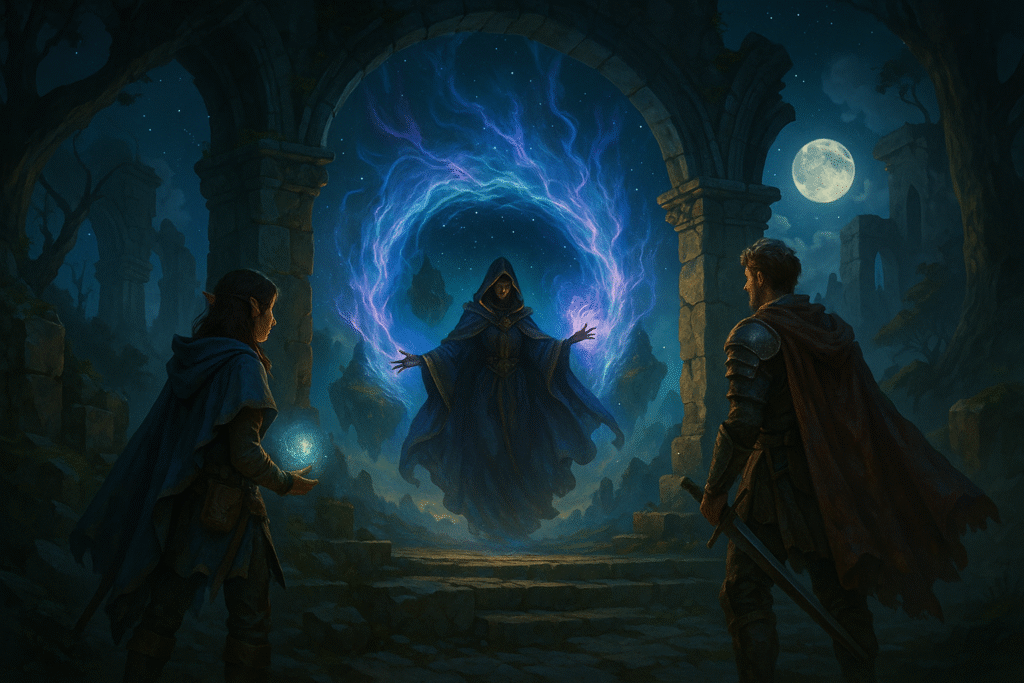
Amid ancient stone ruins under a full moon, a hooded sorceress floats before a glowing rune-carved archway, conjuring a radiant portal of swirling purple and blue energy.

Ready to Pick Your Tool? 

✨Here’s the simple choice.

Summon Worlds is for real prep and play. You get 5e stats and sheets, monsters, items, and locations. You keep lore in one place. You make art that fits your world. Chat and voice stay inside your notes. You can build with friends in real time. It saves hours and lifts the whole table.

Talkie is fun for casual chats and voice calls with characters. But it does not give you 5e sheets, CR targets, or a world hub you can rely on.

If you run games or write stories, start with Summon Worlds. It cuts prep time. It keeps things clear. It helps you run better sessions, sooner.

Try it free today!

  • iOS (App Store): Download Summon Worlds
  • Android (Google Play): Get Summon Worlds

Build a one-shot tonight. Or tighten your next session this weekend.
🔗 Explore Summon Worlds now to start building a world that truly stands out.

Previous
Next
Share the Post:

Related Posts

fantasy creature design

How to Create Fantasy Creatures That Fit Your World

Read More
March 13, 2026
fantasy city design

Fantasy City Design: How to Build Cities That Feel Alive in Your World

Read More
March 13, 2026

What is Summon Worlds?

It’s a mobile app for fantasy worldbuilding and TTRPG prep. It creates characters, items, spells, monsters, and locations. It supports D&D 5e with auto stats and sheets, and includes art, chat, voice, and collaboration.

How to make a 5e NPC fast?

Open Summon Worlds. Generate a character with 5e stats. Edit details. Add a portrait. Use character chat to test voice and motives. Save it to your world. You’re done in minutes.

Why Choose Summon Worlds over Talkie for Game Prep?

Because Summon Worlds has 5e tools, world structure, art for assets, and collab. It’s made for GMs and writers. Talkie is great for chat and voice calls, but it doesn’t handle rules or sheets.

Can I Use Talkie for my Campaign?

You can chat with characters and make quick scenes. It’s fun for inspiration. But it lacks 5e integrations and campaign files. For session-ready content, Summon Worlds is a better fit.

What’s the Best App for Voice Roleplay?

Both offer voices. Talkie supports voice calls with characters. Summon Worlds supports voice inside your world so scenes match your lore and notes. Pick based on your goal: calls and casual chat vs in-world roleplay.
Read More
A hooded sorcerer cloaked in deep purple stands on a glowing rune circle, summoning radiant golden threads of magic
September 6, 2025
by Andrea MartinezBlog

Perchance AI vs. Summon Worlds

Perchance AI vs. Summon Worlds

A hooded sorcerer cloaked in deep purple stands on a glowing rune circle, summoning radiant golden threads of magic

See how Perchance AI compares to Summon Worlds for worldbuilding, art, and chat. Discover the best choice for creators. Try Summon Worlds free today!

  • September 6, 2025
  • Andrea Chavez

Do you run out of prep time before game night? Your notes sprawl. Your NPCs blur. Art feels last-minute.

Modern tools can change that. They speed up ideas, keep voices consistent, and pull art and chat into one flow without losing your style.

This post compares Perchance AI vs. Summon Worlds. You’ll see what each does, where each wins, and when to use both together. You’ll get clear steps, common fixes, and a quick workflow you can run tonight.

Worldbuilders and GMs need reliable, simple help that saves hours and lifts quality. That’s why this match-up matters.

Ready to pick the right setup and prep faster? Read on.

Table of Contents

Perchance AI vs Summon Worlds: Key Differences at a Glance

❓What is Perchance AI

Perchance is a free, browser-based platform for random generators. It also offers popular tools like AI text-to-image, AI character chat, and other AI generators. You can start right away. Many tools work with no login. It’s great for fast ideas and quick assets. 

❓What is Summon Worlds

Summon Worlds is a mobile-first app built for worldbuilding, roleplay chat, and team creation. You can make characters, locations, items, spells, and more. It supports live collaboration, high-res fantasy art, and in-character chat on your phone. It’s in both stores. 

Why These Tools Matter for GMs, Writers, and Worldbuilders

  • ⏳Old way

    You dig through wikis. You skim image sites. You rewrite the same NPC notes. Prep takes hours. The result can still feel random or thin.

    ⏰New way

    You keep your taste and rules. The tools speed the rest. Perchance gives you quick, free generators and image runs in the browser. Summon Worlds gives you a focused app to plan, create, and chat in character. It also lets friends help live, right on mobile. 

Common Problems with Perchance and How to Fix Them

This section is here to save you time, especially if you’re testing Perchance for the first time.

Real messages you may see on Perchance (and what they mean):

  1. “perchance generates warnings … it’s valid perchance syntax … feel free to ignore these warnings.”

👉🏻This appears when the editor spots unusual, but allowed, code. If you know what you’re doing, you can move on.

  1. “If you click the button below, it will load a list of older versions … in case you accidentally deleted your code … or your computer crashes and you hadn’t saved.”

👉🏻This is the built-in backup/revision area. Use it to recover past copies. 

  1. “There was some sort of server error … check your internet connection … post on the forum if the problem persists.”

👉🏻This shows on revision history errors. Try again, then post if needed.

  1. “sign up or login to create your own generators … we only email you at your request … too many requests (can be caused by vpn browser extensions).”

👉🏻This is the auth page text. It also hints at why rate limits can happen.

  1. “request reset code … we just sent a password reset code … check your spam folder.”

👉🏻This is the reset flow text. Follow the steps shown. 

  1. “load backup revision history.”

 👉🏻That’s the action that pulls your saved copies. 

If you hit those notes, you’re not doing anything wrong. These lines are part of Perchance’s own UI and help text.

A robed sorcerer stands before colossal stone ruins guarded by dragon statues, conjuring a radiant celestial portal.

Top Features of Perchance AI and Summon Worlds Explained

Perchance: Speed, Freedom, and the Web

  • Free, fast starts: Many tools run without an account. Great for one-off NPC art, minor props, or quick mood boards.
  • Lots of generators: Community pages cover story seeds, names, art prompts, and more. It’s a huge playground.
  • Editor + warnings: The code editor flags unusual patterns but lets you ship. Handy for tinkerers who like custom rules. 
  • Backups in the browser: “Load backup/revision history” lets you pull earlier copies when something breaks.

✨Best for: solo creators who want open, ad-hoc runs in a browser with minimal setup.

Summon Worlds: Mobile Worldbuilding that Stays with You

  • Mobile World Studio: Build worlds, characters, items, spells, and lore in one app. It’s designed for phones first.
  • High-res fantasy art: Generate portraits and scenes in styles like anime, dark fantasy, and more. 
  • Live collaboration: Invite your co-GM or a friend to help shape the same world in real time. 
  • AI character chat: Talk to your characters to test voice, history, and goals before game night. 
  • In-app economy (Mana): Top up when you need more generations; Pro unlocks more perks.

✨Best for: GMs and writers who want one place to plan, chat, and publish from a phone, and who like working with a team.

Mistakes to Avoid When Using Perchance or Summon Worlds

❌Mistake: Spreading prep across ten tabs.

🔧Fix: Use Perchance for quick inspiration. Then move the “keepers” into a world in Summon Worlds so your notes, images, and chat sit together.

❌Mistake: NPCs sound the same.

🔧Fix: Generate two or three portraits for the same NPC. Then open AI Character Chat and stress test the voice. Save the best take.

❌Mistake: Last-minute art hunt.

🔧Fix: Batch image jobs early with Perchance’s text-to-image tool. Save time the week of your session.

❌Mistake: The team can’t meet to prep.

🔧Fix: Use Summon Worlds’ real-time collaboration. Build together from your phones. 

Step-by-Step Workflow: How to Use Both Tools Together

Step 1: Brainstorm visuals fast

Open Perchance’s free text-to-image tool. Run a few prompts for your villain, city gate, and relic. Grab the two best. 

Step 2: Build the world in your pocket

Open Summon Worlds. Create a new world. Add your villain as a character. Add the city gate as a location. Pin the relic as an item. You can do all of this on your phone. 

Step 3: Give the NPC a voice

Use AI Character Chat to roleplay a short scene. Test how the villain talks. Note their tells. Save the chat. Now you have “living” prep you can reuse. 

Step 4:   Share the load

Invite your co-GM or a player to help write rumors or shop lists. Work and live in the same world. 

Step 5: Final pass before the game

Attach the best images. Jot a three-line hook. You’re ready.

Perchance AI vs Summon Worlds: Honest Comparison You Can Trust

  • Access: Perchance runs in the browser, and many tools need no login. Summon Worlds is an iOS/Android app with a full feature set on mobile. 
  • Collab: Perchance is great for open, one-off use. Summon Worlds focuses on live, organized teamwork inside worlds. 
  • Recovery: Perchance exposes backups and “revision history” in the UI. If you see errors, it suggests checking your connection and posting on the forum. 

Scope: Both can help with art and ideas. Summon Worlds goes deeper into world structure and character chat in one mobile studio.

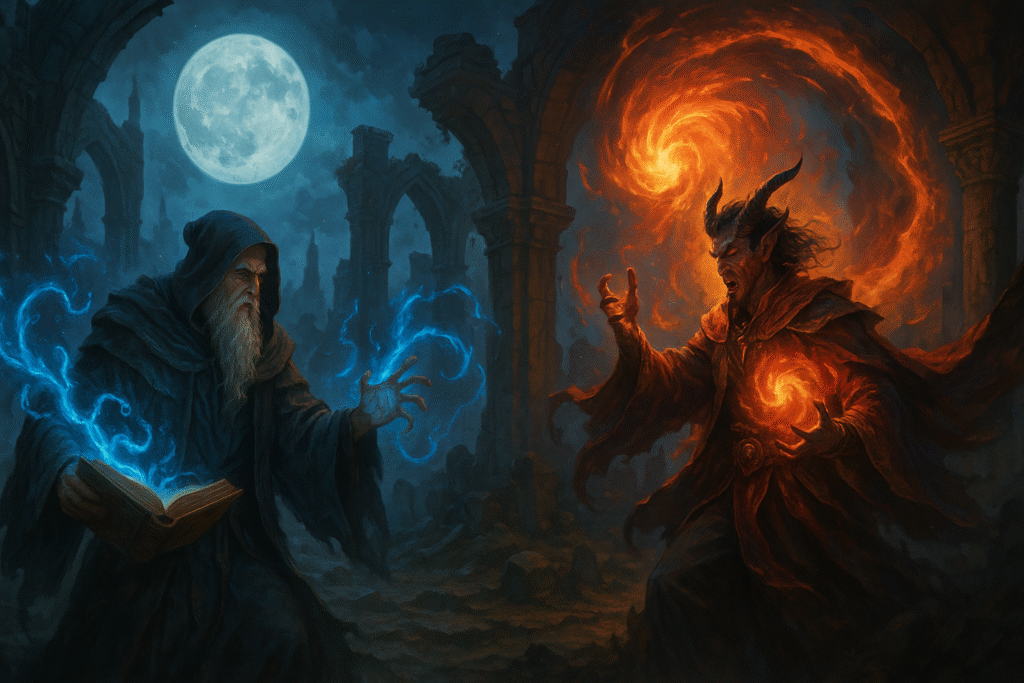
In a ruined stone temple under a full moon, two powerful sorcerers face each other.

Why Summon Worlds Is the Best Choice for Creators?

Both tools help you work faster and make more. It’s not Perchance AI versus Summon Worlds; it’s both. Use Perchance in the browser for quick sparks and fast art. 

Use Summon Worlds on your phone as the home base for worlds, characters, chat, and teamwork. This stack saves prep time, keeps notes and images in one place, and helps you lock a clear voice for every NPC. You get speed from Perchance and structure from Summon Worlds.

If you want one place to build, talk to characters, and share with your group, start with Summon Worlds. Create your cast, add items and spells, and co-build with friends in real time. Then pull in fresh visuals and ideas from Perchance whenever you need a boost. 

Ready to try it free? Download Summon Worlds on Google Play or the App Store, set up your next session in minutes, and keep everything in your pocket for game night.

🔗 Explore Summon Worlds now to start building a world that truly stands out.

Previous
Next
Share the Post:

Related Posts

fantasy creature design

How to Create Fantasy Creatures That Fit Your World

Read More
March 13, 2026
fantasy city design

Fantasy City Design: How to Build Cities That Feel Alive in Your World

Read More
March 13, 2026

What is Perchance AI?

Perchance is a free platform for random generators with many AI tools baked in. It offers text-to-image, character chat, and more, right in the browser. Many tools work without logging in, which is handy for quick runs.

What is Summon Worlds?

Summon Worlds is a mobile app for worldbuilding and roleplay chat. You can create worlds, characters, items, spells, and high-res art. It supports live collaboration, so friends can help from anywhere. It’s on iOS and Android.

How to Recover Older Perchance Versions?

Use load backup/revision history. The page says the button below it will load a list of older versions you can download in case you accidentally deleted your code or had a crash. That’s the fastest way back.

Why use Summon Worlds if I already have Perchance?

Use Perchance for fast ideas and images. Use Summon Worlds as your “world hub” on mobile. It keeps art, notes, and character chat together. You can also collaborate live with co-creators.

What is “valid perchance syntax,” and why do I see warnings?

Perchance’s editor flags unusual code as “warnings.” This is still valid perchance syntax. The site even says to feel free to ignore these warnings if you know the code is right. It’s a helper, not a blocker.
Read More
samurai armor generator
September 6, 2025
by Andrea MartinezBlog

Samurai Armor Generator: AI-Designed Armor Styles

Samurai Armor Generator: AI-Designed Armor Styles

samurai armor generator

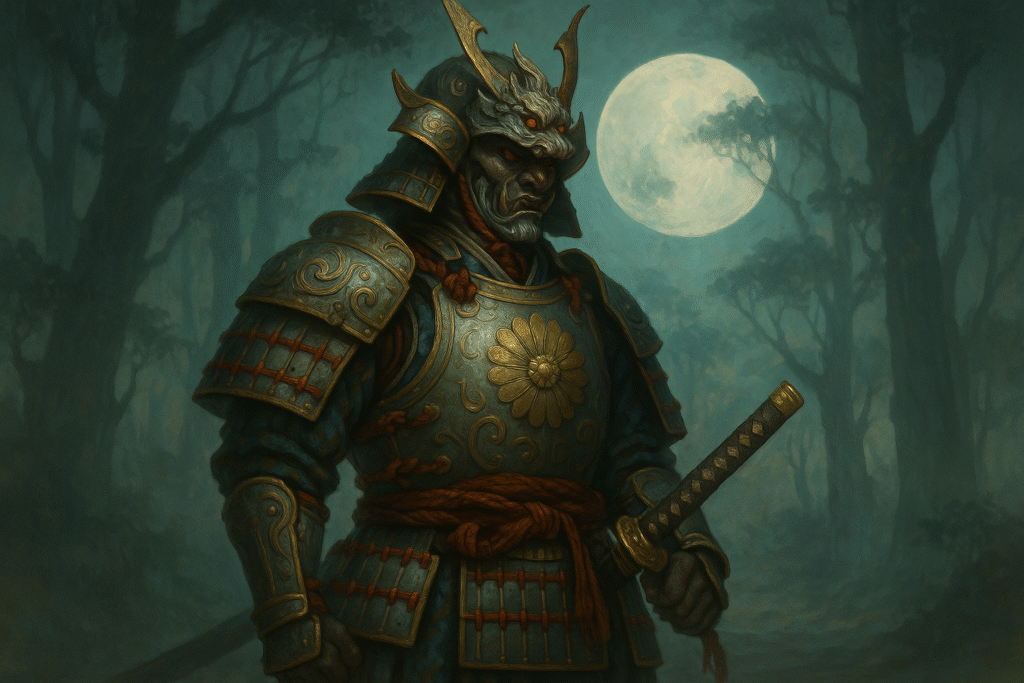
Design authentic samurai armor with an AI image generator. Get full-body AI images, prompts, and tips in Summon Worlds. Try it now, download free!

  • September 6, 2025
  • Andrea Chavez

Have a session coming up, and your armor design still isn’t landing? You need samurai armor that looks right, reads fast, and fits your world. The parts feel confusing. References clash. Time is short.

Here’s the shift. An AI image generator can turn your notes into full-body AI images that look consistent and true to the period. You list real parts. You lock pose and style. Summon Worlds helps you plan, generate, and refine in minutes.

What you’ll get below: the key armor pieces to know, common mistakes to avoid, a clean prompt you can reuse, and simple in-app steps to build, test, and share. You’ll leave with samurai armor designs that feel authentic on the page and at the table.

Need results today? Scroll on and start building.

Table of Contents

What Is a Samurai Armor Generator and How It Works

First, let’s set the idea. We mix real armor knowledge with guided prompts. Then we use tools that produce clean full-body outputs you can tweak.

Old Way vs. New Way

  • ⏳Old way: Sketch from memory. Google random pics. Guess at parts. Results feel off.
  • ⏰New way: Learn the real parts once. Use a focused AI image generator. Lock style, color, and silhouette. Save a prompt you can reuse across your world.

✅Core facts you should know

  • A gusoku is a “complete set” of armor, a style developed in the late Muromachi period. That’s why museum labels say “Armor (Gusoku).”
  • Japan widely adopted matchlock guns in the 1500s. Armor shifted toward more plate and thicker helmets for better protection.

  • Tatami gusoku is a folding, portable armor. It packs small and was often used by lower-rank troops, though ornate versions exist.

These facts help your prompts sound right and keep your AI images grounded.

Biggest Mistakes When Designing Samurai Armor (and Fixes)

Most “samurai” art fails the eye test for a few simple reasons. Fix these, and your results jump.

Mistake 1: Wrong parts or missing parts

👉🏻Fix: Name key components in your prompt. Mention kabuto (helmet), menpo (mask), dō (cuirass), sode (shoulder guards), kote (armored sleeves), haidate (thigh guards), suneate (shin guards), and kusazuri (tassets). Ask for a full body view so the generator renders legs and feet gear. 

Mistake 2: Vague time period

👉🏻Fix: If you want plate-heavy looks, say tosei-gusoku (16th–17th-century “modern” armor). Mention okegawa dō (barrel-stave cuirass with riveted plates) for a sturdy chest. This cues the right shapes and layering. 

Mistake 3: Random ornaments

👉🏻Fix: Keep crests (maedate) on the helmet believable. Horns, crescents, and clan marks are common, but not cartoonish. Use one bold crest and clean lacing. 

Mistake 4: No material callouts

👉🏻Fix: Ask for iron or steel plates with lacquer, silk lacing, and leather. These are period-correct materials. 

Mistake 5: Cropped poses

👉🏻Fix: Add “standing, full body, neutral stance” so you see the whole set. Then make close-ups later.

Samurai Armor Parts Explained for Better Prompts

Here’s a short map of parts so you can write better prompts and get better ai images.

👥Head and Face

  • Kabuto (helmet): iron bowl with a crest (maedate). Many shapes exist; keep it simple and readable. 
  • Menpo (mask): adds intimidation and protection; often lacquered.

🕴🏻Torso

  • Dō (cuirass): the chest armor. For a plate look, name okegawa dō or hotoke dō (smooth surface). 
  • Kusazuri (skirt tassets): plates hanging from the dō to guard the hips and upper legs.

🦾Arms and Legs

  • Sode (shoulder guards) and kote (sleeves).
  • Haidate (thigh guards) and suneate (shin guards). These complete that full body coverage. 

✨Variants worth knowing

  • Tatami gusoku: folding, lighter armor; good for scouts and ashigaru looks. 

Use these names in prompts. Your generator will “snap” to the right shapes.

Why Use an AI Image Generator for Samurai Armor

You need speed, control, and consistency. A good AI image generator gives you all three.

  • Speed: Test 5–10 looks in minutes.
  • Control: Lock a crest, color, or clan theme and repeat it across characters.
  • Consistency: Save prompts for squads, retainers, and captains.
  • Output: Ask for a full body every time. Then crop for cards, sheets, or covers.

With Summon Worlds, you also get tools made for fantasy builds, not just one-off art.

Best Summon Worlds Features for Creating Samurai Armor

These are the features that make armor work in both art and story.

Art tools that fit samurai armor

  • AI Art Generation: Make AI images of characters, items, weapons, and locations.

  • Style Presets: Try Epic Fantasy, Photoreal, Anime, or Steampunk if you want mash-ups.
  • Custom Prompts: Control parts, materials, and pose.
  • Enhance Chips: Sharpen plates, cords, and leather grain.
  • Extra Images: Spin more angles after you like a look.
  • Drafts or Publish: Keep designs private until your table is ready.

Character + Chat that keeps the armor “real”

  • Character Builder: Auto backstories you can edit to match the armor’s clan or rank.
  • AI Character Chat: Talk in character; save any you like.
  • Context Memory: The app remembers your world and armor notes.
  • Voice + Visuals: Characters speak and show images in chat.

RPG tools that help at the table

  • 5e-friendly data: Alignments, ability scores, and actions.
  • Collections: Store “Clan Red”, captain, ashigaru, scout, each with matching samurai armor.

Step-by-Step Guide: Build Realistic Samurai Armor in Summon Worlds

Here’s a simple, repeatable workflow inside Summon Worlds. It keeps art and story aligned.

Step 1: Set your base prompt (copy and adapt)

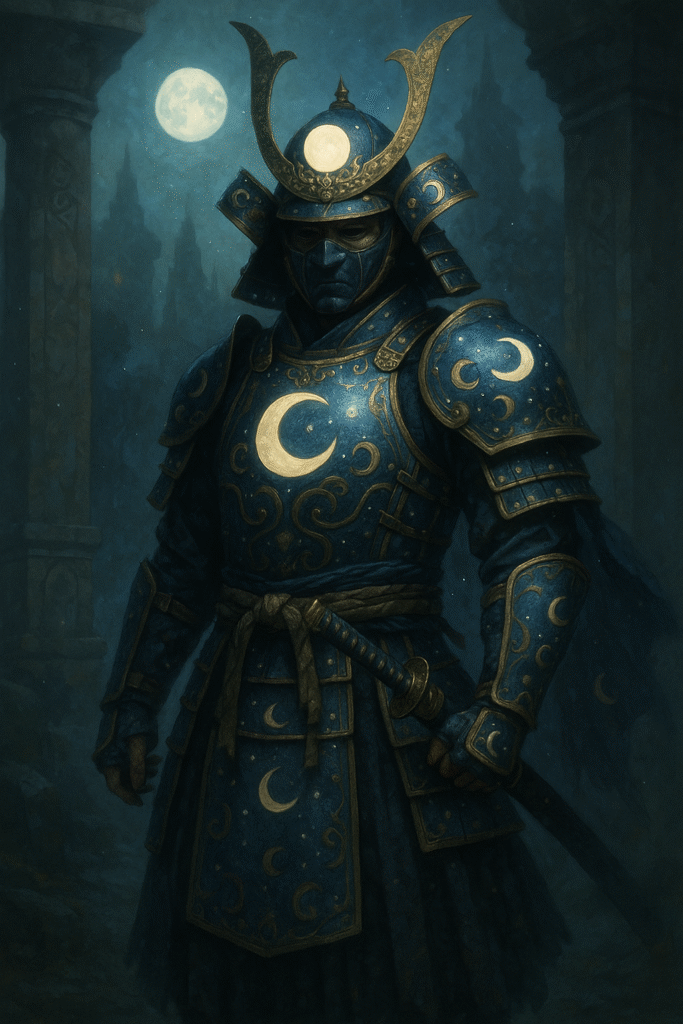
“full body samurai in tosei-gusoku, okegawa dō cuirass, kabuto with single crescent maedate, menpo mask, sode, kote, haidate, suneate, lacquered iron plates, silk lacing, subtle clan crest on the dō, standing, neutral pose, museum-accurate silhouette, soft studio light, clean background, high detail ai images.”

Why it works: it names real parts, one crest, correct materials, and a full body stance. 

Step 2: Pick a style

Use Style Presets first. Try Photoreal for references. Try Anime for character cards. You can blend with Custom Prompts like “weathered lacquer” or “battle dents on dō.”

Step 3: Improve the read

Use Enhance Chips on plates, cords, and mask edges. This keeps the silhouette crisp. Save the look as a preset for the clan.

Step 4: Generate squad variants

Use Extra Images to produce captain, standard bearer, and arquebusier variants from the same base prompt. Keep the crest and cords matched.

Step 5: Bind to your character

Open Character Builder. Add rank, domain, and duty. Paste the final ai images. In Character Chat, set persona lines like “calm, loyal to the Mori clan.” (Example clan name is historical; the British Museum has Mori-crest armor.) 

Step 6: Save and share

Add to a Collection for that clan. Keep as a Draft until reveal night. Publish after the session.

Samurai Armor Colors, Crests, and Style Tips

Small choices make your armor read “true.”

  • Use one maedate that fits the clan theme. Avoid clutter.
  • Choose lacquer and lacing colors that feel plausible. Museums show iron, lacquer, silk, and leather as the core mix.
  • Want lighter scouts? Try a tatami set. The foldable build reads nimble. 

Prompt Examples for Different Samurai Roles

  • Change a few words, get a new role.

    • Clan captain: “Kabuto with tall crescent maedate, okegawa dō, layered sode, formal stance.”
    • Ashigaru gunner: “plainer tosei-gusoku, simple kabuto, lighter haidate, matchlock at rest.” (Firearms context matters for the look.) 
    • Scout: “tatami gusoku, shorter sode, travel-ready gear, muted cords.”

How to Export Full Body Samurai Armor Images

  • Make sure the file is useful across stories, sheets, and maps.

    1. Ask for a full body with a clean background.
    2. Save one front view and one three-quarter view.
    3. Keep a text copy of your best prompt in the character notes.
    4. Use the same crest text across prompts to keep AI images consistent.
AI designed armor

Ready to Create Samurai Armor with AI?

Designing believable samurai armor doesn’t need guesswork. You now have the key parts to name, the common traps to avoid, and a prompt that works. Ask for a full body every time. Keep one clear crest. Use period-right materials. An AI image generator lets you test fast, keep a steady style, and export clean AI images for sheets, cards, and covers. Simple steps. Reliable results.

Summon Worlds gives you the full workflow. Plan the armor, generate, enhance edges, and save presets for the whole clan. Build a captain, squad, and scout in minutes. Keep voices and lore aligned with Character Chat. Ready to try it now? Download the app for free and start your first set today.

Download the app:

  • Google Play (Android)
  • App Store (Apple)

🔗 Explore Summon Worlds now to start building a world that truly stands out.

Previous
Next
Share the Post:

Related Posts

fantasy creature design

How to Create Fantasy Creatures That Fit Your World

Read More
March 13, 2026
fantasy city design

Fantasy City Design: How to Build Cities That Feel Alive in Your World

Read More
March 13, 2026

What is a samurai armor generator?

It’s a simple workflow that mixes real armor terms with an AI image generator. You write focused prompts (parts, materials, pose) and get full-body AI images that look right for your setting. Store and reuse the best prompts in Summon Worlds.

How to make a full-body samurai armor image?

Ask for “standing, full body, neutral pose.” List key parts: kabuto, menpo, dō, sode, kote, haidate, suneate, kusazuri. Name materials: iron plates, lacquer, silk lacing. Keep one bold crest. Generate, then enhance edges.

Why mention tosei-gusoku in prompts?

Because it cues a plate-heavy, later-period look shaped by gun warfare. You get sturdier helmets and cuirasses that make sense for the 16th–17th century. Your AI images feel anchored to history.

What is tatami armor, and when should I use it?

Tatami gusoku is a folding, portable armor. It’s lighter and packs small, so it suits scouts, messengers, or lower-rank troops. Ask for it when you want mobility in your full body designs.

The Best way to keep designs consistent across a party

Pick one crest and color set. Save a master prompt. Use Extra Images in Summon Worlds to spin variants for each role. Keep “full body” in every prompt so gear lines up across all AI images.
Read More
what is fantasy ai
September 5, 2025
by Andrea MartinezBlog

What Is Fantasy AI? The Future of Storytelling, Worldbuilding, and RPG Creation

What Is Fantasy AI? The Future of Storytelling, Worldbuilding, and RPG Creation

what is fantasy ai

Discover how Fantasy AI helps game masters and writers speed world-building, character creation, and RPG play. Create worlds that feel alive, try it now!

  • September 5, 2025
  • Andrea Chavez

Running out of prep time before game night? Notes scattered, hook still missing? Or a chapter that stalls the moment you sit down?

Fantasy AI fixes that. It gives you quick options you can shape. It speeds up world-building, character creation, art, and session prep. You keep the voice. You keep control.

In this guide, you’ll learn what Fantasy AI is and how it helps game masters, dungeon masters, and writers in tabletop RPG play and fiction. We’ll compare old vs. new workflows, flag common mistakes, and share simple, repeatable tips. You’ll also see how Summon Worlds ties it all together with AI-powered tools you can use right now.

Want tighter sessions, unique characters, and worlds that feel alive in real time? Start reading.

Table of Contents

What Is Fantasy AI and How Does It Work?

What “Fantasy AI” really means

Fantasy AI is the use of generative AI and other AI tools to help you plan, write, and play. It can draft scenes. It can suggest foes. It can shape story arcs and magical systems. It can render portraits and maps. You provide taste and rules. It gives options.

In plain terms, generative AI is a type of artificial intelligence that makes new text or images from your prompt. Think of it as a content engine that learns patterns, then creates fresh output. You still decide what stays. You still do the final pass. 

Why this matters now

Time is tight. Players cancel. Prep stacks up. Tools that help in minutes, not hours, win the day. Fantasy AI shortens the gap from “idea” to “table.” It makes player characters and unique characters faster. It helps dungeon masters keep pace during a live scene. And it keeps writers in flow when the draft stalls.

Big Mistakes with Fantasy AI (And How to Avoid Them)

Mistake 1: Letting the tool lead the story

If you copy every output, your world will not feel alive. It will feel the same-y.

👉🏻Fix: Treat AI as a loud brainstorm. Pick, trim, and rewrite. Add human creativity and emotional depth. Tone and values come from you.

Mistake 2: Vague prompts

“Make a city” yields mush.

👉🏻Fix: Add limits and stakes. Try: “Coastal city; cliff docks; smuggler queen; moonlit markets; salt-fae courts; curfew at bells.” Short lines beat long blocks.

Mistake 3: No house rules

AI ideas can drift off-tone.

👉🏻Fix: Set guardrails. Define lore rules. Define magical systems. Define what is rare. Define what is taboo. Keep a one-page brief you paste into every session.

Mistake 4: Ignoring session flow

Great prep is useless if it bogs down the table.

👉🏻Fix: Keep a tight “run sheet.” Use the tool for quick names, clues, and plot twists while you GM. Save the deep lore pass for after the game.

Research backs the value of more responsive, agent-like helpers for solo or guided play. Systems that can reason and act keep the session moving and heighten curiosity. That is what you want at the table. 

Best Ways to Use Fantasy AI for Storytelling and RPGs

Character creation that sticks

Draft a concept. The tool proposes traits, bonds, and a secret. Swap any part. Ask for a fresh look. Lock in visuals. Now your player characters and NPCs have a face, a voice, and a motive. That cuts cold starts.

Summon Worlds supports character creation with portraits, backstories, and in-character chat. You can talk to your creation to stress-test goals and flaws. 

Faster world-building

Need a border town that trades with a sky-port? Or a court that fears sea gods? Spin up a first pass, then tune it to your canon. Store locations, items, magical systems, and factions in one place. Summon Worlds lets you build and chat in the same flow, with real-time co-editing on mobile. 

Ready art when inspiration hits

A face helps a player care. A lair image sets the mood. Generate images in styles like anime, photoreal, or dark fantasy. Save them to your profile. Share with the group. Summon Worlds offers high-res art generation plus social sharing and discovery. 

Session rescue for game masters

Prep a boss in five minutes. Pull a name and a tell for every barkeep. Ask for three hooks if your party strays. Use short prompts. Keep moving. AI helps you respond in real time without breaking eye contact.

Why Summon Worlds Is the Best Choice for Game Masters and Writers

Built for tabletop RPG use

Summon Worlds is designed for dungeon masters and writers. It helps you summon unique characters, gear, and places fast. It supports AI-powered chat with your creations, so you can find the right beat before game night. 

Powerful tools, simple flow

  • Interactive Character Chat: Speak with a wizard, a villain, or a sentient blade. Test motives. Refine beats.
  • High-Res Art: Create portraits, items, and scenes that match your tone.
  • Co-Creation: Invite friends. Edit together. Publish when ready.
  • Mobile-first: Prep on the bus. Run at the table.

All of this sits in one app, which keeps your creative stack clean.

Community and discovery

Browse shared summons for Sparks. Remix what you like. Share back. Grow your world with peers who love the same genres you do. 

On iOS and Android, the app lists Interactive AI Chat Roleplay, Real-Time Collaboration, and high-res AI art among core features. That means your prep, your images, and your scenes live together. Less drift. More play. 

Practical Tips to Use Fantasy AI in Your Next Session

🪄For game masters

  • Keep a “Now, Next, Later” sheet. Use AI to fill each bucket with 2–3 ideas.
  • Ask for three fail-forward outcomes for each clue.
  • Keep one one-shot city, one dungeon seed, and one social venue ready.
  • Let AI pitch twists. You choose what fits your story arcs.
  • Use images as table handouts to set the scene tone fast.

✍🏻For writers

  • Start with a one-page bible. Themes. Rules. Tone.
  • Use AI to list five plot twists per act. Pick one.
  • Ask for five lines of sensory detail per key setting.
  • Chat with your lead to find voice tics.
  • Generate three “no” choices your hero will hate, then force one.

🦄For hybrid tables (roleplay + narrative)

  • Build a short bank of prompts for moral pressure.
  • Ask the tool for counters to your party’s strongest build.
  • Keep a “faces and places” deck in your profile.
  • Use real-time chat to test an NPC’s stance before they speak at the table.

How to Keep Fantasy AI Results High Quality and Human

  1. Always rewrite. The final voice is yours.
  2. Keep a standing list of lore facts. Paste it into every chat.
  3. Set hard limits on power and tone to keep stakes sharp.
  4. Respect creators. Choose tools that care about consent and data ethics. (Good practice: treat AI as a helper you credit, not a ghostwriter.)

Final Thoughts

AI is transforming the writing process, making worldbuilding faster, richer, and more immersive. By using AI to generate ideas, expand descriptions, and clarify world mechanics, authors can craft compelling settings while maintaining full creative control. However, it’s essential to use AI responsibly, ensuring originality and adherence to legal guidelines.

Are you interested in a list of specific AI prompts to refine your worldbuilding? Let us know, and we’ll create a follow-up post with a comprehensive guide to structuring the best prompts for AI-generated storytelling!

An elf stands on a floating island at dusk, holding a glowing scroll that projects golden constellations into the night sky.

Ready to Create Unique Characters with Fantasy AI?

Fantasy AI is not a shortcut. It is a set of powerful tools that speed setup and spark ideas. You keep meaning, tone, and emotional depth. The tool is raw clay. You shape it.

For game masters and dungeon masters, it trims prep and saves shaky nights. For writers, it steadies story arcs and tightens scenes. For everyone in tabletop RPGs, it helps your worlds feel alive, supports player characters, and keeps play moving in real time.

Summon Worlds brings this into one place. Fast world-building. Flexible character creation. Art, chat, and co-creation on mobile. You get speed when you need it and room for human creativity when it counts.

Ready to try it free?

  • Google Play (Android): Get Summon Worlds
  • App Store (Apple): Download Summon Worlds

🔗 Explore Summon Worlds now to start building a world that truly stands out.

Previous
Next
Share the Post:

Related Posts

fantasy creature design

How to Create Fantasy Creatures That Fit Your World

Read More
March 13, 2026
fantasy city design

Fantasy City Design: How to Build Cities That Feel Alive in Your World

Read More
March 13, 2026

What is Fantasy AI?

It is the use of generative AI and other AI tools to help with world-building, character creation, art, and prep. You give prompts and rules. The tool suggests text, images, and options you refine. You keep control of tone and canon.

How to use Fantasy AI for tabletop RPG sessions?

Prep a short pitch, a conflict, and three outcomes. Use AI for fast NPCs, clues, and scene beats. Keep a “Now, Next, Later” list. During play, ask for names, reveals, or plot twists while you GM. Keep it short so you stay with your players.

Why should dungeon masters try it?

It saves time and cuts stress. It helps you respond during play without long pauses. It also makes player characters and NPCs with clear goals and a face. That helps the table care more and play harder.

What are the best uses for writers?

Use it to plan story arcs, test magical systems, and sketch places. Chat with your lead to hear the voice and motive. Generate art to set the mood. Then edit. Your rewrite adds the emotional depth that readers remember.

How to keep results from feeling generic?

Set house rules. Use strong seed details. Always rewrite. Treat AI as a loud idea partner. You choose what fits. Add your taste, rhythm, and values. That is how you make it feel alive.
Read More
steampunk art style
September 5, 2025
by Andrea MartinezBlog

Definitive Guide to the Steampunk Art Style in 2025

Definitive Guide to the Steampunk Art Style in 2025

steampunk art style

Discover the bold steampunk art style of 2025. Learn features, mistakes to avoid, and how AI gives you a strong starting point. Create your world today!

  • September 5, 2025
  • Andrea Chavez

Have you tried to build a scene in steampunk art and hit a wall? Maybe the gears look cool, but the story feels thin. 

This style blends science fiction with steam-powered machines and worn brass. It’s rich, but it can stall fast without a plan.

Here’s where AI helps. In Summon Worlds, you get a clear starting point for steampunk style. Test ideas in minutes. Lock a look. Add parts that make sense. This guide covers the basics that matter, the mistakes to skip, and quick steps that save time. 

You’ll see quick workflows, real examples, and tips you can use today. If you want stronger art and faster prep, keep reading.

Writers working in fantasy genres are increasingly using AI to expand their settings, this piece on AI-assisted fantasy worldbuilding explores how it’s being done.

Table of Contents

What Is Steampunk Art Style in 2025?

Steampunk is a branch of science fiction built on 19th-century design and steam-powered tech. Think cogs, gauges, rivets, and heavy brass. The term “steampunk” came from author K. W. Jeter in 1987, linking Victorian tech dreams to punk edge. Works by Jules Verne and H. G. Wells helped shape the look and themes. 

✅Why it matters in 2025: the vibe is timeless. Hand-built machines. Visible craft. Clear materials like copper, leather, and wood. 

Museums and festivals still showcase it worldwide, and the community keeps growing. Oxford’s History of Science Museum hosted the first major steampunk art show, which drew tens of thousands. That milestone proved the style’s staying power.

Old way vs new way:

  • 🕰️Old: mood boards, scattered notes, manual iteration. Lots of time is lost before you see a finished look.
  • ✨New: AI helps you test palettes, props, and layouts in minutes. You still direct the vision. You just move faster.

Core Visual Cues You Can Trust

  • Metals: brass, copper, steel.
  • Surfaces: rivets, patina, brushed finishes.
  • Devices: gauges, pressure valves, analog dials, airships.
  • Clothing: leather belts, buckles, corsets, top hats, sturdy boots, and goggles. 

Writers exploring different tools beyond ChatGPT might find this list of ChatGPT alternatives useful for comparing features and writing support.

Biggest Mistakes in Steampunk Art and How to Fix Them

Dungeons & Dragons art style

Mistake 1: Gears Everywhere

Random cogs don’t tell a story. They become wallpaper.

👉🏻Fix: Make every part do a job. Add belts that drive a flywheel. Place gauges near boilers. Form follows function. Viewers feel the logic.

Mistake 2: Mixed Genres

Dieselpunk, cyberpunk, and Victorian fantasy can blur lines. That can muddy your piece.

👉🏻Fix: Anchor on steam-powered tech and 19th-century forms. Keep plastics and ultra-modern composites out. Stay with wood, metal, glass, and leather. 

Mistake 3: Flat Color

Without a palette, brass looks bland.

👉🏻Fix: Use warm browns, creams, and metallics. Add gentle soot and oil stains. Use sepia shadows with cool highlights for depth. Goggles and hats read instantly as steampunk style; use them with restraint. 

Mistake 4: No Narrative

Pretty parts, no purpose.

👉🏻Fix: Write a one-line story before you paint: “A city engineer repairs a cracked condenser at dusk.” That line guides props, stance, and lighting. Now your art moves.

Mistake 5: Ignoring Real References

Steampunk thrives when it feels plausible.

👉🏻Fix: Study classic sources and strong media examples. “Steamboy” is a clean reference for believable machines. Games like Dishonored show a related, gritty direction with industrial motifs. Use these as benchmarks for scale and wear. 

Steampunk Style in Modern Culture, Games, and Art

Steampunk isn’t a niche corner. It sits in books, art, fashion, and games. It pulls crowds to major festivals and inspires new creators every year.

  • Canon and origins: Jeter coined the name in a 1987 letter; the roots trace back to Victorian science fiction.
  • Museums: Oxford hosted the first major museum show for the style, confirming its cultural weight.
  • Events: The Ministry of Steampunk continues to run big gatherings, including “Weekend at the Asylum.” Plans for AXV in 2025 show the scene is active. 
  • Games and anime: From “Steamboy” to the Dishonored series, the look keeps evolving on screen. You’ll see airships, pressure gear, and industrial cities with a lived-in feel.

👉🏻Key takeaway: the steampunk art community is alive and building. Your work slots into a clear visual language that audiences already love.

Visualizing settings can also be enhanced with AI-generated art—this overview of AI fantasy art tools and prompts offers some creative inspiration.

Key Steampunk Art Features Every Creator Should Use

⚙️Materials That Tell a Story

  • Brass and copper show age and craft.
  • Leather straps and holsters point to function.
  • Glass gauges and lamps make light a design element.

🔩Mechanics You Can “Read”

Build devices the eye can trace: 

tank → pipe → valve → gauge → output. 

If a viewer can guess how it runs, they’ll believe it.

👕Clothing With Purpose

Belts, pockets, and tools should match the character’s role. Engineer? Oil stains and gloves. Navigator? Compass, charts, and a speaking tube. Goggles serve smoke, sparks, and wind. 

🌍Worlds With Texture

City shots need soot, posters, wires, and vents. Interiors need boilers, vents, benches, and spare parts. This texture separates a good render from a great one. See how Dishonored layers architecture, propaganda, and tech to ground the world.

How to Create Steampunk Art in Summon Worlds

Summon Worlds is built for GMs and writers. You can create characters, items, weapons, spells, and lore together, live, with AI helping at each step. Here’s a fast, practical flow for steampunk style.

✨Steampunk Art Workflow: From Spark to Share

Step 1: Set your base

Open Summon AI → AI Art Generation. Pick the Steampunk style preset. Add a tight prompt such as:
“Airship mechanic at dusk, brass boiler suit, leather gloves, pressure gauges, warm smoke, soft sepia light.”

Step 2: Lock the silhouette

Generate a few options with Extra Images. Keep the strongest pose. Use Enhance to sharpen key details (goggles, valves, belt tools).

Step 3: Add story props

Add a cracked condenser, a hand lamp, and a tool roll using the custom controls. Keep parts functional. No random gears.

Step 4: Build the character

Go to Character Creation. Use the image as the portrait. Auto-generate a backstory, then edit it to match your one-line story. Save.

Step 5: Test voice and mood

Open AI Character Chat. Pick a voice and ask in-character questions:

  • “What broke the condenser?” 
  • “How long before the boiler fails?”

The context memory holds details, so your tone stays steady.

Step 6: Organize and publish

Drop the character and props into a themed Collection (e.g., “Karnwright Shipyard”). Keep it private as a draft while you iterate. Publish when ready.

Step 7: Expand the world

Spin up items (compass, pocket chronometer), weapons (compressed-steam carbine), or spells if your world blends magic and tech. Add locations like “Boiler Row.” When Worlds arrives, link entities to locations with tags, roles, and timelines.

Why this works:

  • Style presets give you a clean starting point.
  • Custom prompts and enhance refine detail.
  • Character Chat keeps tone and lore consistent.
  • Collections and (soon) Worlds keep your world tidy and searchable.

👉🏻Extra GM trick: If you run D&D 5e, use Summon Worlds’ 5e-compatible features to draft stat ideas for a tinkerer, and keep notes tied to each scene.

Best Steampunk References and Sources for Creators

When you want proof of concept, lean on known works and events.

  1. Definition and scope: Steampunk = retro-futurist science fiction with steam powered tech and 19th-century aesthetics.
  2. History and name: K. W. Jeter coined “steampunk” in 1987; Verne and Wells set the mood long before.
  3. Museum milestone: Oxford’s 2009–2010 show was the first major museum exhibition for the movement.
  4. Festivals: “Weekend at the Asylum” continues in 2025 under the Ministry of Steampunk.
  5. Media models: “Steamboy” (2004) is textbook steampunk; Dishonored shows a grittier, related take with industrial motifs.

Use these as tone checks for scale, materials, and wear.

Ready to Create Steampunk Art in 2025?

You now have a clear path. Steampunk art sits where Victorian craft meets science fiction. The look is sturdy, warm, and believable when every bolt has a job. Keep your palette tight. Make the machines readable. Lead with a one-line story. Use AI to speed the grind while you keep control.

🛠️ Ready to build? Summon Worlds gives you style presets, custom prompts, AI Character Chat, and organized Collections. 

Create your team, your airship, your city blocks, and your quest hooks, then publish or keep them private until it’s showtime. Try it today and bring your world to life.

Create your first character and scene today. Bring your airship crew to life. Download Summon Worlds on:

🎮 Google Play (Android) – download and build on the go

🌟App Store (Apple) – create anywhere, anytime

🔗 Explore Summon Worlds now to start building a world that truly stands out.

Previous
Next
Share the Post:

Related Posts

fantasy creature design

How to Create Fantasy Creatures That Fit Your World

Read More
March 13, 2026
fantasy city design

Fantasy City Design: How to Build Cities That Feel Alive in Your World

Read More
March 13, 2026

What is steampunk art?

It’s a science fiction style based on 19th-century design and steam-powered tech. Expect brass, leather, wood, gauges, and airships. The name came in 1987, but the roots reach back to Verne and Wells. The best pieces look functional and worn, like real machines.

How to pick colors for steampunk?

Use warm browns, creams, and metallics. Add soot, oil, and patina to sell age. Keep plastics out. Contrast with small cool highlights so metal edges pop. Goggles and hats help sell the read fast.

Why does function matter so much?

Viewers trust machines they can “read.” If a pipe feeds a boiler and the gauge tracks pressure, the scene feels real. Games and films that land well keep this logic front and center.

Best starting point for beginners?

Begin with one scene and one job. “Engineer fixes a leaking valve at dusk.” Generate a few base images in Summon Worlds with the Steampunk preset. Lock the silhouette, then add story props. Keep it small and clear.

How to use Summon Worlds for a campaign?

Create characters, items, and locations with AI help. Chat in-character to test voices and lore. Group everything in Collections. When Worlds launches, link it all into a map with roles, history, and tags. Your prep gets faster and cleaner.

How to Change my Photo from Admin Dashboard?

Far far away, behind the word mountains, far from the countries Vokalia and Consonantia, there live the blind texts. Separated they live in Bookmarksgrove right at the coast
Read More
best art prompts
September 5, 2025
by Andrea MartinezBlog

30+ AI Art Prompts for Steampunk Characters (with examples)

30+ AI Art Prompts for Steampunk Characters (with examples)

best art prompts

👉Get 30+ steampunk art prompts with gears, brass goggles, and steam power. Create stunning AI images fast. Copy today and start your world!

  • September 5, 2025
  • Andrea Chavez

Do gears, brass, and smoke light up your imagination?

You want fast art prompts that work. You also want clear steps that save time and spark ideas. You’re in the right place.

Here, you get both. Simple rules for strong prompts. Plus 30+ ready lines you can paste into your AI image tool or into Summon Worlds. Each one is clean, direct, and easy to tweak.

Steampunk blends Victorian style with retro science and steam power. Picture airships. Cogs. Leather. Strange engines. These cues give your characters a bold look and a shared mood for your table and your page.

Want results today? Keep reading and grab the prompts below. Your next character is a few clicks away.

Table of Contents

How to Write the Best Steampunk Character Art Prompts

Strong prompts are clear, visual, and short. They say who the character is, what they wear, their signature gear, and the scene around them. They also set the mood and lighting. 

Tools like Midjourney and Stable Diffusion respond well to that kind of simple structure, plus small “extras” when you need them. 

Steampunk cues help the model “lock in” the look. Use brass goggles, leather straps, belts with tools, corsets, tailcoats, pocket watches, and open mechanics. These are known icons in steampunk fashion and visuals. 

Easy Formula for Crafting Steampunk AI Prompts

✨Use this easy template when you write your own crafted prompts:

[Role] + [Outfit details] + [Signature device] + [Setting] + [Mood/lighting] + [camera/shot or composition] + [art style]

  • Role: sky captain, tinkerer, alchemist, automaton, scout.
  • Outfit: leather coat, corset, flight cap, tool belts, brass goggles.
  • Device: mechanical arm, clockwork heart, steam rifle, gear wings.
  • Setting: airship deck, boiler room, market at dusk, foggy alley.
  • Mood/lighting: warm gaslight, cold rain, smoky sunset, sparks.
  • Shot: close-up portrait, three-quarter, wide shot.
  • Style: comic, painterly oil, game art, sepia, photoreal.

You can add light “controls” if your generator supports them. Midjourney parameters like –stylize can push more artistic flair. Negative prompts (or “No” in Midjourney) remove things you don’t want. Use them lightly. 

👉🏻Tip for creating stunning results: keep words simple and visual. Add no more than 1–2 style notes when you want high-quality detail. Stability AI’s guides stress clarity and small, focused edits between runs. 

30+ Steampunk Art Prompts You Can Copy Today

✨Each line is “paste-ready.” Swap names, items, or moods as you like. These work in Summon Worlds or any AI-generated tool.

🎭Core characters (portraits and mid-shots)

  1. “Sky captain, long leather coat, brass goggles up, wind-tossed hair, airship deck at sunrise, warm gaslight glow, three-quarter view, painterly art style.”


  2. “Gentleman inventor with mechanical arm, soot-smudged sleeves, pocket watch on chain, cluttered workbench, sparks and smoke, close-up portrait, crisp game concept look.”


  3. “Airship navigator, compass and map rolls, canvas flight cap, starboard rail, clouds below, soft backlight, candid mid-shot.”


  4. “Street tinkerer, tool belts and fingerless gloves, tiny clockwork bird on shoulder, foggy alley, wet cobbles, rim light.”


  5. “Steam witch, corset and layered skirts, gear-etched staff, runes glowing, workshop candles, high-contrast chiaroscuro.”


  6. “Automaton butler, polished brass plates, velvet waistcoat, single eye lens glowing, library stacks, quiet mood, centered portrait.”


  7. “Rogue courier, soot-lined scarf, spring-loaded boots, parcel under arm, market at dusk, motion blur, low angle.”


  8. “Airship marine, reinforced gauntlets, riveted chestplate, steam rifle, hangar bay haze, three-quarter stance.”


  9. “Clockwork medic, leather apron, vials and syringes, pressure gauges, infirmary lamps, clean studio lighting.”


  10. “Goggled scholar, ink-stained cuffs, blueprint scrolls, drafting table, sun through factory windows, soft focus.”


  11. “Gearwright dwarf, broad shoulders, beard rings shaped like cogs, forge embers, warm orange key light.”


  12. “Sky pirate queen, epaulets, cutlass with gear-guard, torn banner, storm sky, dramatic rim light.”


  13. “Railway marshal, brass badge, long coat, whistle, steam engine behind, shallow depth of field.”


  14. “Balloon scout, canvas wings harness, altimeter necklace, high cloudline, bright noon light.”


  15. “Clockwork monk, simple robes over plates, prayer beads with tiny gears, chapel of pistons, calm, centered.”


  16. “Mechanist child prodigy, oversized gloves, grease on cheeks, tiny drone buzzing, cozy workshop, warm lamp tone.”


🎬 Scene-driven prompts (full-body or wides)

  1. “Airship duel at dusk, captain vs. sky pirate on swaying gangplank, smoke and sparks, dynamic wide shot.”


  2. “Boiler room rescue, medic hauling injured marine, valves hissing, red safety lamps, cinematic frame.”


  3. “Street chase through market, rogue courier vaulting crates, fluttering tarp awnings, motion streaks, wide lens.”


  4. “Automaton uprising on factory floor, glowing eyes, flying bolts, foreman standing firm, dramatic backlight.”


🏭 Environments for your steampunk cast

  1. “Workshop close-up: hands tuning a clockwork heart, oil sheen, brass filings, shallow DOF, photoreal.”


  2. “Airship bridge: big wheel, speaking tubes, glass compass rose, low sun, warm gaslight, detailed textures.”


  3. “Foggy rooftop with gear-driven beacon, gulls circling, rain dots on lenses, moody skyline.”


  4. “Underground rail platform, piston columns, timetable board clicking, steam clouds, sepia tone.”


🐉 Fantasy crossovers (great for campaigns)

  1. “Forest ranger with gear-bow in enchanted forests, moss on boots, brass fireflies in jars, green mist, soft morning light.”


  2. “City envoy in futuristic cityscape, cog-trim blazer, neon signs reflected on polished brass, rain at night, cyber-retro mix.”


  3. “Explorer on alien planets, sand-red horizon, pressure-gauge mask, gear antenna, twin moons, cool blue light.”


  4. “Clockwork paladin, holy cog-emblem shield, cathedral of pipes, stained-glass steam, solemn pose.”


  5. “Steamsmith mage, rune-coils glowing, smoke runes spiraling, furnace behind, heroic angle.”


  6. “Brass-wing courier, spring wings spread, rooftop leap, early dawn, city waking below.”


  7. “Gear siren, lace gown with subtle plates, harbor fog, steam horn in distance, muted palette.”


  8. “Arcane cartographer, map table shaped like a cog, room full of orreries, candle light, soft gold.”


🎨 Quick style toggles you can add

  • “sepia photograph, fine film grain”
  • “studio portrait, neutral background”
  • “comic cover, bold inks”
  • “oil painting, textured canvas”
  • “game concept sheet, orthographic”

These toggles help the model pick a high-tech or classic finish without clutter. For Midjourney, you can also nudge style strength with –stylize if needed. 

Tips to Create High Quality Steampunk AI Images

  • Lock the icon: Mention one anchor item in every prompt. Try “brass goggles,” “clockwork heart,” or “pressure-valve pack.” These are staple markers in steampunk looks.
  • One hero feature at a time: If you ask for a mechanical arm and gear wings, and a steam rifle, the model may mix them. Pick one star feature per character for cleaner shots.
  • Set one clear mood: Gaslight warm. Rain and neon cold. Dusty sepia. Pick one.
  • Trim style notes: Two style hints are plenty for creating stunning visuals that still feel clean and high quality.
  • Iterate small: Change one word, then try again. Tools reward tiny edits over long rewrites.

How to Generate Steampunk Characters in Summon Worlds

Summon Worlds helps you move from prompt to playable art in minutes.

  1. Open a character or start a new one.
  2. Pick the Steampunk style preset (or pick “Epic Fantasy,” “Photorealistic,” “Airbrush Portrait,” or “Anime” if that fits your table).
  3. Paste one of the art prompts above into the Custom Prompts box.
  4. Generate. Use Enhance Chips if you want cleaner faces or metal.
  5. Tap Extra Images to try a few looks, then save the best one.
  6. Add the piece to a Collection with their items, weapons, or spells.
  7. Open Character Chat and talk to the character to test voice and backstory.
  8. Publish to your profile or keep private while you prep the session.

You can switch art style quickly, test a variant in AI art, and store everything with the character’s lore. That keeps your creative process tight from sketch to session.

skyborne academy vista

Ready to Create Your Steampunk World?

You now have a simple formula and 30+ art prompts for steampunk characters. They paste fast. They tweak easily. Use them for NPCs, villains, or player portraits in minutes. Keep edits small. Keep one hero item clear. You’ll get sharper, high-quality results.

Ready to bring them to life? Open Summon Worlds. Build your cast. Test voices in Character Chat. Save images to Collections. Your world is ready.

Pull the lever and roll the gears.

  • ⚙️ Android: Start on Google Play
  • 🧭 iPhone/iPad: Start on the App Store

🔗 Explore Summon Worlds now to start building a world that truly stands out.

Previous
Next
Share the Post:

Related Posts

fantasy creature design

How to Create Fantasy Creatures That Fit Your World

Read More
March 13, 2026
fantasy city design

Fantasy City Design: How to Build Cities That Feel Alive in Your World

Read More
March 13, 2026

What makes a character feel steampunk in AI images?

Think late-1800s fashion fused with analog machines. Tailcoats, corsets, tool belts, and metal fittings sell the vibe. Add gears, valves, pressure gauges, and airships as scene clues. Warm gaslight or smoky backdrops support the look. Keep a few clear props so the theme reads fast.

How can I keep the same character across different renders?

Reuse a tight checklist every time: hair color, key outfit piece, signature prop, palette, and name. Keep the camera angle and lighting consistent. If your tool allows it, keep the same seed or upload a reference image. Small, steady changes beat big rewrites.

How do I make metal look natural, not plastic?

Name the metal and its condition. Try “tarnished copper,” “brushed bronze,” or “scratched steel.” Set a clear light direction so edges catch highlights. Mention reflections, wear, and tiny seams. Add soft grime near joints. Materials + light + surface detail = believable metal.

Can I blend steampunk with anime or photoreal looks?

Yes. Pick one style label per render for clean results. For example, “anime character sheet” on one run, then “photoreal portrait” on the next. Avoid stacking many styles at once. Generate variants, compare, and keep the strongest version as your base.

How do I keep unwanted details out of the image?

Use your tool’s negative prompt or exclusion list. Add short blocks like “no neon signs,” “no modern sneakers,” or “no text.” Keep the list brief and focused. If something still slips in, remove it from the prompt and regenerate with the same seed.
Read More
crystalline celestial journey - armor 5e
September 4, 2025
by Andrea MartinezBlog

2025 Ultimate Armor 5e Guide: Design Epic D&D Armor with AI

2025 Ultimate Armor 5e Guide: Design Epic D&D Armor with AI

crystalline celestial journey - armor 5e

👉 Master armor 5e basics, avoid common build mistakes, and design epic D&D gear with Summon Worlds. Learn the rules and start creating today!

  • September 4, 2025
  • Andrea Chavez

Ever wish your armor choices felt clear and looked exactly how you pictured them at the table?

If yes, you’re in the right place. This guide is for Game Masters, players, and writers who build with Summon Worlds and want simple, correct answers about armor 5e, plus a fast way to turn ideas into finished items and visuals.

Ready to make armor that protects, fits your story, and looks epic on the page? Keep reading, your next signature set begins below.

Table of Contents

What Is Armor 5e and Why Does It Matter in Every D&D Session

Armor categories and AC

In 5e, armor is light, medium, or heavy. 

  • Light adds your full Dexterity modifier to the armor’s base AC. 
  • Medium armor 5e adds your Dex modifier up to +2. 
  • Heavy armor 5e ignores Dex and sets a fixed AC. 

A shield gives +2 AC, and only one shield counts. Several armors also impose Stealth disadvantage, and some heavy suits require a minimum Strength, or you lose 10 feet of speed. These lines are the backbone of every gear choice. 

Getting into and out of armor 

You only gain AC after the suit is fully donned. Light takes 1 minute, medium 5 minutes, heavy 10 minutes, and a shield is 1 action to don or doff. With help, doff time halves. This is why night ambushes, alarms, and travel watches need planning. 

Training (proficiency) matters

Wearing armor you aren’t trained in gives disadvantage on any Strength or Dexterity ability check, saving throw, or attack roll, and you can’t cast spells while doing so. Confirm training before you swap gear mid-campaign. 

Complete Guide to Core D&D 5e Armor Types

citadel of legendary
  • Light armor bests: Leather armor 5e is AC 11 + Dex. Studded leather armor 5e is AC 12 + Dex and stays quiet. For Dex builds that rely on Stealth, studded leather is the steady, non-magical end state. 
  • Medium workhorses: Chain shirt sits at 13 + Dex (max 2) and is quiet. Breastplate is 14 + Dex (max 2) and is also quiet, making it the all-rounder. Half plate is 15 + Dex (max 2) but imposes Stealth disadvantage. Pick based on how often you need silence. 
  • Heavy walls: The fixed AC ladder is chain mail 16, splint 17, plate 18, with Strength tags and Stealth disadvantage on the heavy end. Add a shield when the hand is free for +2 AC.

How Spells and Feats Affect Armor Class in 5e

  • Mage armor 5e sets your base AC to 13 + Dex for 8 hours on a target not wearing armor and ends if that target dons armor. Treat it as a full formula. Pick one base-AC method at a time; no stacking. 
  • Lightly armored 5e in the 2024 rules grants training with Light armor and Shields (and a small ability boost). Not every table has moved to the 2024 book yet, so confirm which rules set your group uses before you plan around shields. 
  • Mithral Armor is the legal way to make noisy armor quiet. A mithral version removes Stealth disadvantage and the Strength requirement if the base armor had either of those, while keeping the same AC. It exists for many armor types as an uncommon magic item.

Common Mistakes When Creating Epic AI Armor in 5e (And Fixes)

  1. Wrong formula: A classic slip is adding full Dex to medium armor 5e or assuming heavy uses Dex. Write the AC line first, then design the look. That one habit prevents most balance issues. 
  2. Stealth mismatch: Your art screams “ghost-quiet,” but the rules piece has Stealth disadvantage. If you need silence, choose breastplate or studded leather, or use Mithral Armor to remove the penalty on a higher-tier suit. 
  3. Overtuned homebrew: If your non-legendary set beats plate + shield with no drawback, fights will warp. Keep AC inside the standard tables, then add at most one perk and trade it for rarity, attunement, cost, noise, or a limited-use rider. 
  4. Spell stacking confusion: Mage armor 5e is a base AC. It ends when you don armor and doesn’t mix with other base formulas. Keep it clean.

Step-by-Step Guide to Designing Armor in Summon Worlds

Why this workflow? You want rules that read fast, visuals that match the rules, and an item card your game master can say “yes” to. Summon Worlds gives you AI creation tools, image generation, collections, and character chat in one place, on mobile or web. 

  • 🔒Choose the role and lock the rules

Decide if the wearer is a scout, skirmisher, wall, or arcane guard. Pick light, medium, or heavy to match, and write the exact AC formula in the first line of your item. Add Stealth and Strength notes here as well. This prevents drift later.

  • 🪄Generate the look

Open AI Art Generation in Summon Worlds. Pick a style preset that suits your world: Epic Fantasy, Steampunk, Anime, or Photorealistic. In your prompt, call out silhouette, material, heraldry, and wear marks. Save Extra Images for the front, back, and a close detail. Keep it in Drafts until your party reviews. 

  • 🏗Build the item card

Create an Item and add: category, AC math, Stealth/Strength notes, rarity, attunement, and one tasteful perk if the item is rare. If you want a “quiet plate,” set it as Mithral Armor so it removes the Stealth disadvantage and Strength requirement by the book. 

  • ⚡️Add class synergy

Explain who it fits best: rogue in studded leather armor 5e, ranger in breastplate, paladin in plate, caster with mage armor 5e, or a 5e armorer using Guardian or Infiltrator. This note helps your GM approve it quickly. 

  • 🌏Bind it to the world

Use Summon Worlds’ AI to write a maker, a vow, and a place tied to the suit. Two hooks are enough. Example: “Blessed on each new moon; the script warms when a promise is kept.” Publish to a Collection for easy table access. 

  • 🧪Test at the table

Open Character Chat and let an NPC react to the armor. Turn on image replies for reveal scenes. If the set has a sentient core, assign a voice and let it speak during rites. 

  • ✅Iterate after feedback

If the perk feels too strong, raise rarity or add a small cost. If it’s flat, attach a once-per-long-rest effect tied to the lore. Save Extra Images when you tweak the look so your party can see the change. 

Best Armor Designs and Popular Styles for D&D in 2025

  • Silent runner (light): A low-profile rig with matte studs, dark stitching, and a cowl that breaks the outline. Works for rogues and scouts who live on Stealth. Rules-true fit: studded leather armor 5e at 12 + Dex with no Stealth penalty. 
  • Ranger’s breastplate (medium): Hammered plates with leather joins and cloth baffles to muffle movement. Great for forest scouts and shrine wardens. Rules-true fit: 14 + Dex (max 2), no Stealth disadvantage. 
  • Oath-forged plate (heavy): Clean lines, vow etchings, and honest dents. Suits paladins, temple guards, and sworn knights. Rules-true fit: plate 18 with Strength 15 and Stealth disadvantage; shield adds +2.

Smarter Armor 5e Choices with Summon Worlds

Bring your armor ideas to life in Summon Worlds. Generate the look, add clear item stats, attach lore hooks, share in Collections, and even let the gear “speak” in chat, all in one place. Create once, reuse at the table, and keep prep light.

Get Summon Worlds now

  • Download on Android (Google Play)
  • Download on iOS (App Store)

🔗 Explore Summon Worlds now to start building a world that truly stands out.

Previous
Next
Share the Post:

Related Posts

fantasy creature design

How to Create Fantasy Creatures That Fit Your World

Read More
March 13, 2026
fantasy city design

Fantasy City Design: How to Build Cities That Feel Alive in Your World

Read More
March 13, 2026

What is armor 5e in D&D?

In simple terms, armor 5e (or dnd 5e armor / 5e armor) is the gear that sets your Armor Class so enemies hit you less. You choose light, medium, or heavy armor, and you may add a shield. Your choice affects stealth, speed, and how your character fights from session to session.

What’s a smart starting point for new builds?

Ask your game master about table rules, then pick a clear starting point. Dexterity builds usually begin with leather armor 5e for cost, then upgrade to studded leather armor 5e for steady protection without hurting stealth. Martial builds plan for shields and climb the ladder toward stronger suits as gold and proficiency allow.

How to choose between mage armor 5e and medium armor 5e?

Check your Dexterity and proficiencies. Mage armor 5e is great for unarmored casters with solid Dex and no armor training. Medium armor 5e fits characters who can wear it and want reliable protection with some mobility. If you need shields but lack training, the lightly armored 5e feat can open that door, confirm at your table.

Why pick heavy armor 5e instead of a Dexterity plan?

If you want to hold the front line and ignore finesse, heavy armor 5e gives consistent AC without relying on Dex. It often trades stealth for durability and may need a Strength score, but it shines for guardians who protect allies and control space while others handle scouting and ranged pressure.

What is the 5e armorer, and how is it different from animated armor 5e?

The 5e armorer is an Artificer path that turns your suit into a core class feature, you fight and defend through the armor itself. Animated armor 5e is a monster used for encounters, not gear to wear. One defines a character’s toolkit; the other is a construct your party overcomes.
Read More
Wizard Spells 5e design
September 4, 2025
by Andrea MartinezBlog

2025 Wizard Spells 5e Guide: Design Magic Spells with AI

2025 Wizard Spells 5e Guide: Design Magic Spells with AI

Wizard Spells 5e design

👉 Master wizard spells 5e with saves, scaling, and AI tools. Create balanced magic in Summon Worlds. Try now and build your next spell today!

  • September 4, 2025
  • Andrea Chavez

How many times have you wished your spells just worked without slowing the game?

We’ve all been there, searching for the right rule, second-guessing a save, or trying to remember if that upcast adds damage or not. It breaks the flow and kills the moment.

This guide is your fix. We’ll make wizard spells 5e simple to run, easy to remember, and quick to prep. You’ll see exactly how saves work, when slots matter most, and how to create balanced new spells with Summon Worlds that your table will love.

If you want your magic sharp, your turns fast, and your players hooked, keep reading. This is how you make every spell count.

Table of Contents

Wizard Spells 5e: Everything You Need to Know in 2025

⏰Read the block in seconds

Every spell shows the same order: name, level, school, casting time, range, components, duration, then the effect. If you can scan that block fast, you can run any spell without slowing the game. 

📝Components made easy

Spells list verbal (V), somatic (S), and material component (M). A focus or component pouch covers M unless the item has a gold cost or is consumed. If it lists a cost, you must bring that item. If not, your focus is fine.

⏳Casting time, actions, and your bonus action

Most spells take 1 action. Some take a bonus action or a reaction. Here’s the key limit people forget: if you cast a spell as a bonus action, the only other spell you can cast that turn is a cantrip with a casting time of 1 action. No stacking two-level spells in the same turn. Plan your turnaround around that. 

⏸Concentration without pauses

Take damage while you hold a spell? Make constitution saving throws. DC = 10 or half the damage, whichever is higher. Fail, and the effect ends. Keep the number ready so play stays smooth. 

🪄Levels, slots, and scaling

Spells scale when you upcast. The text will tell you what changes at a higher level. Example: fireball, each slot above 3rd means the damage increases by 1d6 per slot. Use your level spell slots wisely.

When to Call for Saving Throws in Wizard Spells

Pick the save that matches the fiction. Say what happens on success and on failure. If a target passes their saving throw, the spell text tells you if they take half, move less, or ignore the effect.

  • Dexterity saving throw →  dodging blasts, slipping hazards, burst AOE. (Fireball asks for Dex.)
  • Constitution saving throws → holding focus, poison, strain, many aura effects. (Also used for concentration checks.)
  • Strength save → shoves, pulls, grapples, forced movement. (Common for restraining zones like black tentacles.)
  • Charisma saving throws → banish, planar effects, certain compulsions. (Plane shift and banishment use Charisma.)

Using Spells to Create Difficult Terrain in 5e

Control space, and you control the round. Many wizard spells turn the ground into a problem.
  • Grease (1st-level) turns a 10-ft square into difficult terrain; creatures risk falling. Great for doors, stairs, and chokepoints.
  • Sleet storm (3rd-level) makes a large area icy and difficult terrain; it also knocks foes prone on a failed save and breaks concentration. Strong mid-tier control.
  • Evard’s black tentacles (4th-level) make the area difficult terrain, restrain on a save, and deal damage. It is hard control plus space denial.

Use these to split groups, guard retreats, or stall brutes.

Example Worldbuilding Prompt:

volcanic forge - Wizard Spells 5e

Why Silent Image Still Shines for Wizards

Silent image is a 1st-level illusion with casting time 1 action, range 60 feet, and duration of the spell “Concentration, up to 10 minutes.”

It creates a visual image in a 15-ft cube. No sound. No smell. Use it to fake cover, bait archers, hide an exit, or sell a bluff. It needs V, S, and a bit of fleece as a material component.
What 7th-Level Wizard Spells Bring to Your Game

At 7th level, the game tilts. You get effects that can end scenes.

  • Forcecage (7th-level) locks zones with no save in many cases. It needs ruby dust worth 1,500 gp as a material component. It lasts 1 hour. Check your pack before you cast the spell.
  • Plane shift (7th-level) can send a target away if you hit with a melee spell attack and they fail charisma saving throws. Great for boss control when the window opens.

Designing New Wizard Spells with Summon Worlds

Summon Worlds is built for GMs and writers. You can make spell cards, add art, chat as your wizard, and keep everything in one place. Here’s a seven-step method that stays fair and readable.

  • State the job in one line

What does the spell do? Keep it narrow. Example: “Freeze a small floor area so foes slip.” Now you won’t add stray riders.

  • Check similar effects

Look at a few printed spells in that space. Match size, range, and power. If yours looks stronger, raise the level, shorten the duration of the spell, or add a costly material component. (Good benchmarks: grease, sleet storm, black tentacles, fireball, banishment.) 

  • Fill the block

Level, school, casting time, range, components, and duration of the spell. Say if it needs concentration. 

  • Pick the defense that tests

Choose dexterity saving throw, constitution saving throws, strength save, or charisma saving throws. Tie it to the fiction. If a target passes their saving throw, be clear about half effect or none.

  • Plan the upcast

If it scales, write: “At a higher level, damage increases by 1dX per slot,” or “You can target additional creatures.” Use clean models like fireball and banishment. 

  • Playtest in Character Chat

In Summon Worlds, chat as the wizard and as a foe. Run two rounds. If it stalls the fight, cut text. If it ends fights alone, raise level.

  • Add art and file it

Attach a visual with the built-in art tool. Save to a Collection with your other wizard spells and items. Keep private while you test, or publish to your profile for feedback.

2 Ready-to-Use Wizard Spell Ideas

✨Copy these into Summon Worlds. Edit your table.

Spell 1: Frost Tiles

  • Level: 2 
  • School: Evocation 
  • Casting time: 1 action 
  • Range: 60 ft
  • Components: V, S 
  • Duration of the spell: Concentration, up to 1 minute

You freeze a 20-ft square of floor you can see. The area is ice and creates difficult terrain. When a creature enters or starts its turn there, it makes a dexterity saving throw. On a failure, it falls prone. On a success, it stays standing.

At a higher level: The area grows by 5 ft on a side for each slot above 2nd. No damage increases.

✅Why it’s fair: Close to grease and a sleet storm. Control only. No damage. 

Spell 2: Aether Yank

  • Level: 3 
  • School: Transmutation 
  • Casting time: 1 action 
  • Range: 60 ft
  • Components: V, S, material component (iron ring) 
  • Duration of the spell: Instant

Choose one creature you can see. The target makes a Strength save. On a failure, you pull it 15 ft in a straight line and it takes 2d8 force. On a success, it moves 5 ft toward you and takes no damage. The movement does not trigger opportunity attacks.

At a higher level: Damage increases by 1d8 and pull distance increases by 5 ft for each slot above 3rd. You can target additional creatures (one more per slot above 3rd), each within 10 ft of another target.

✅Why it’s fair: You trade big damage for position. The strength save matches the shove theme.

Wizard Spell Mistakes and How to Fix Them

  1. Too many riders: If your spell restrains, prones, and blinds, cut one. Or raise the level.
  2. Vague saves: Name the save. State success and failure. “On a success: half damage.” Clear beats clever.
  3. Ignoring components: If the effect is strong, add a real material component cost like Forcecage does.
  4. Breaking the bonus-action rule: Remember: bonus-action spell → only a cantrip with 1-action casting time for the Action.
  5. Forgetting upcast text: If it scales, write the higher-level line. If not, say nothing. Don’t assume the table knows.
floating city spellcasster simple compose

Start Designing and Casting Smarter Spells Today

You now know how saves work, what changes when you upcast, and you’ve got two balanced spell blueprints you can use right away. With Summon Worlds, you can create, test, and share your own spells in minutes, complete with art, lore, and ready-to-play cards.

Start creating now with Summon Worlds.

Download the app:

  • Get it on Google Play
  • Download on the App Store

Make your magic clear. Make your turns fast. Make your table grin.

🔗 Explore Summon Worlds now to start building a world that truly stands out.

Previous
Next
Share the Post:

Related Posts

fantasy creature design

How to Create Fantasy Creatures That Fit Your World

Read More
March 13, 2026
fantasy city design

Fantasy City Design: How to Build Cities That Feel Alive in Your World

Read More
March 13, 2026

What’s the fastest way to build a new spell in Summon Worlds?

Start with one clear job for the spell. Set level, casting time, range, and components. Write success/fail lines in one sentence each. Add a simple higher-level line (damage or additional creatures). Test in Character Chat for two rounds. Adjust, save, and file it in a Collection.

Can I keep my custom spells private?

Yes. Save as Draft while you test. When you’re ready, publish on your profile or keep it private for your table only. You can group spells into Collections by school, arc, or theme for quick session use.

How do I test action economy and bonus-action timing?

Set the casting time first. If it’s a bonus action, run a quick turn in Character Chat and try pairing it with a cantrip. Note how it feels. If it ends fights too fast when combined, raise the level or remove an extra rider.

How do I share a spell with my group without flooding chat?

Publish the spell to your profile and drop one link, or share the Collection that holds your session prep. Your players can read on their own time, and you keep the table focused during play.

Does Summon Worlds support world-scale collaboration for spells?

Worlds is coming soon with real-time collaboration, roles, history, and tags. For now, co-build by sharing Collections, commenting, and publishing spells to your profiles so the group can favorite and reuse them.
Read More
twilight glade
September 3, 2025
by Andrea MartinezBlog

Top 5 RPGs with the Best World-Building (And What You Can Learn)

Top 5 RPGs with the Best World-Building (And What You Can Learn)

twilight glade

👉 Explore the top RPGs with the best world-building and learn how to craft your fantasy worlds in Summon World. Start building today!

  • September 3, 2025
  • Andrea Chavez

What makes a game world so real that you can almost smell the tavern stew or feel the cold wind off the mountains?

It’s not just pretty maps or flashy combat, it’s world-building that breathes. The kind with rules, history, and culture you can bump into at every turn. The kind that rewards exploring the world with surprises, secrets, and story hooks.

In this guide, we’re looking at the top RPGs with the best world-building and breaking down what makes them work. You’ll see quick, clear reasons each game stands out, and learn simple techniques you can steal for your own campaign, novel, or next creation in Summon World.

Read on, and you might never look at your worlds the same way again.

Table of Contents

How We Chose the Best RPGs for World-Building

We looked for:

  • A strong fantasy setting or sci-fi universe that holds up under scrutiny.
  • Consistent lore across quests, art, codices, and side material.
  • Systems that make exploring the world meaningful.
  • Clear signals from trusted sources and recent lists. PC Gamer’s 2025 update backs the staying power of series like The Elder Scrolls, Mass Effect, and Baldur’s Gate 3 among the genre’s greats. 

Top 5 RPGs With the Best World-Building in 2025

  • The Elder Scrolls (Morrowind → Skyrim)

Tamriel feels ancient, layered, and strange. You sense time. You see it in ruins, books, and regional customs. Bethesda even had a “Loremaster” role in The Elder Scrolls Online to keep cultures, speech, and in-game texts consistent. That tells you how serious the series is about coherence. 

Skyrim also remains a reference point when people talk about open worlds that “feel lived in.” Even in 2025, press lists still hold it up as a core classic for RPG fans. 

What you can learn:

  • Write history players can touch. Put stories in books, murals, and items.
  • Let regions clash. Food, clothing, slang, and laws should change by province.
  • Add small, odd details. Little things make a big world feel true.

👉🏻Fast tip in Summon Worlds: Create a Region entry. Add 5 short facts: one myth, one law, one resource, one taboo, one festival. Use those tags on every character from that place.

  • Dragon Age (Origins and beyond)

Thedas works because the lore is structured. Dragon Age uses codices, religions, and state politics to anchor every quest. Even newcomers find quick context through lore guides and the in-game entries. Media still frames the series around its deep history, faiths, and the Fade. 

Fun fact: Dragon Age: Origins started life as a one-off, not a planned saga. The team packed it with big arcs and loose threads. That density helped the world feel broad from day one.

What you can learn:

  • Build a codex early. Define factions, faiths, and terms in short entries.
  • Tie quests to institutions. Let mages, templars, nobles, and guilds pull the plot.
  • Show plot twists that grow from ideology, not surprise alone.

👉🏻Fast tip in Summon Worlds: Make a Faction template for each power group. Add a one-line doctrine, a rival, and a “deal breaker.” Use that to fuel character goals.

  • Mass Effect (Trilogy / Legendary Edition)

This is a masterclass in sci-fi world-building. The Mass Effect Codex nails species biology, tech, and law. It makes the galaxy feel logical and alive. Critics and writers have praised its setting depth for years, and the trilogy’s reputation for top-tier world-craft holds up. 

✨The result: decisions land harder because the rules of the universe are clear.

What you can learn:

  • Document systems. Space travel, medicine, and weapons define limits and costs.
  • Make species design reflect culture. Physiology should shape politics and ethics.
  • Use “smart exposition.” Short, sharp entries beat long lectures.

👉🏻Fast tip in Summon Worlds: Create a Tech & Magic sheet. For each power or device, list: What it does, how it fails, who controls it, who fears it.

  • Final Fantasy XIV (Square Enix)

Final Fantasy has many timelines, but Final Fantasy XIV stands out for steady, long-form storytelling across expansions. Eorzea’s lore is backed by official books like Encyclopedia Eorzea, which tie world history and side topics together in detail. Reviews of Vol. 3 call out how much “big and small” info it packs for fans. 

Press has also highlighted how FFXIV’s zones, cities, and side stories shape a cohesive world across video game updates and expansions.

What you can learn:

  • Keep a timeline. Track eras, calamities, migrations, and wars.
  • Use side quests to show culture, not just hand out loot.
  • Publish a lore digest for your table or readers.

👉🏻Fast tip in Summon Worlds: Spin up a World Timeline. Add 10 events with dates. Tag events to regions and factions so characters inherit history by default.

  • Baldur’s Gate 3

Larian built a reactive D&D world where choices stick. The game earned “masterpiece” praise and sits among today’s best role-playing games for choice, consequence, and a world that acknowledges your path. It also runs fully turn-based combat, true to 5e roots. 

Act by act, it feels like a real place with social rules, secrets, and consequences that carry across quests.

What you can learn:

  • Reward curiosity. Hide smart payoffs for weird plans.
  • Keep state. Let NPCs remember outcomes and change behavior.
  • Use clear rules at the table so results feel fair.

👉🏻Fast tip in Summon Worlds: Add Character Notes that update after key scenes. Save “truths” about what players did. Use those truths in later events and dialogue.

Key World-Building Lessons From These RPGs

🪄Rules make the magic work

When rules are visible and steady, the story hits harder. The Mass Effect Codex shows this well. Players read, learn, and then act.

🎎Culture lives in small things

Food, greetings, proverbs, and holidays make places feel real. The Elder Scrolls uses in-game books to seed that texture across towns and ages.

🗺Give players reasons to keep exploring the world

Books to read. Songs to hear. Shrines to find. Good video games like Baldur’s Gate 3 and Skyrim keep giving you a reason to poke around. That loop creates memory.

How to Use These World-Building Tips in Summon World

You write. The app scaffolds your world. Summon Worlds is built for GMs and writers. You can create characters, spells, weapons, items, and lore together with AI support, live. Here’s a simple path:

  1. Choose a pillar: Culture, Conflict, or Wonder.
  2. Spin three entries for that pillar using short prompts.
  3. Link each entry to a region, faction, and two characters.
  4. Add one secret to each entry. Secrets create future hooks.
  5. Test it with a one-scene chat between two in-world characters. Record what changes.

Keep sessions short and focused. Ten minutes of structure can save hours of prep later.

Ready to try it? Build your next region or party hub at Summon Worlds. 

Find the RPG World-Building Style That Fits You

  • Want ancient myths and regional politics? Pick The Elder Scrolls.
  • Want faith, factions, and messy power? Pick Dragon Age.
  • Want clean sci-fi logic and a galaxy that argues with you? Pick Mass Effect.
  • Want long-form MMO storytelling by Square Enix in a rich fantasy setting? Pick Final Fantasy XIV.
  • Want choice-heavy stories with turn-based tactics? Pick Baldur’s Gate 3. (Yes, some folks even search “Baldur’s Gate”, same gem.)
elven sanctuary remnants simple compose

Ready to Create Your Own Best World-Building RPG With Summon World?

The secret to unforgettable worlds isn’t luck; it’s structure. Clear rules. Living cultures. Stories that reward curiosity and keep evolving.

With Summon World, you have everything you need to make that happen. Create characters, spells, weapons, items, and lore in one place, live, and watch your world take shape faster than ever. Whether you’re prepping a campaign, outlining a novel, or building a shared universe with friends, your next great setting starts here.

Bring your world to life today:

  • Download on Google Play
  • Download on the App Store

🔗 Explore Summon Worlds now to start building a world that truly stands out.

Previous
Next
Share the Post:

Related Posts

fantasy creature design

How to Create Fantasy Creatures That Fit Your World

Read More
March 13, 2026
fantasy city design

Fantasy City Design: How to Build Cities That Feel Alive in Your World

Read More
March 13, 2026

How do I keep my lore straight over weeks?

Make one “canon” page. List names, dates, and non-negotiable facts. After each session, add three short “what changed” lines. That’s your change log. If you’re using Summon World, keep this as a single worldbuilding note and link it to related characters and factions.

How long do I get support?

Even the all-powerful Pointing has no control about the blind texts it is an almost unorthographic life One day however a small line

How do I make NPCs memorable fast?

Use the rule of three: a voice cue, a habit, and a goal. Add one secret that could help or hurt the group. Tie the NPC to a place or faction so they matter to the map, not just the scene.

How do I balance magic without spreadsheets?

Pick two costs that always apply (time, risk, or a resource). Add one possible side effect on a simple 1–6 table. Roll only under stress. This keeps power exciting, but not chaotic. Consistency beats complexity.

How do I tie my map to story beats?

Mark three hotspots before play. Each gets a hook, a rumor, and a reward. Write travel times between them. Reveal one clue per stop. If you use Summon World, group the hooks, art, and items in a Collection so you can pull them up fast.

How can I test a new setting in 10 minutes?

Run a micro-scene between two NPCs who want different things. Put one hard choice on the table. Ask, “What would change tomorrow if this goes wrong?” Note the answer. That becomes your next session seed.
Read More
character ai alternatives
September 3, 2025
by Andrea MartinezBlog

Character AI Alternatives: Which Tool Is Right for You?

Character AI Alternatives: Which Tool Is Right for You?

character ai alternatives

👉 Discover the top character AI alternatives for chat, role play, and worldbuilding. Compare tools, features, and prices. Pick yours today.

  • September 3, 2025
  • Andrea Chavez

How do you know if your character tool fits you?

Does it let you build the worlds, people, and stories you imagine? Or does it block you with rules, short memory, and a slow layout?

Some tools focus on immersive storytelling and let you shape every detail. Others work best for quick chats or simple companions. If you want a clean user interface, strong memory, and characters that stay true, choose with care.

In this guide, we’ll break down the most reliable character AI alternatives out there right now. Whether you want to make custom characters, design spells, or bring entire worlds to life in real time, you’ll find the right fit below.

Shall we find your perfect match? Keep reading.

Table of Contents

Key Things to Know Before Choosing a Character AI Alternative

  • Chat quality: Does the chatting experience feel natural? Does the bot remember facts over long term threads? Can you steer tone?
  • Safety: Do you need adult themed options? Or a strict space with hard filters? Character.AI bans pornographic content per its own help pages. If you want safer defaults for teens, this matters. 
  • Ownership and privacy: Are bots user created and private by default? Can admins access logs after abuse reports? Read each site’s docs.
  • Controls: Can you tune AI models and system prompts? Can you make custom AI and reuse presets? Can you switch models mid chat on an AI platform?
  • Cost and speed: Who offers a free tier? Do paid plans unlock more messages or priority access at busy times? Poe’s help center explains points, free vs paid, and access to many models. 
  • Community: Is it community driven? Do you see active sharing, reviews, and community creation? Can you fork prompts and characters?
  • Workflow fit: Do you only want AI chat? Or do you also need maps, notes, and art for immersive storytelling?

Top 10 Character AI Alternatives to Try in 2025

1) Summon Worlds 

❓What it is: You build worlds, not just chats. Summon Worlds blends AI conversations with full creative tools. You can chat with any character. You can store notes, tags, items, and regions. You can attach AI generated portraits. You can keep drafts private or publish them. It is community driven with a live feed and community creating in-app.

You can set custom AI instructions and tone. You can keep characters designed for TTRPG use, with stats and actions you can edit. The app offers a free tier with daily rewards, and Pro unlocks more AI offers like extra mana and perks. (This comes from your product info.)

👉🏻Best for: GMs, writers, and teams who want immersive storytelling with structure. Great for session prep and long term worlds.

2) Poe

❓What it is: A chatbot platform by Quora that bundles many AI models in one app. You can build and share bots. Poe offers a free tier. Paid plans add more points and often priority access during peak times. The help center lists prices and how points work.

👉🏻Best for: Easy model swapping. Handy for testing style, memory, and cost per thread. Good when you want quick custom AI bots for fans or friends.

3) Janitor AI 

❓What it is: A chatbot platform many people use for mature role play. Community explainers say it allows adult content under strict legal boundaries. That includes bans on minors, bestiality, heavy gore, and sexual violence. Always read the policy and obey the law. 

👉🏻Best for: You want adult RP and fewer blocks. Expect change over time as sites adjust filters.

4) Anima AI 

❓What it is: A companion app focused on friendly talk and light RP. It offers mobile apps and subscriptions. The official site highlights a caring, customizable friend. 

👉🏻Best for: You want a gentle buddy for daily check-ins and mood support rather than deep worldbuilding.

5) Replika 

❓What it is: A long-running companion app with safety rules and privacy docs. It aims for supportive talk, romance modes with limits, and clear policies. Check the site for details. 

👉🏻Best for: You want a steady, safe-leaning companion. If you need mature RP, policies are tighter than permissive sites.

6) Chai 

❓What it is: A phone-friendly app with many personas and a freemium plan. App store listings show social features and character galleries. Free plans have caps; paid plans unlock more. 

👉🏻Best for: You want quick chats and many public bots on mobile.

7) Talkie 

❓What it is: A site and app with text and voice chat, events, and a large catalog of characters. It promotes free chat and creation tools. 

👉🏻Best for: You want voice, public personas, and a lively gallery.

8) SillyTavern 

❓What it is: A locally installed user interface that connects to text models, image tools, and TTS. You bring your own keys or local backends. You tune prompts, memory, formatting, and more. GitHub docs confirm deep control. 

👉🏻Best for: You want privacy, total control, and your own stack.

9) KoboldAI Lite 

❓What it is: A browser UI for AI-assisted writing and RP. It connects to many providers, including custom endpoints, with your own keys. It is quick to try and supports basic sampler settings. Official site and GitHub describe the setup. 

👉🏻Best for: You want a simple, fast front end without installing heavy apps.

10) Character.AI 

❓What it is: The mainstream reference point. It has strong moderation and teen safety features. Its help center says pornographic content is not allowed. If you need strict rules and filters, this is a fit. 

👉🏻Best for: You want a curated chatting experience with clear boundaries and a big user base.

How to Pick the Right Character AI Tool for Your Needs

The easiest way to choose a character AI alternative is to match the tool to what you want to do. Here’s how:

  • If you build fantasy worlds → Go with Summon Worlds. You’ll get AI chat, organized lore, creating characters, AI generated art, plus regions, items, and factions. Perfect for long term campaigns and books. It’s community driven, with a feed for community creating.
  • If you want to test many AI models → Choose Poe. This AI platform has multiple AI models in one place. It offers a free tier and has clear AI offers in paid plans. You can create and share custom AI bots.
  • If you want adult role play → Use janitor AI. It’s known for more flexible content. Stay within the rules and check what’s legal in your country.
  • If you want a companion → Try anima AI or Replika. They focus on steady, caring talk and soft RP.
  • If you want total control → Use SillyTavern or KoboldAI Lite. Bring your own keys, set everything up your way, and fine-tune every detail.

Why Summon Worlds is the Best Character AI Alternative for Creators

  1. Prep night: Draft three NPCs, a market scene, and quest hooks in minutes. Save notes to each page.
  2. Game night: Open AI conversations with NPCs for immersive storytelling. Use voice replies if you like.
  3. After session: Update user-created entries. Tag allies, foes, and places.
  4. Writing day: Use custom AI rules to keep tone steady across chapters.
  5. Art pass: Produce AI-generated portraits for heroes, villains, items, and locations.

Choose Your Character AI Alternative and Start Creating Today

Many character AI alternatives can chat, but Summon Worlds goes further. It gives you custom characters, characters designed for play, and AI chat that remembers your story. You can create regions, factions, spells, items, and attach AI-generated art, all in one place.

It’s community driven for sharing and immersive storytelling for long term projects. Whether you’re a GM planning your next campaign or a writer building an epic novel world, Summon Worlds keeps your lore organized and your characters alive.

Stop switching between tools. Bring your ideas, your worlds, and your stories into one platform.

Start creating with Summon Worlds today and watch your imagination take shape.

Download on Google Play • Download on the App Store

🔗 Explore Summon Worlds now to start building a world that truly stands out.

Previous
Next
Share the Post:

Related Posts

fantasy creature design

How to Create Fantasy Creatures That Fit Your World

Read More
March 13, 2026
fantasy city design

Fantasy City Design: How to Build Cities That Feel Alive in Your World

Read More
March 13, 2026

What’s the safest option for younger users?

Look for tools with clear safety settings and strong content filters. Always review parental controls, check community guidelines, and supervise use.

How can I choose a character AI alternative for role play?

Decide your comfort level and content rules first. Some tools allow adult themed content (within the law), while others have strict filters. If you want worldbuilding plus chat in one place, Summon Worlds is a good fit.

Why do some apps limit daily messages?

Free plans often have message caps to control system load. Paid plans may offer more messages, faster replies, or priority access.

What’s the best way to try different AI models?

Choose a platform that gives you access to multiple AI models without extra setup. This lets you compare styles and find the best match for your needs.

Can I keep my creations private?

Yes. Many custom AI tools allow private chats, hidden content, or local storage. Always check the privacy settings before you start creating characters or sharing AI generated work.
Read More
  • 1
  • …
  • 4
  • 5
  • 6
  • 7
summon worlds ai art

SUMMON WORLDS IS THE PLATFORM FOR COLLABORATIVE WORLDBUILDING, CHARACTER CREATION, AND INTERACTIVE STORYTELLING

Join Our Community

Build Worlds. Meet Friends. Share Stories

D&D Character Art

Join thousands of writers, game masters, and artists sharing inspiration, tutorials, and Collaborative Worldbuilding projects!

YouTube

Tiktok

Reddit

Instagram

About Cookies | Terms and Conditions | Privacy Policy 

Copyright © 2025 OpenForge LLC. All Rights Reserved.

Back To Top