👉 Choosing the right fantasy map maker can bring your worldbuilding to life with stunning detail and immersive geography.
Ever stared at your D&D character sheet and thought, "I wish I could actually SEE this halfling rogue I've been playing for months"? You're not alone! Having a picture of your character takes your game to a whole new level.
This guide will walk you through everything about DnD character visual creator tools and how they make game night way more fun.
What Are DnD Visual Character Creators?
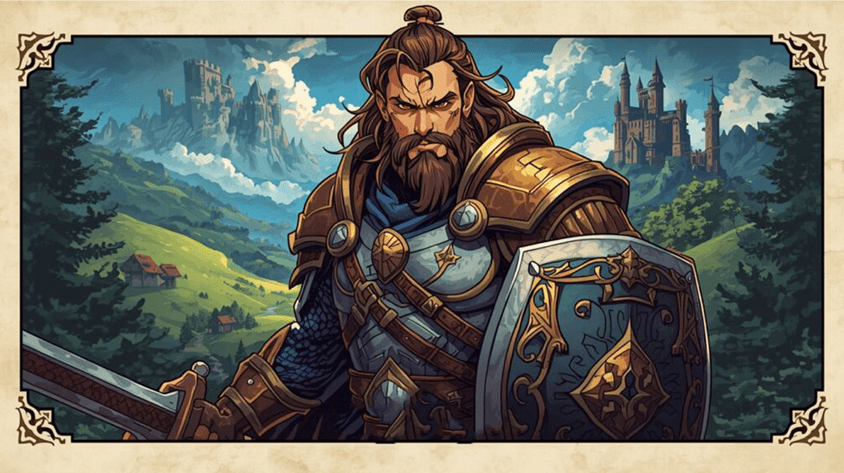
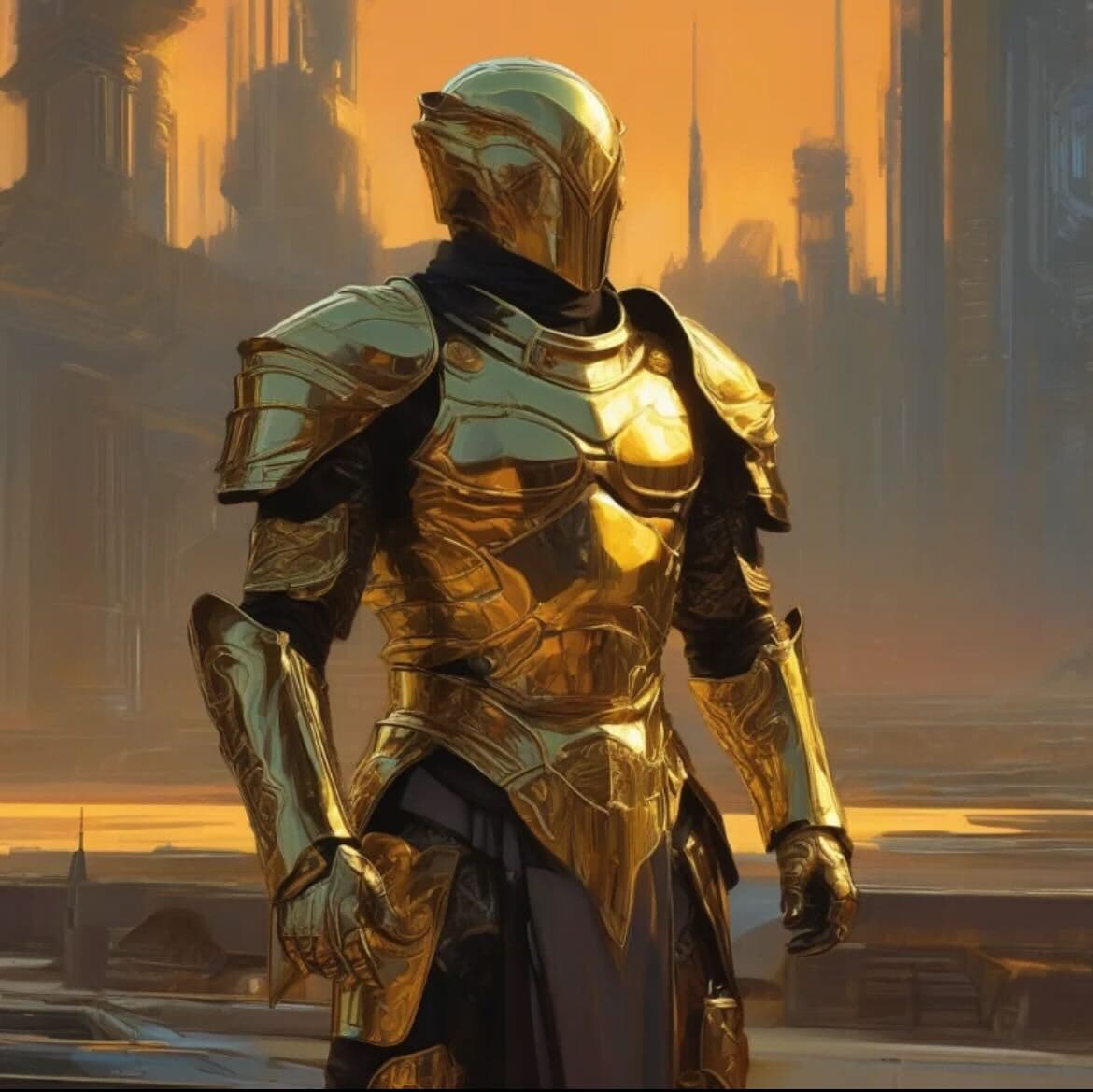
Think of a DnD visual character creator as your personal fantasy artist friend. It's a character creation tool that shows you what your hero looks like instead of just writing "half-elf with blue eyes" on your character sheet. With these tools, you can create DnD character visual images that show off your warrior's cool armor, your wizard's flashy staff, or your bard's ridiculous hat.
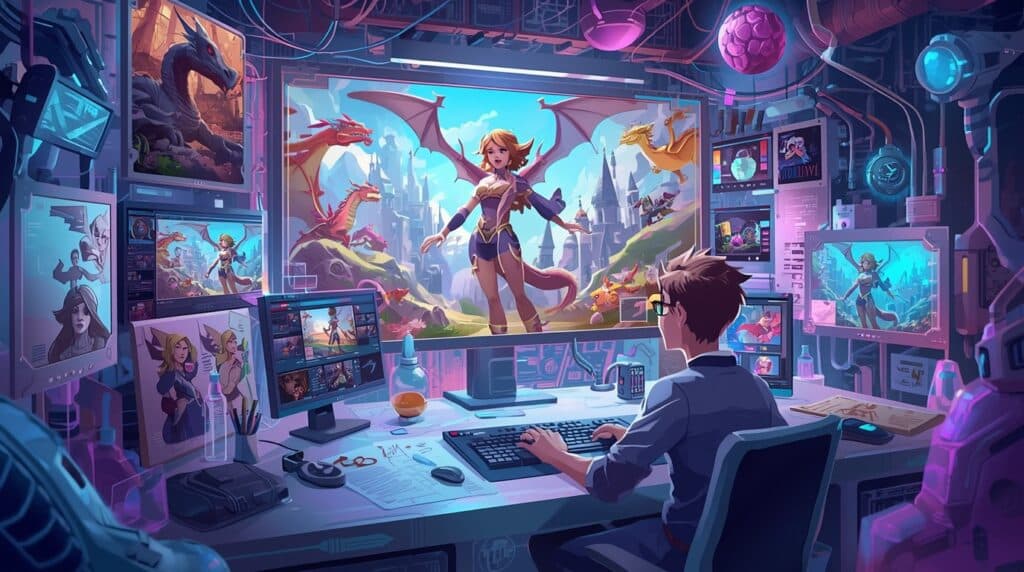
Some character design applications are super simple (think stick figures with swords), while others use fancy AI to make artwork that'll make your gaming buddies go "Whoa!" The days of just scribbling on a character sheet PDF are behind us – modern players want to see their heroes in living color!

Why Use a DnD Character Visual Creator?
Play Better When You Can See Your Hero
When you can see your D&D character, roleplaying gets so much easier! Those character profile images help you get into character – no more forgetting if your dwarf has a beard or not (spoiler: they probably do).
No More "Wait, What Does Your Elf Look Like Again?" Can See Your Hero
Everyone at your table will finally be on the same page about what your fantasy characters look like. No more spending 10 minutes explaining your outfit only for someone to still picture you wearing a completely different color.
Make Your DnD Campaign Feel Real
Pictures from a good fantasy character creator make your adventures feel like they're actually happening. It's like the difference between reading a book and watching a movie – both are great, but pictures add that extra oomph!
Perfect for Playing Online With Friends
If you play with your friends remotely, character creators that are easily accessible online are must-haves.
Cool Stuff to Look For in Character Creator Tools

When shopping for a DnD character visual creator or any character builder tool, keep your eyes peeled for these features:

All the Races and Classes (Even the Weird Ones)
A good character maker should let you create not just humans and elves, but also those cat-people, turtle-folks, and whatever a Githyanki is. Your firbolg druid deserves to be seen too!
Tons of Mix-and-Match Options
Look for tools with awesome character customization where you can play dress-up with your hero. Want purple hair? A scar shaped like a chicken? Mismatched armor pieces? The best tools let you go wild with your imagination.
Different Art Styles for Different Vibes
Sometimes you want realistic art, sometimes you want something cartoony. Good character creation tools offer options ranging from serious fantasy art to anime styles that make your paladin look ready for their own TV show.
Easy Saving and Sharing
Make sure you can save your creation for your digital character sheets, turn them into character tokens for online play, or just show off on social media. (Because what's the point of a cool character if you can't brag about them?)
3D Options for the Extra Fancy
Some next-level DnD character creator visual 3D tools let you make 3D models. These are awesome if you want to 3D print your own custom miniatures to slam down on the table for dramatic effect.
Rules Built Right In
The fanciest character creation tools connect with D&D rules, so your digital character sheet shows the right stats. This way your beefy barbarian doesn't end up with the strength of a wet noodle by accident.
Getting Started: How to Create DnD Character Visual (Even If You Can't Draw)
1. Figure Out Who You're Making
Before opening any visual DnD character creator, have a basic idea in your head:
- Are you making a sneaky rogue or a muscle-bound D&D character?
- What do they look like in your imagination?
- What cool gear do they carry?
- Do they look friendly or like they eat kittens for breakfast?
2. Pick Your DnD Visual Creation Tool
There are lots of options out there**:**
- Basic online character creator tools (perfect for the "I'm not spending money on this" crowd)
- AI tools with free AND paid options, like Summon Worlds (great for when you want awesome art without selling a kidney)
- Hiring an artist (for when you want something extra special)
3. Start with the Basics
Pick your character's race, gender, and general look. Most DnD character visual creator tools make this the first step – kind of like choosing your avatar in a video game.
4. Add All the Cool Details
This is where the fun happens! Use the customization options to add:
- Battle scars (each with its own made-up story)
- Funky outfits (the spikier the better for adventuring!)
- Weapons (the bigger the sword, the braver the hero, right?)
- Magic items (glowing stuff is always cooler)
The 12 Best Fantasy Map Makers and Generators in 2025

Crafting captivating fantasy maps requires the right tools, whether you're an author, game master, or hobbyist. With the evolution of digital technology, numerous map-making tools and digital map generators are now available to suit all skill levels and purposes. From sophisticated D&D map makers to simple free map maker options, the choices can be overwhelming. Here's our comprehensive list of the 12 best map makers and generators for 2025:
1. INKARNATE
Platform: Web-based
Website: https://inkarnate.com/
Inkarnate stands out as one of the most popular web-based fantasy map makers, known for its user-friendly interface and extensive asset library. You can create both battle maps and world maps with intuitive drag-and-drop assets.
The advanced map layers system allows for detailed editing, and you'll find fantasy and sci-fi map assets to suit various settings. With grid and measurement tools, your maps gain precision, while map sharing and collaborative editing (in the premium version) lets you work with others. Inkarnate maps are renowned for their quality and distinctive style, making them instantly recognizable among the gaming community. Offering both free and paid versions,
Inkarnate allows you to create detailed maps with high-resolution map export capabilities—perfect for producing professional-looking maps without extensive artistic skills.
2. Wonderdraft
Platform: Windows/Mac Software
Website: https://www.wonderdraft.net/
Wonderdraft specializes in creating beautiful, detailed maps with a Tolkienesque art style. This downloadable fantasy map creator offers customizable landmasses and terrain, hand-drawn map styles, and the ability to import custom assets (PNG/SVG).
You'll appreciate the detailed climate and region painting features, realistic map textures for various terrain types, and support for heightmap imports to create realistic elevation. The software offers excellent map customization options and the ability to export high-resolution maps in various map file formats.
Its range of features makes it versatile for both beginners and experienced map creators looking to create stunning fantasy world maps with professional map rendering quality.
3. World Anvil
Platform: Web-based (with tiered subscriptions)
Website: https://www.worldanvil.com/
World Anvil goes beyond simple map creation to offer a complete worldbuilding platform. You'll find worldbuilding templates for lore, timelines, and maps, plus interactive map maker features with pins linked to articles that add depth to your creation.
For tabletop RPG games enthusiasts, it offers TTRPG system integration with D&D 5e and Pathfinder. The collaboration tools make it ideal for teams, and a marketplace allows for sharing content. This world map maker is particularly strong for developing detailed provinces with unique cultures and histories, making it perfect if you're looking to develop a comprehensive world rather than just a map.
4. Dungeon Alchemist
Platform: Steam (Windows/Mac)
Website: https://www.dungeonalchemist.com/
Dungeon Alchemist revolutionizes D&D map creation with AI-powered procedural generation that automatically populates rooms with props and lighting. As a premier dnd map creator, it offers real-time 3D map editing that gives you unprecedented control, while easy exports to virtual tabletop platforms like Foundry and Roll20 streamline your gaming workflow.
The software provides numerous map templates to get you started and excels at high map resolution output. With customizable terrain and weather effects, your dungeons will have atmospheric depth that brings your campaigns to life. This tool has quickly become a favorite among D&D map makers for its intuitive design and powerful features.
5. DungeonDraft
Platform: Windows/Mac Software
Website: https://dungeondraft.net/
Created by the same developer as Wonderdraft, DungeonDraft focuses on intuitive top-down battle map design. You'll love the custom asset packs for walls, furniture, and terrain elements with detailed map icons, along with VTT export in Universal VTT format. The lighting and shadow effects add atmosphere to your creations, while community-driven asset sharing expands your creative possibilities.
The software offers precise map scaling options to ensure your battlefields work perfectly with miniatures. It's an excellent choice for detailed dnd map generator needs and has become a staple tool for serious Dungeon Masters looking to create professional quality battle maps.
6. Azgaar's Fantasy Map Generator
Platform: Web-based (Free)
Website: https://azgaar.github.io/Fantasy-Map-Generator/
This open-source tool excels at generating complex world maps and functions as both a random map generator and a detailed editor. As a powerful fantasy world generator, it creates complete worlds with cultures, religions, and political systems. It provides various map templates and customization options, making it a favorite among D&D enthusiasts looking for a comprehensive d&d world map generator.
You can edit terrain, add political boundaries, and even simulate realistic biomes. The generator creates detailed provinces with their own demographics and political alignments, adding depth to your world. If you're looking for a free map maker with powerful world maps generator capabilities, this is an excellent choice.
7. DungeonFog
Platform: Web-based
Website: https://www.dungeonfog.com/
DungeonFog offers dynamic lighting for VTT integration, a comprehensive asset library (walls, furniture, tokens), and fog of war tools for game masters. As a specialized dnd map maker, it excels with its multi-layer map capabilities that let you create complex structures with underground levels.
The platform provides excellent map resolution for both online and print use, and the mobile-friendly editing means you can work on your creations anywhere. The software utilizes an intuitive map editing tools interface that makes it accessible even to beginners. It's particularly valuable for creating detailed dungeon environments with atmospheric lighting and has become popular among RPG map maker enthusiasts.
8. Dungeon Scrawl
Platform: Web-based (Free) Website: https://www.dungeonscrawl.com/
If you prefer a minimalist, hand-drawn aesthetic, Dungeon Scrawl delivers with its grid-based map creation system. The auto-generate dungeon layouts feature functions as a quick random map generator for dungeons, saving you considerable time in prep work. The ability to export as SVG/PNG ensures compatibility with various platforms and provides flexible map file formats options. Being a free map maker and open-source makes it accessible to all, and its streamlined interface is perfect for quickly creating dungeon layouts. This tool is particularly popular among dnd map creator enthusiasts who need to generate quick, functional maps for impromptu sessions.
9. Mipui's Map Maker
Platform: Web-based (Free)
Website: https://www.mipui.net/app
Mipui's Map Maker stands out as a lightweight fantasy map builder with minimalist yet expressive tools that focus on symbolic representation rather than textures. This RPG map maker emphasizes functionality over graphical intensity. You'll appreciate the real-time collaboration feature, allowing multiple users to edit maps simultaneously via shared links. Easy map sharing with read-only links and "fork" options for remixing makes it great for collaborative teams. User-friendly map editing tools include undo/redo, grid resizing without content loss, zoom, pan, and copy/paste functions. With cloud storage that auto-saves every few seconds and never expires, your work is always protected. For those seeking a simple free map maker that focuses on quick tactical layouts, Mipui's offers an excellent solution.
10. Dungeon Painter Studio
Platform: PC Software
Website: http://pyromancers.com/ or https://store.steampowered.com/app/592260/Dungeon_Painter_Studio/
Dungeon Painter Studio functions as a versatile RPG world map maker supporting indoor, outdoor, and world maps with various tilesets. The VTT compatibility ensures easy export to Roll20, Fantasy Grounds, and Tabletop Simulator. Advanced map editing tools include layers, groups, and full object customization with union/subtraction operations. The software comes with extensive map customization options and detailed map textures for various environments. You can enhance visuals with filters like Drop Shadow, Glow, Bevel, and Tint, and import options support custom art, sketches, and D20 random map generator dungeon imports. The print-ready exports to multipage PDFs with configurable grids and paper sizes make it ideal for tabletop use, and grid flexibility supports square, hex, 1-inch, 1.5-inch, and 1 cm grids with precise map scaling options.
11. Other Fantasy World Map Generators
Many other tools offer unique features for specific needs. Several specialized fantasy world map generator applications excel at creating particular styles or map types.
These include tools focused on generating distinctive map icons and symbols, specialized fantasy map creator software for creating hand-drawn-style maps with customization of terrain and text, and dnd map generator tools with unique artistic styles. The variety of available options means you can often find a fantasy map builder tailored specifically to your aesthetic preferences, making them suitable for authors seeking a unique, antique look for their maps.
12. Traditional Methods
Don't overlook traditional pen and paper methods, which offer a unique artistic quality for those with the skill and patience. These techniques create maps with character and charm that digital tools sometimes struggle to replicate.
These map-making tools provide a range of options for creating maps that enhance storytelling and gameplay. Whether you need a detailed world map or a specific dungeon layout, these map creators can help bring your imaginary worlds to life, offering features such as customizable terrain and biomes, extensive asset libraries, tools for adding cities and political boundaries, and export capabilities in various formats and resolutions.
Digital Map Creators and Their Unique Features
Digital map generators and fantasy map creator tools have transformed the way authors, game masters, and enthusiasts bring their imaginary worlds to life. Each tool brings something unique to the table:

For worldbuilding enthusiasts, World Anvil offers the most comprehensive platform, linking your maps to larger world lore through interactive pins and articles. This makes it ideal if you're developing novels or long-running campaigns where deep lore matters.
For quick visualization, Azgaar's Fantasy Map Generator and Inkarnate's free tier allow you to rapidly generate believable worlds without extensive design work. These tools work well when you need to visualize a setting quickly for a one-shot adventure or to overcome writer's block.
![Screenshot supporting the The Best DnD Character Visual Creator Guide [7 Proven Tips] guide](/wp-content/uploads/2025/03/digital-fantasy-map-creation.jpeg)
For tactical battle maps, DungeonDraft and Dungeon Alchemist shine with their detailed props and lighting systems. Dungeon Alchemist's AI-powered room generation can save you hours of design work, automatically populating rooms with thematically appropriate furniture and decorations.
For collaborative projects, World Anvil and Mipui's Map Maker offer real-time editing features that let multiple creators work simultaneously. This is invaluable for team-based game development or co-authored fictional worlds.
These digital tools offer features such as customizable terrain and biomes, extensive icon libraries, tools for adding cities, roads, and political boundaries, options for labeling and annotating map elements, and export capabilities in various formats and resolutions. By utilizing these resources, you can quickly create immersive environments for campaigns as a game master, while authors can visualize and refine the geography of their fictional realms.
Curious how AI can supercharge your storytelling and world design? Learn how to build better fantasy worlds with AI — perfect for writers combining imagination with tech.
As technology advances, these digital map creators are becoming increasingly sophisticated, offering more realistic terrain generation, advanced customization options, and even 3D visualization capabilities. This evolution ensures that fantasy cartography remains an accessible and exciting aspect of worldbuilding for creators across various mediums, allowing for the creation of increasingly detailed and immersive worlds for stories and games.
Traditional Methods and Software Alternatives

While digital tools have revolutionized fantasy map creation, traditional hand-drawn methods remain popular for their personal touch and artistic flair. Understanding both approaches can help you choose the best method for your project when considering how to make a fantasy map.
Traditional map-making techniques include pencil and paper for quick sketches and easy revisions, ink and parchment for an authentic, aged look perfect for medieval map styles, watercolor for adding depth and texture to landmasses and oceans, and calligraphy for enhancing map labels and legends with ornate lettering. These methods offer a unique artistic quality but can be time-consuming and require artistic skill to achieve professional-looking results.

Modern software alternatives have introduced a range of digital tools that simplify the map-making process. Popular options include Inkarnate, a web-based tool with an extensive library of assets, Wonderdraft, known for its Tolkienesque art style and customization options, and professional-grade software with powerful features. These digital alternatives offer advantages such as ease of editing and iteration, access to pre-made assets and textures, the ability to generate random terrain features, and options to export in various formats and resolutions.
Whether you opt for traditional methods or digital tools, the key to creating compelling fantasy maps lies in understanding basic cartography principles, such as realistic terrain formation, climate patterns, map projection choices, and the relationship between geography and civilization. Your map customization approach should focus on creating believable worlds with appropriate map rendering techniques. By combining these fundamentals with your creative vision, you can craft immersive worlds that enhance storytelling and gameplay experiences, regardless of the method you choose. Both D&D map makers and traditional artists should understand these principles for creating convincing fantasy realms.
Best Practices for Fantasy Map Design

Creating a compelling fantasy map requires careful consideration of several key elements. Whether using a map builder or designing from scratch, following these best practices will help you create an immersive and believable world:
- Begin with the basics by sketching a rough outline of continents and major landmasses, considering the overall climate and biomes of your world, and placing major mountain ranges and rivers. Adhere to natural geography principles, remembering that mountains often form in chains or arcs, rivers flow from high elevations to the sea, joining as they go, and coastlines are rarely straight.
- Incorporate cultural and political elements by placing major cities near resources or strategic locations, defining borders based on natural features or historical events, and including trade routes and areas of conflict. Add depth and flavor with unique landmarks or points of interest, name locations in a consistent style, and include decorative elements like a compass rose or border design.
Want your maps and worlds to look as epic as they feel? Check out our guide on creating stunning AI-generated fantasy art — complete with styles, prompts, and tools to elevate your visuals.
- Utilize quality map-making software to bring your vision to life. Popular options include Inkarnate, Wonderdraft, and Azgaar's Fantasy Map Generator. Balance detail and readability by not overcrowding your map with excessive information, using appropriate font sizes and styles for labels, and considering creating multiple maps at different scales.
- Remember that creating an exceptional fantasy map often requires multiple revisions. Seek feedback from others and make adjustments, ensure your map serves your storytelling or gameplay needs, and continually update and expand your map as your world develops. By following these best practices and using quality tools, you can create immersive and believable worlds that enhance your storytelling or gaming experience.
Integrating Maps into Storytelling and Gameplay

Maps are essential tools for enhancing storytelling and gameplay in fantasy worlds. A well-crafted world map can bring your fictional universe to life and provide a rich backdrop for adventures. Integrating maps effectively into your storytelling or gameplay can significantly enhance the depth and immersion of your fantasy world.
- Use maps to establish setting and atmosphere by creating a sense of scale and geography, highlighting unique terrain features that shape the world, and visually representing different cultures and kingdoms. Maps can drive plot and character journeys by helping you plan travel routes and story arcs, identify potential conflict zones and quest locations, and reveal hidden areas for players to discover.
- Enhance worldbuilding depth by naming and placing important landmarks and cities, developing regional histories and relationships, and creating a consistent framework for your world's lore. Maps can facilitate player engagement by giving players agency in choosing their path, providing visual context for in-game decisions, and serving as a tangible artifact for immersion.
Want to go even deeper into your story world? Check out our guide to building a world with AI for fiction authors — perfect for tying your map to character arcs, culture, and conflict.

- For Dungeon Masters, a detailed D&D world map can aid in game management by helping track party progress and location, assisting in planning encounters and adventures, and serving as a visual aid during gameplay. Consider updating your map as the story progresses to reflect changes caused by major events, reveal new areas as characters explore, and add details based on player actions and discoveries.
By thoughtfully integrating maps into your storytelling or gameplay, you can significantly enhance the depth and immersion of your fantasy world. Whether for novels or tabletop roleplaying games, a well-designed map serves as both a practical tool and a source of inspiration for storytellers and players alike, bringing your imaginary realms to life in vivid detail.
Choosing the Right Map Tool for Your Project
The world of fantasy map creation offers more options in 2025 than ever before. Whether you're a game master planning your next D&D campaign with a dnd map maker, an author visualizing your fantasy novel's setting with a fantasy map builder, or a worldbuilding enthusiast creating for the pure joy of it, there's a map maker or map generator perfectly suited to your needs.
Consider your specific requirements when choosing a tool:
- For comprehensive worldbuilding, World Anvil provides an integrated platform linking maps to lore with detailed provinces and regions
- For stunning visual quality, Wonderdraft and Dungeon Alchemist deliver professional-grade results with high map resolution and excellent map textures
- For ease of use, Inkarnate maps and Dungeon Scrawl offer intuitive interfaces with low learning curves
- For budget-conscious creators, free map maker options like Azgaar's Fantasy World Generator and Mipui's Map Maker provide impressive capabilities without cost
- For tabletop RPG games, DungeonDraft and DungeonFog excel with their precise map scaling and VTT integration
Remember that the best map is one that serves your storytelling or gameplay needs effectively. The right map editing tools should feel intuitive for your workflow. Whether you need detailed map layers for complex designs or simple templates to get started quickly, prioritize tools that match your creative style. Don't get caught up in creating the perfect map at the expense of actually using it in your stories or games. Start simple, iterate as needed, and most importantly, enjoy the creative process of bringing your imaginary worlds to life through the ancient and magical art of cartography.
Now it's your turn, which fantasy map maker or RPG map maker will you choose for your next creative adventure.
Once your map is in place, it’s time to populate your world with characters. Explore our Ultimate 2025 Guide to AI Character Creation to craft compelling heroes, villains, and everything in between — with personality, stats, and backstory prompts.
Now it's your turn, which fantasy map maker or RPG map maker will you choose for your next creative adventure?

FAQs
What’s the best free tool to make a fantasy map?
Azgaar’s Fantasy Map Generator is a powerful, free web-based option with customization and random generation.
Can I use these maps for my novel or published game?
Yes! Most tools like Inkarnate and Wonderdraft allow commercial use (check licenses for details).
What’s the easiest tool for beginners?
Inkarnate (free tier) and Dungeon Scrawl offer simple interfaces with quick results.
Do these tools support battle maps for RPGs?
Yes — DungeonDraft, DungeonFog, and Dungeon Alchemist are specifically designed for combat scenarios.
Can I collaborate with others on map design?
Mipui, World Anvil, and Inkarnate (premium) allow real-time collaboration.
Is it better to draw by hand or use software?
Hand-drawn maps offer creative freedom. Software provides speed, precision, and scalability. Use what best suits your needs!
Can I use Summon Worlds and a map maker together for worldbuilding?
Yes! Tools like Inkarnate or Azgaar’s Fantasy Map Generator are great for building your world visually, while Summon Worlds helps you expand everything behind the map — including lore, cultures, factions, and character arcs. Used together, they offer a more complete approach to worldbuilding.
What’s the best way to organize my worldbuilding when creating a fantasy map?
Start with the geography using a map-making tool, then build context around it: political regions, cultural zones, and character journeys. Summon Worlds can help you keep your lore organized and consistent while offering prompts and AI-generated assets to enhance your world.
🧭 Ready to go beyond the map?
Start building cultures, characters, and deep lore to match your world.
Summon Worlds gives you the tools to turn maps into living, breathing worlds — complete with AI-generated art, factions, magic systems, and more.