
Summons are the core of your adventure. They can be Worlds, Characters, Locations, Weapons, Armors, Items, or Spells. Each has its own Mana cost and unique options.
Behind the scenes, AI image generation uses advanced neural networks trained on massive sets of visual data. This process teaches the AI how to interpret and blend elements, like shapes, colors, and textures, so it can create new and unique artwork from your requests.
1. Choose a Summon Type #
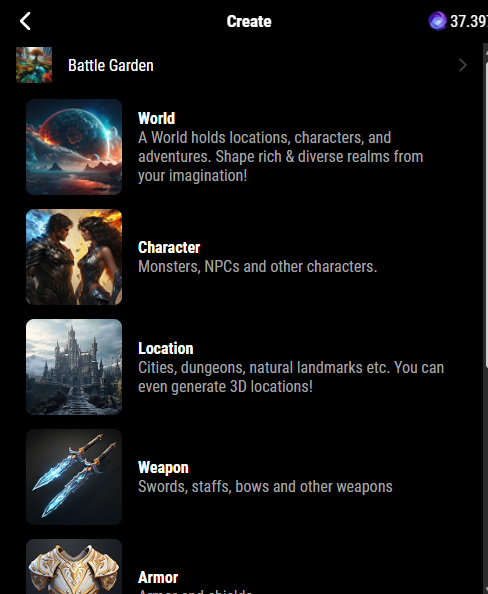
From the Create Summon menu, select what you want to create:
- World → The foundation of your universe. Holds Locations and Characters.
- Character → Heroes, NPCs, or monsters you can chat with.
- Location → Cities, dungeons, or natural landmarks. Can also be generated in 3D.
- Weapon → Swords, staffs, bows, and more.
- Armor → Shields, helmets, armor sets.
- Item → Treasures, consumables, tools, apparel.
- Spell → Spells and magical abilities.
👉 You can also choose Create a Collection to group Summons together.
2. Select a Style #
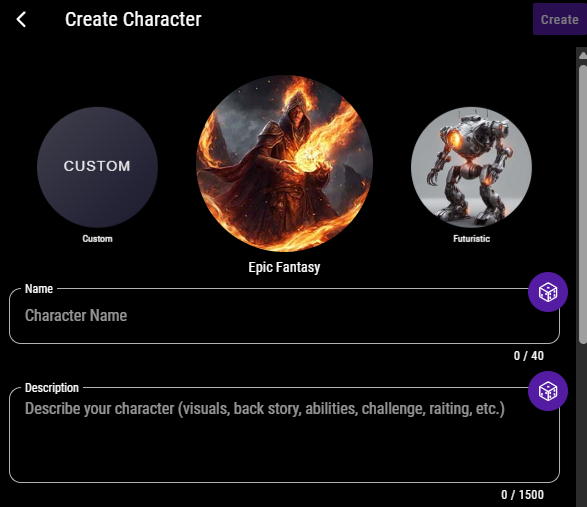
Pick an art style to match your vision:
- Photorealistic
- Epic Fantasy
- Anime
- Steampunk
- Airbrush Portrait
- Futuristic
- Or choose Custom Image Prompt to describe your own art style.
3. Name and Describe Your Summon #
Write a description (up to 1,500 characters). The more detail you provide, the more accurate your AI-generated Summon will be.
4. Assign World, Location & Faction #
To organize your Summons within your universe:

- Select a World the Summon belongs to. You’ll see a list of your created Worlds. If you don’t have a World yet, refer to the Creating Your First World
- Choose a Location within that World. You’ll see a list of your created locations. If you don’t have a location yet, refer to the Adding a Location Guide
- (Optional) Assign a Faction for roleplay context
5. Options (Only for Character Summons) #
When creating a Character Summon, you’ll have access to four unique customization fields:
- Race – Choose your character’s species or ancestry.
- Class – Defines the character’s combat or magical role.
- Gender – Select how your character presents.
- Alignment – Determines your character’s moral and ethical compass.
These options only appear when the Summon Type is set to Character.
6. Add Enhacements #
Depending on the type of summon you’re creating, you’ll see special features:
- Character -> Legendary Summons – grant characters powerful Legendary Actions, offering unique moves that can shift the outcome of battles (additional mana)
- Location -> 3D Panorama – this brings scenes to life with depth and motion
- Weapon/Armor/Item -> Magical – unlock additional magical properties or effects (additional mana)
- Worlds -> Tags: this makes it easier for others to discover your creation
- Style Chips – optional prompts to boost AI image generation
- Enhance Image Generation – Improves AI image quality with extra steps (additional Mana).
7. Summon Cost #
Every Summon has a base Mana cost:
- World → 30 Mana
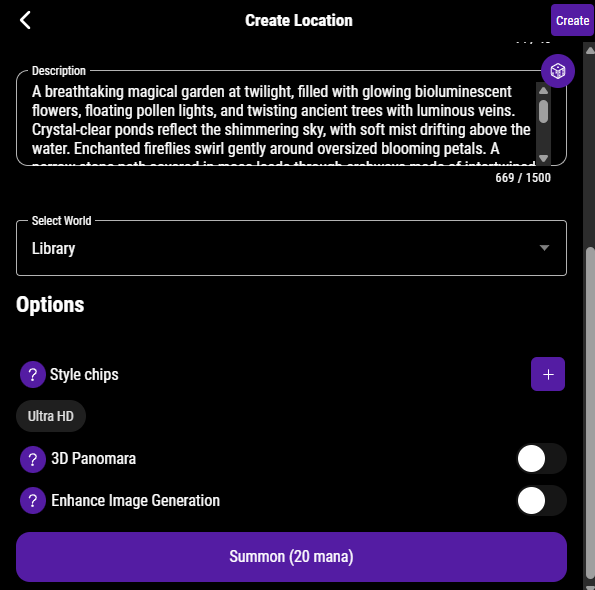
- Location → 20 Mana
- Character, Weapon, Armor, Item, Spell → 10 Mana
✨ Enhancements (Legendary, 3D, Enhanced Image Generation) add extra Mana costs on top of the base.
Example: Creating a Location #
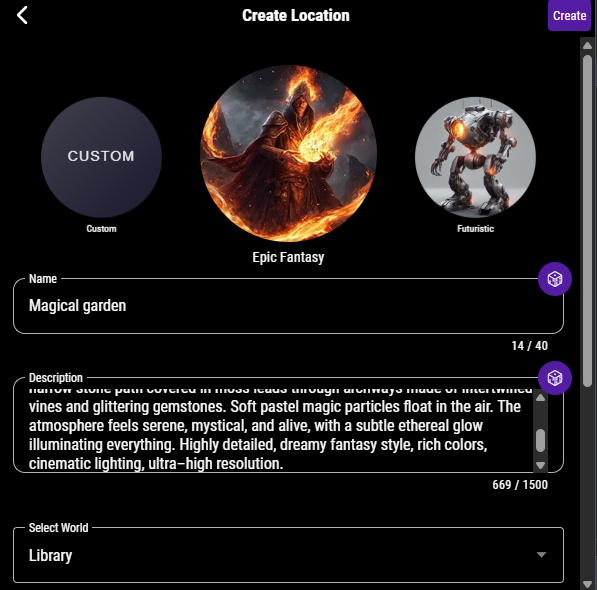
- Tap Location (20 Mana).
- Select a style – Epic fantasy
- Enter a name for your location – Magical Garden
- Enter a description: “(An awesome description for your world)”
- Optionally toggle 3D Panorama for sharper details.
Tap Summon to bring it to life!z