

What are user roles and permissions in a collaborative World?
In Summon Worlds, Shared Worlds support multiple contributors, each with specific permissions depending on their assigned role. This setup ensures collaborative projects stay organized and secure.
🔑 Understanding Roles and Permissions in a Shared World #
Here’s what each role can do:
👑 Admin #
- Full access to the World
- Manage members (add or remove)
- Edit the World, Summons, Locations, and other content
- Publish or unpublish the World
- Delete content or the entire World
- Assign roles and permissions to other members
- Remove members
🤝 Collaborator #
- Can edit Summons and contribute content
- Optional permission to edit the World (based on what the Admin allows)
- Add or move Summons
- Suggest changes to structure, lore, or world elements
🛠️ Contributor #
- Limited role focused on content creation
- Can add Summons
- May not have access to world-level edits
- Cannot manage other users or settings
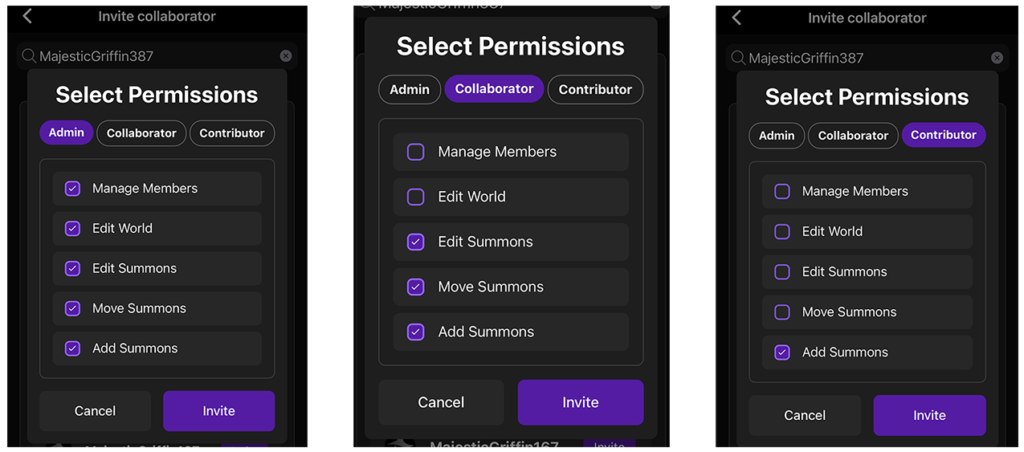
💡 Note: These roles are assigned when sending an invite and can be customized by checking/unchecking specific permissions like “Edit World” or “Manage Members.”